www.escene.cn/en/ Escene Communication
e) Support HTTP\TFTP\FTP\Auto-Provision.
f) Support POE (Remark: ES282-P) / Power Adapter.
g) 2-angle adjustable bracket, wall-mountable
2. Set up the Phone
a) Packing List:
Check the packing list before installation, if you find anything missing, contact your system administrator.
⚫ 1*ES282 IP Phone
⚫ 1*Handset
⚫ 1* Handset Cord
⚫ 1*Ethernet Cable
⚫ 1*Phone Bracket
⚫ 1*Quick Setup Guide
⚫ 1*Manufacturer Certification
b) Phone Installation:
This section introduces how to install the phone with the components in the packing list:
⚫ Attach the Bracket
⚫ Connect the Handset and optional Headset
⚫ Connect the Network and Power
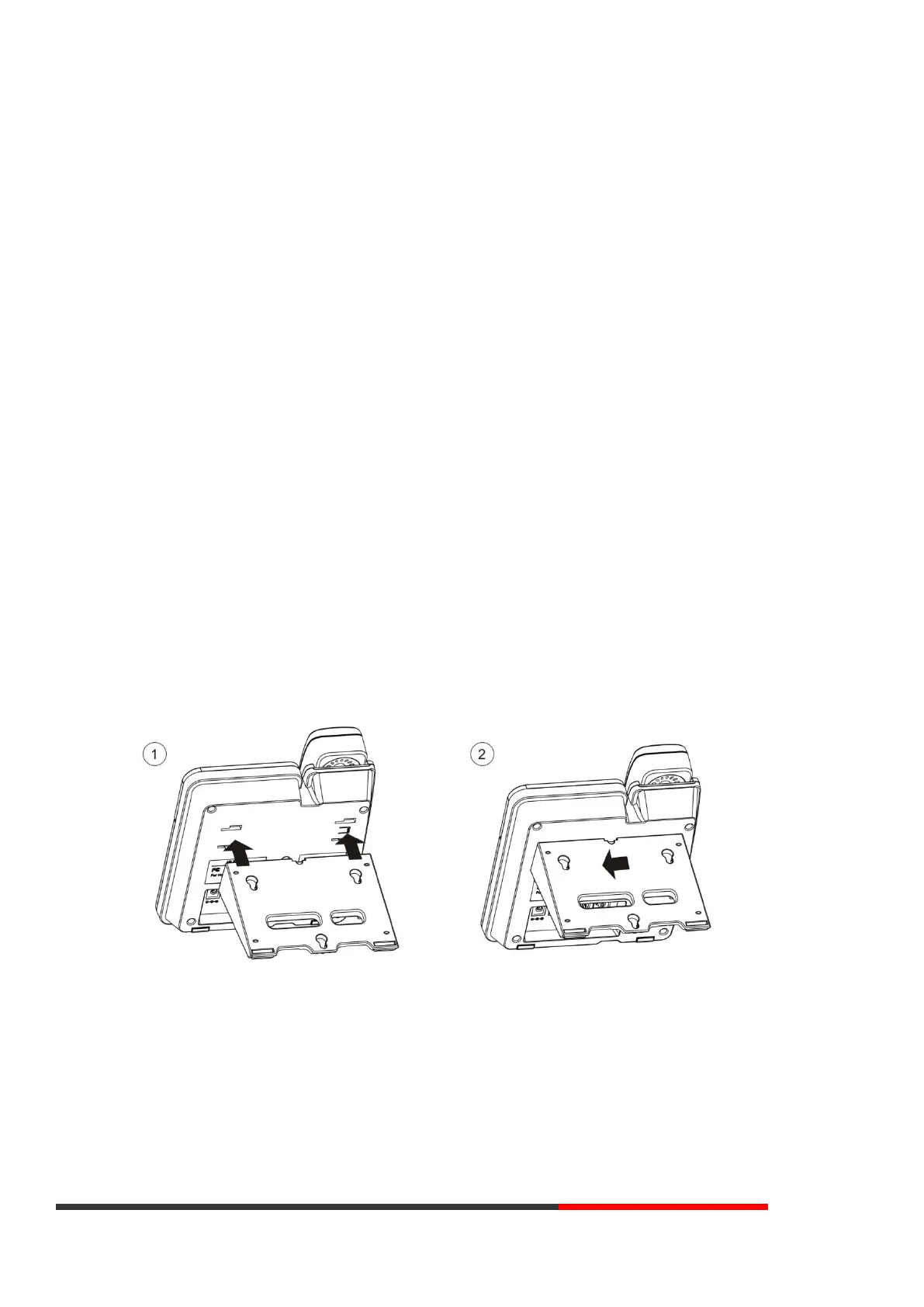
Attach the Bracket
Pls follow the following step ① to ②, firstly let the bracket join to the phone, and then gently push the bracket to
the left.
Connect the Handset and optional Headset



 To Next Page