www.escene.cn/en/ Escene Communication
UP: Open the All CONTACT LOG
DOWN: Open the MISSED CALL
RIGHT: Open the RECEIVED CALL
LEFT: Open the DAIL CALL
Cancels actions or rejects an incoming call, and the other feature:
In the idle: Open the Phone Status.
Diagnosis: Press and hold 3 second to open Hardware Diagnosis.
MUTE: MUTE feature is enabled if you press it while the conversation
making on the phone.
Conference\Redial\Transfer\Hold
Toggles the hands-free speaker phone mode.
Adjusts the volume of the handset, headset, speaker, and ringer
Provides the digits, letters, and special characters in context-sensitive
applications.
Toggles and indicates the headset mode.
Indicates and accesses voice messages.
3.2 Phone Screen Display Features
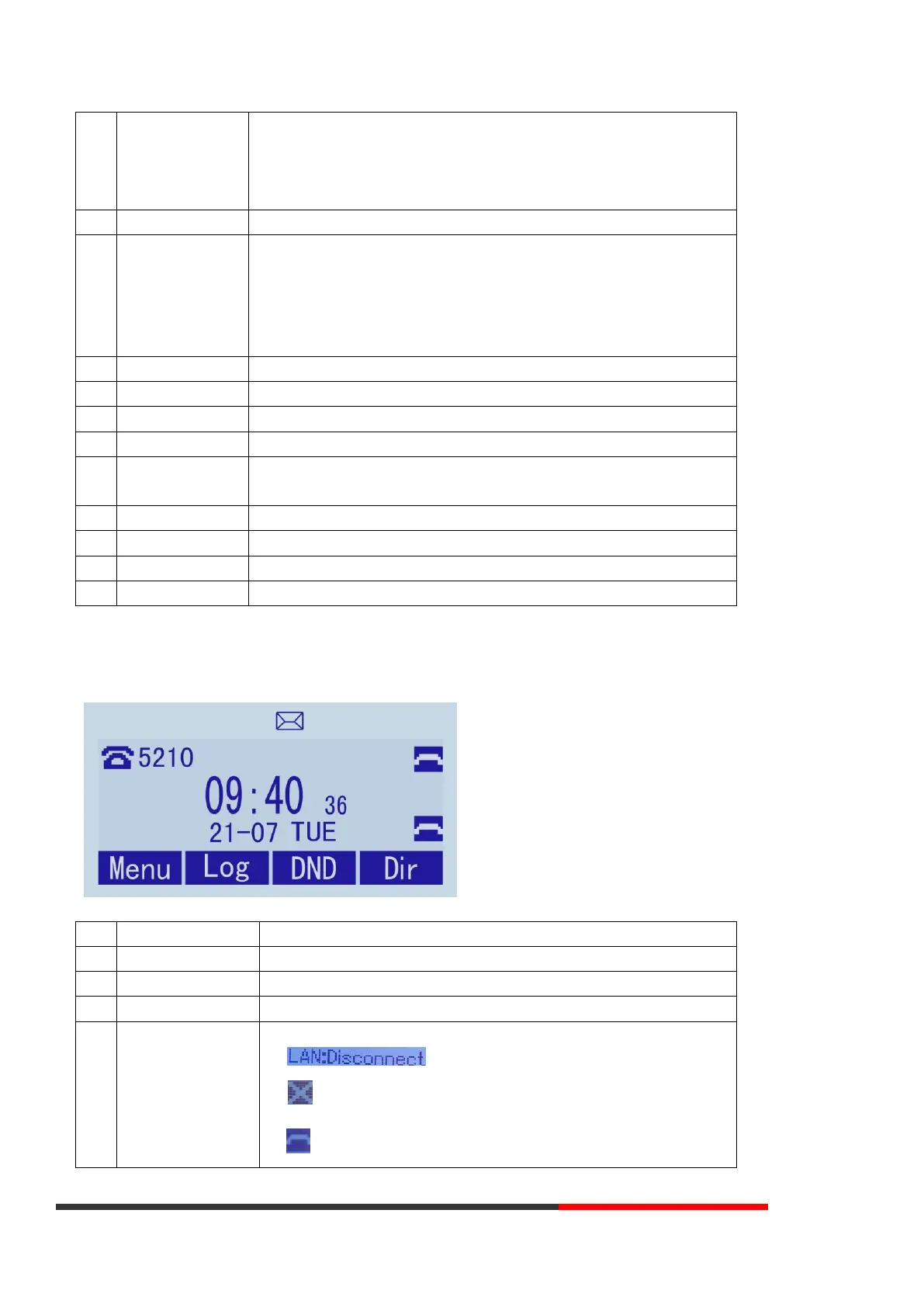
If the phone has successfully started up and after using, the idle LCD display will show information as below:
TIME & DATE display in the middle of the screen.
Enable this feature, it will display AA at the top right corner.
Missed Call under the TIME in the middle of screen
There are four status as below:
a. :Disconnect the network
b. :Account failed to register
c. :Account successfully registered



 To Next Page