www.escene.cn/en/ Escene Communication
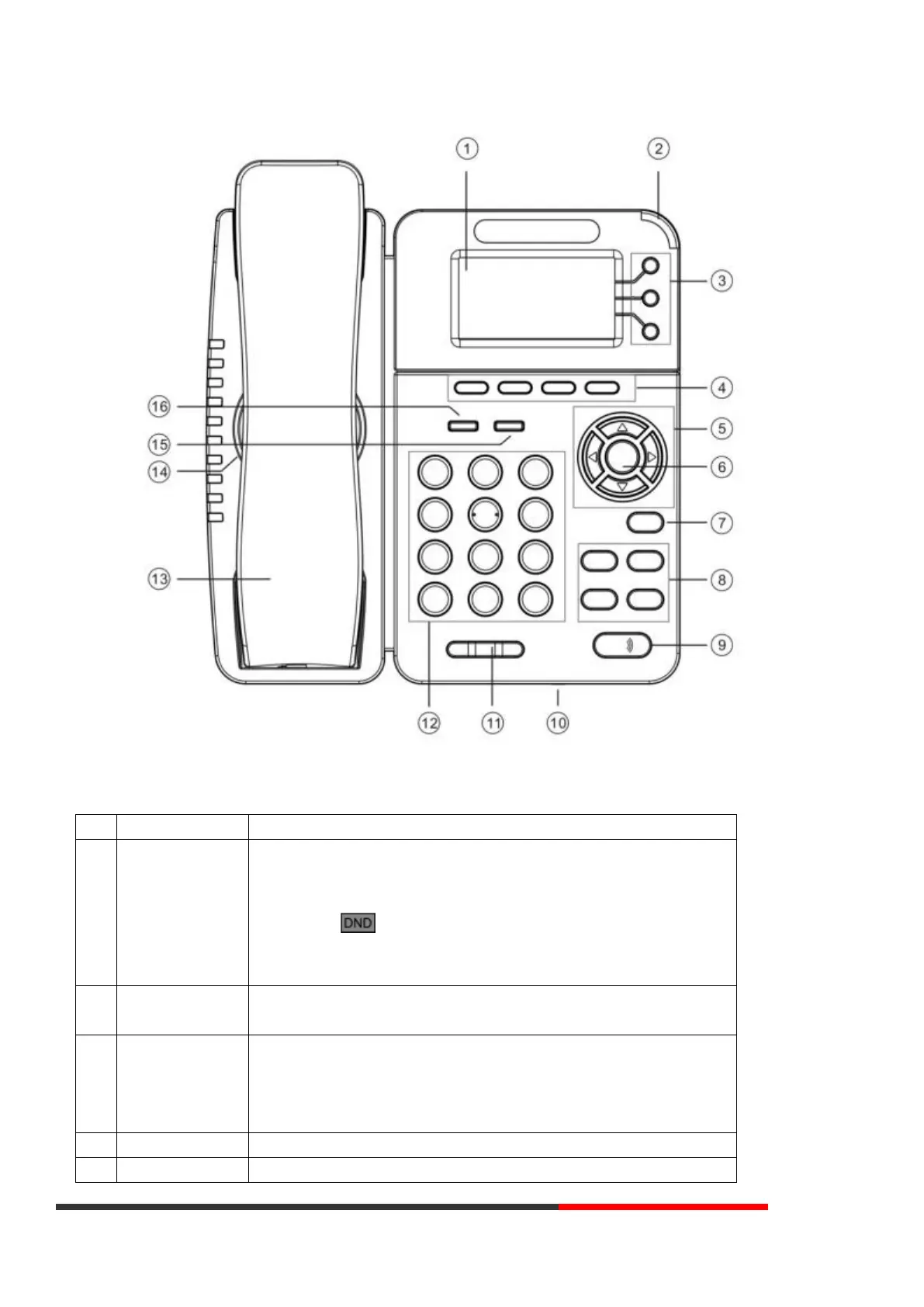
Hardware component instructions of the ES282 IP Phone are:
Displayed information about calls, messages, soft keys, time, date, and
other relevant data:
• Call information — caller ID, call duration
• Icons (e.g. )
• Missed calls or second incoming caller's information
•Time and date
Red-Flashing: There is an incoming call or be Hold.
Red-Steady: Hook-off. or be in a usual conversation
Green-Steady: There is a conversation making on the line
Red-Flashing: There is call coming in
Green-Flashing: The line is on hold
Dark: Accounts are idle
Labels automatically to identity their context-sensitive features
Scroll through the displayed information, and in the idle feature:



 To Next Page