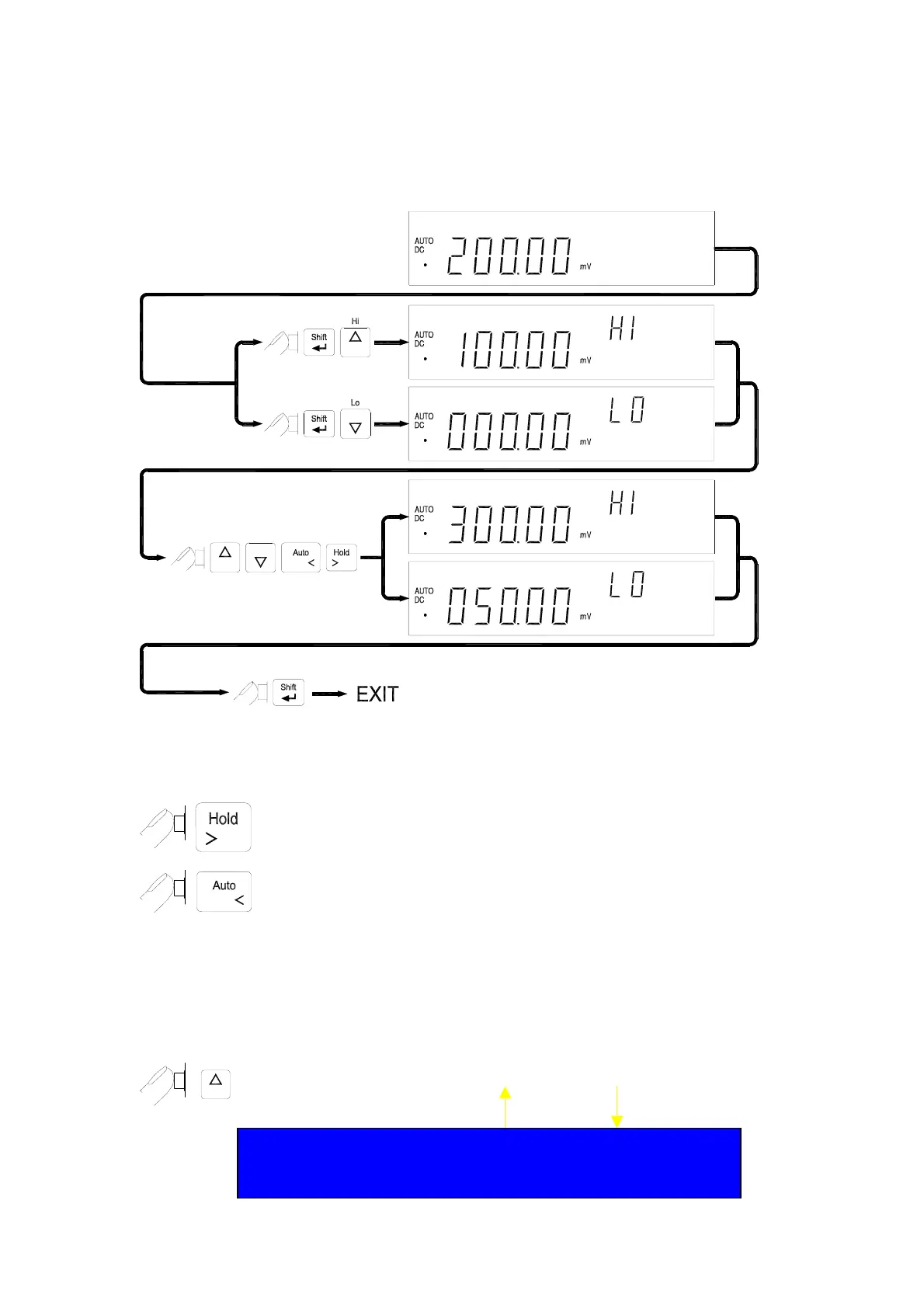
the LO limit value.
Note: 1. After set the Hi and/or the LO limits, the limits can be used for all ranges.
However, at different range, the HI and the LO limits represent different
values according to their respective counts.
The RIGHT and LEFT button is used to select which digit will be adjusted.
Push the buttons to left shift or right shift five digits.
D5
D4
D3
D2
D1
D5
D4
D3
D2
D1
The UP and DOWN button is used to adjust the value, press UP or down
button to increase or decrease one count for each digit, respectively. For the
most significant digit (D5), its digital variation is shown as following:
-50000
-40000
…
00000
10000
…
50000
Press UP button again to 60000, then the setting value will be
subtracted 50000 automatically.
36


 To Next Page