53
If RS-232 of the meter is under print-only mode, the meter will print out the
measured data when the measurement cycle is completed. The format of printed
data will be shown as one of the following:
1. <Measurement Data> + <CR> <LF>
for only primary display mode is enabled, or
2. <Measurement Data #1>, <Measurement Data #2> + <CR> <LF>
for both primary display and secondary display mode are enabled
6-5 Instructions of Command Sets
6-5-1 Key Commands
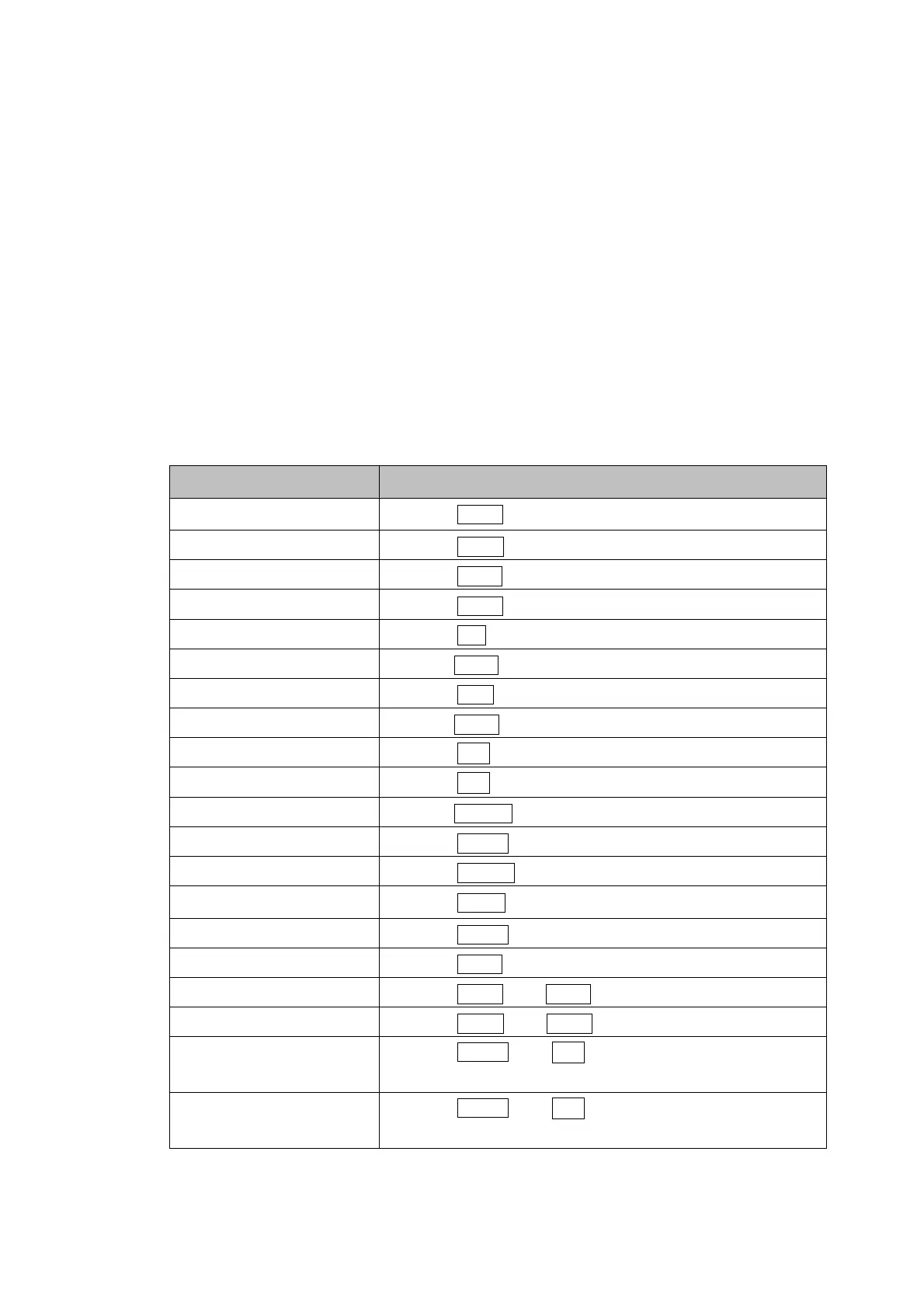
Table 6-3. Descriptions for Key Commands
Command Equivalent Keystroke on the front panel
K1
Press Vdc key
K2
Press Adc key
K3
Press Vac key
K4
Press Aac key
K5
Press
Ω
key
K6
Press Diode key
K7
Press Hz key
K8
Press AUTO key
K9
Press
△
key
K10
Press
▽
key
K11
Press MinMax key
K12
Press Hold key
K13
*1
Press Local key
K14
Press REL key
K15
Press Shift key
K16
Press 2nd key.
K17
Press Vdc and Vac keys simultaneously
K18
Press Adc and Aac keys simultaneously
K19
Press Shift and
△
keys on the front panel.
(Increasing the intensity of VFD display)
K20
Press Shift and
▽
keys on the front panel.
(Decreasing the intensity of VFD display)
Note: The K13 will be disabled after LLO command. For K15 then K13, it is always disabled.


 To Next Page