1.2
Manual Wiper speed interval
Description
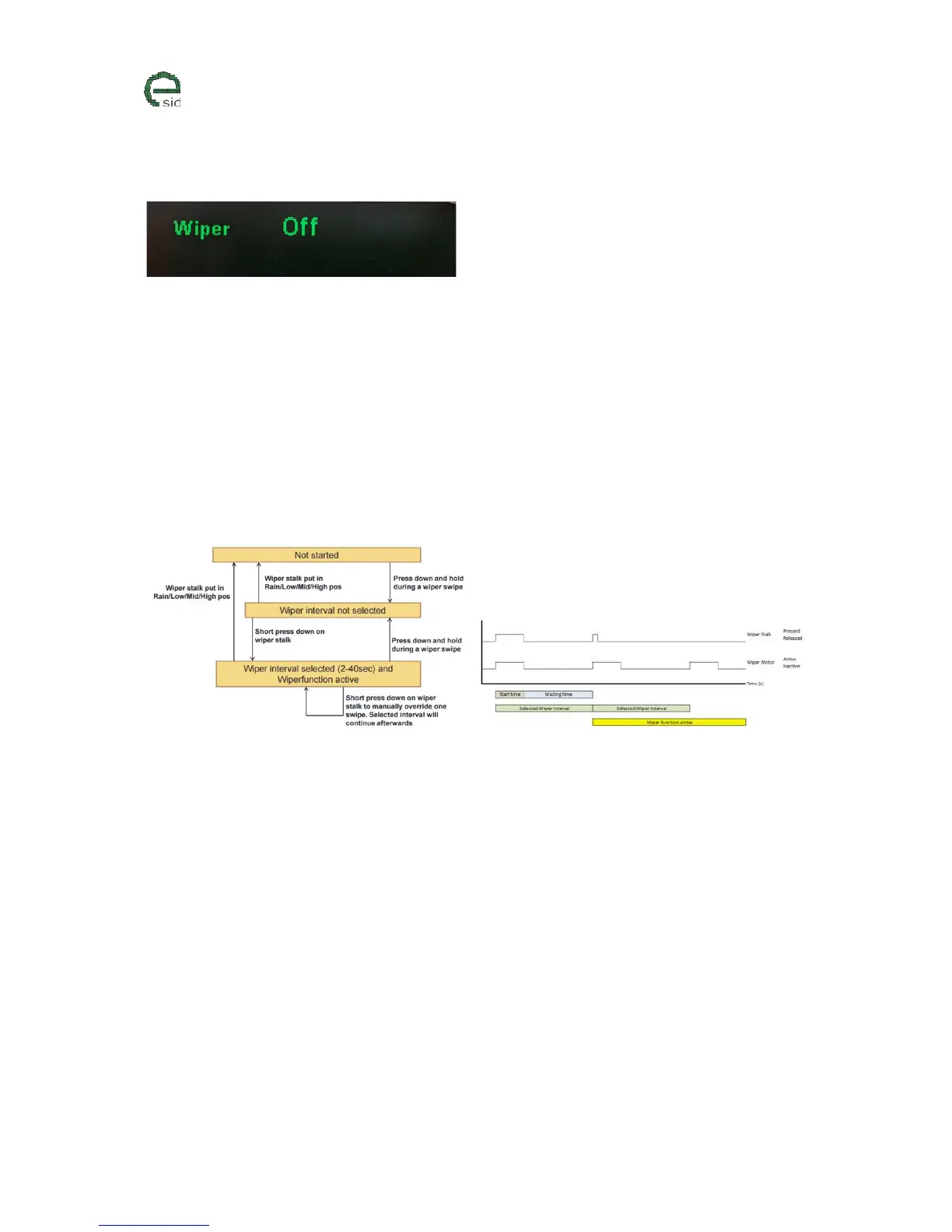
This is a function to manually select the interval between the windscreen wipes. The point is to press
down the wiper stalk and hold it down during a complete ”swipe” of the windscreen and when the
wiper stalk is released back into ”idle” position the eSID counts the time from the stalk was released
until a second short press down on the stalk is performed. Valid delay range is from 2 to 40 seconds.
When the time has been set, the windscreen wiper will continue to run until the driver moves the
wiper stalk into any other position than ”idle” or if the ignition is turned off.
It is possible to manually clean the windscreen with an extra swipe while the function is running and
the wiper will continue with the selected interval afterwards.
Wiper states
User Inputs
• INFO – Triggers change to next settings (Inactive/Active)



 To Next Page