1.2
Display
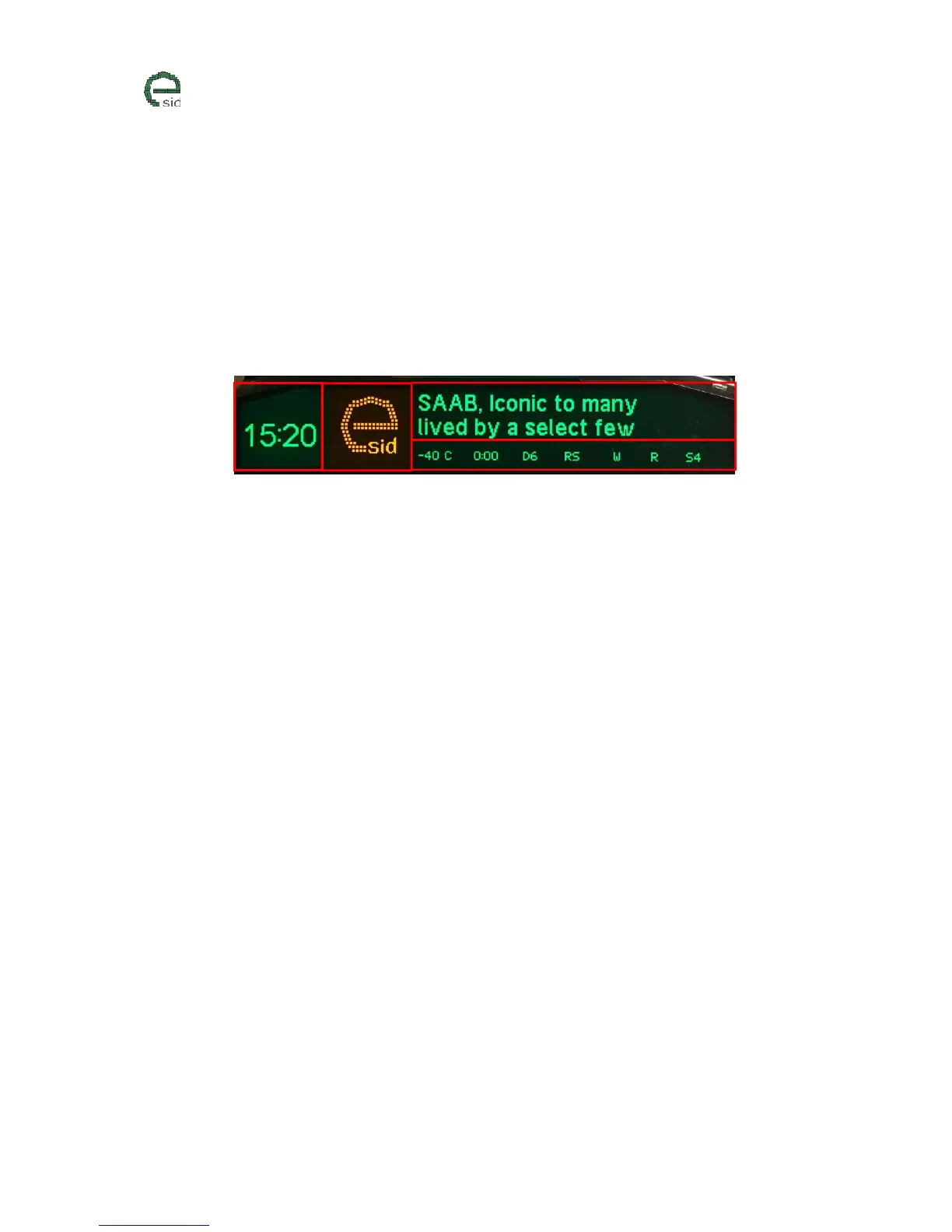
The display is divided into 4 different segments:
1) Clock View – Shows the clock (12H/24H depending on Units configuration)
2) Icon View – Shows yellow or red icon
3) Main View – Here all the display groups/functions will be showed
4) Status View - Here some extra useful information will be visible to the driver at all times
Main View
The display functions in the Main View are structured in five display groups:
• Favorites
o 5 selectable favorite display functions from the other groups
• Powertrain
o Engine and transmission related display functions
• Vehicle
o Non-powertrain related display functions
• Diagnostics
o Read/Clear diagnostic fault codes
o Internal eSID debug data
o Software versions
• eSID Settings
o The settings are saved when the eSID goes to sleep (i.e. locked car) and the values
will then be remembered if the battery is removed.
o This menu is only enabled when the vehicle is standstill
1



 To Next Page