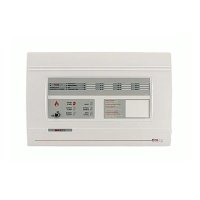
MAGDUO Control Panel Engineering and Commissioning Manual
65
Finding Zone Faults
A fault on a zone of the MAGDUO system may be found as follows:
In order to prove whether the fault is control panel based or in the field (including the field
wiring), swap the wires from the zone in fault with those in a clear zone (active but no fault) at
the control panel.
If the fault moves with the wiring then the fault is in the field. If the fault stays on the same zone
then the fault is in the control panel.
Examine the LEDs carefully for signs of the fault as follows:
If the buzzer has been silenced, create another fault to cause it to return
,
e.g. remove a battery
lead until the buzzer starts again.
The detector is operating normally and is not set to EOL.
The detector is operating normally, is set as heat only and is not set to EOL.
The detector is operating normally and is set to EOL.
The detector is in fault. Check for dust contamination and that the optical
chamber is locked on correctly.
0.3 second flash or continuous
The detector has triggered into the fire state and is not yet reset. Check for
smoke and contamination.
Manual Call Point
LED action
The MCP is operating normally, or is not powered at all. Test the MCP to
clarify.
The MCP is operating normally and is set to EOL.
The MCP has triggered into the fire state and is not yet reset.
If steps 1. and 2. do not clarify the matter then split the zone wiring at a suitable mid point,
removing the outgoing cables from the terminals completely, and then setting the EOL switch to
the on position before reassembling that device.
If the fault clears then it is after that point, but if the fault persists then it is before that point.
The split may then be moved in the relevant direction, halving the remaining devices, and the
procedure repeated until the fault is found.


 To Next Page