MAGDUO Control Panel Engineering and Commissioning Manual
19
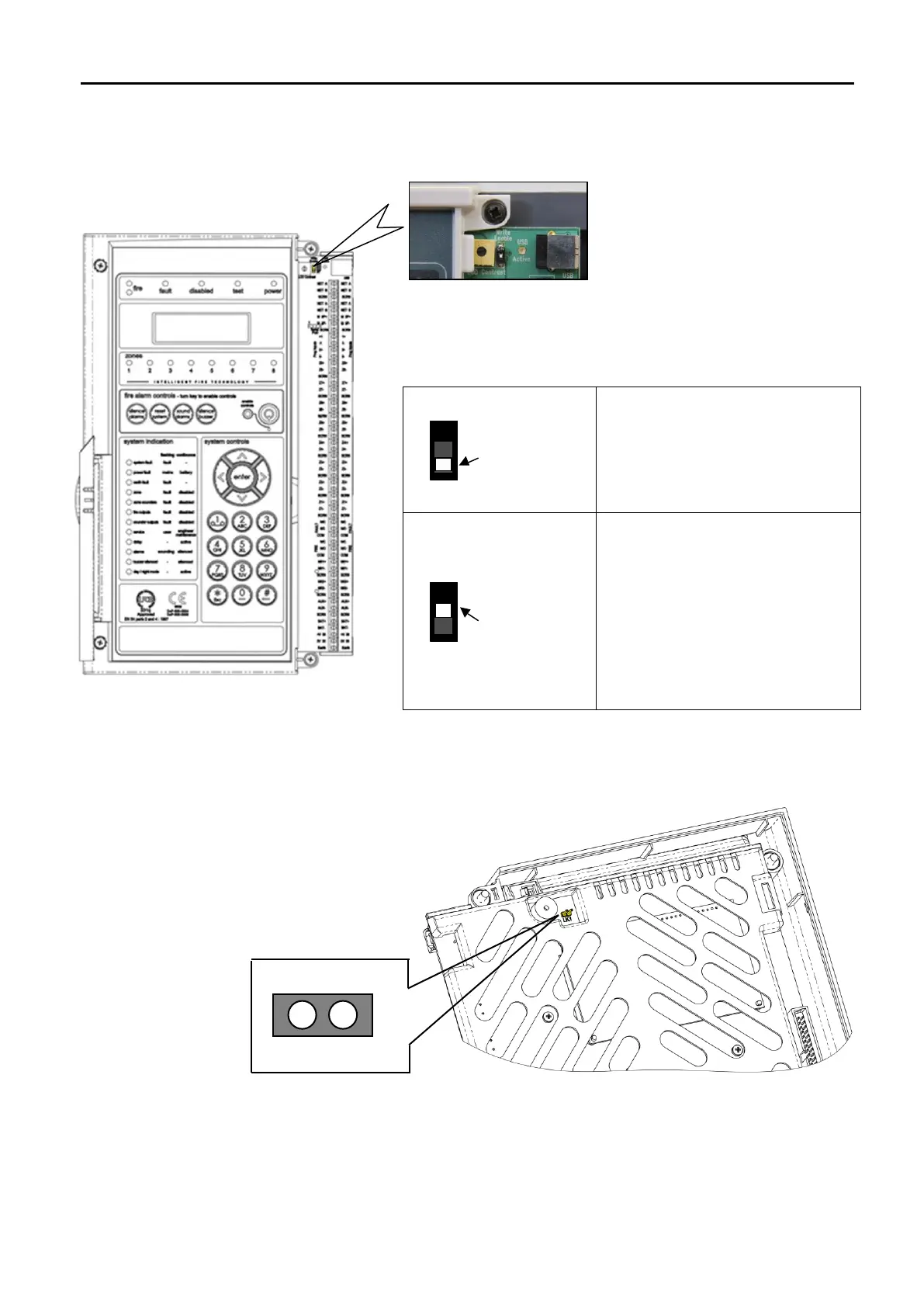
Write Protect / Write Enable Switch
Note: 4 Zone / 8 Zone Panel version shown
The write protect / write enable switch is a two position switch
which is normally set to stop options in the engineer menu from
being inadvertently changed.
Write Protect Mode:
In the OFF position, as shown (left),
engineering options may be viewed
but no changes made.
Write Enable Mode:
If changes are to be made, this
switch needs to be in the ON
position as shown (left).
If the switch is left ON whilst the
panel is not in engineer mode a
system fault will be reported.
LK1 Buzzer Link
Linking out LK1 will disable the panel buzzer. The buzzer will remain disabled whilst the link is in place.
Warning – To comply with EN54 and BS5839: Pt1: 2017 this link must be left OPEN.


 To Next Page