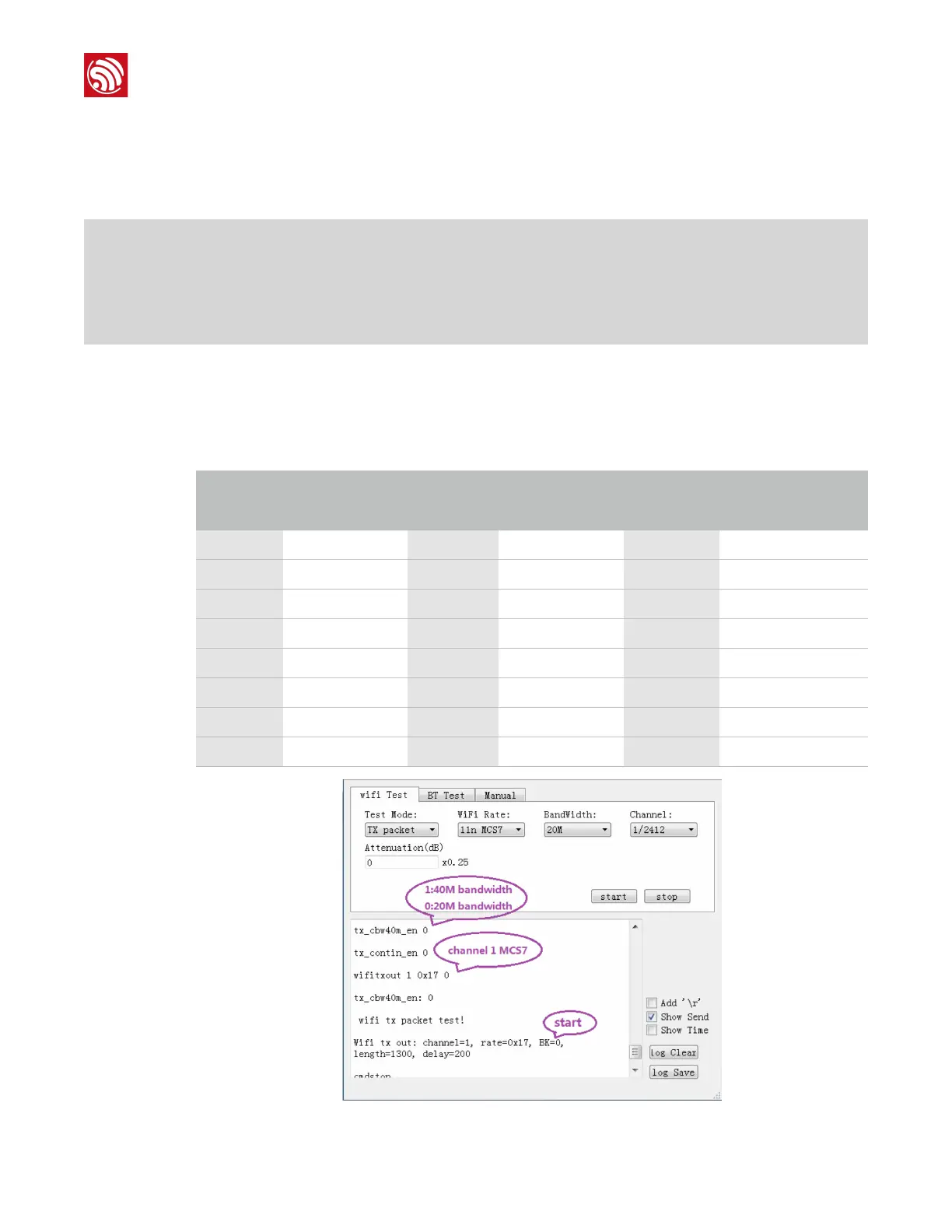
2. Choose "Tx packet" for "Test Mode" and set the "WiFi Rate", "BandWidth",
"Channel" and "Attenuation". Tx data rates are listed in Table 4-1.
For example, if the data rate is set to MCS7, bandwidth to 20M, and channel to 1, as
shown in Figure 4-1, you will get the log output described below:
tx_contin_en 1: continuous Tx mode with a duty ratio of 100%
tx_contin_en 0: Tx packet mode
tx_cbw40m_en 0: 11n HT20, 20M bandwidth
tx_cbw40m_en 1: 11n HT40, 40M bandwidth
3. Click on "stop" to end the Tx process and the returned message is "cmdstop".
4. Before switching to other channels or data rates, please click on “stop” to terminate
the current transmission.
!
Figure 4-1. ESP32 Wi-Fi Tx Test Log Output





 To Next Page