3.3 BT Tx performance test
1. Choose "BT Test" in the test configuration section.
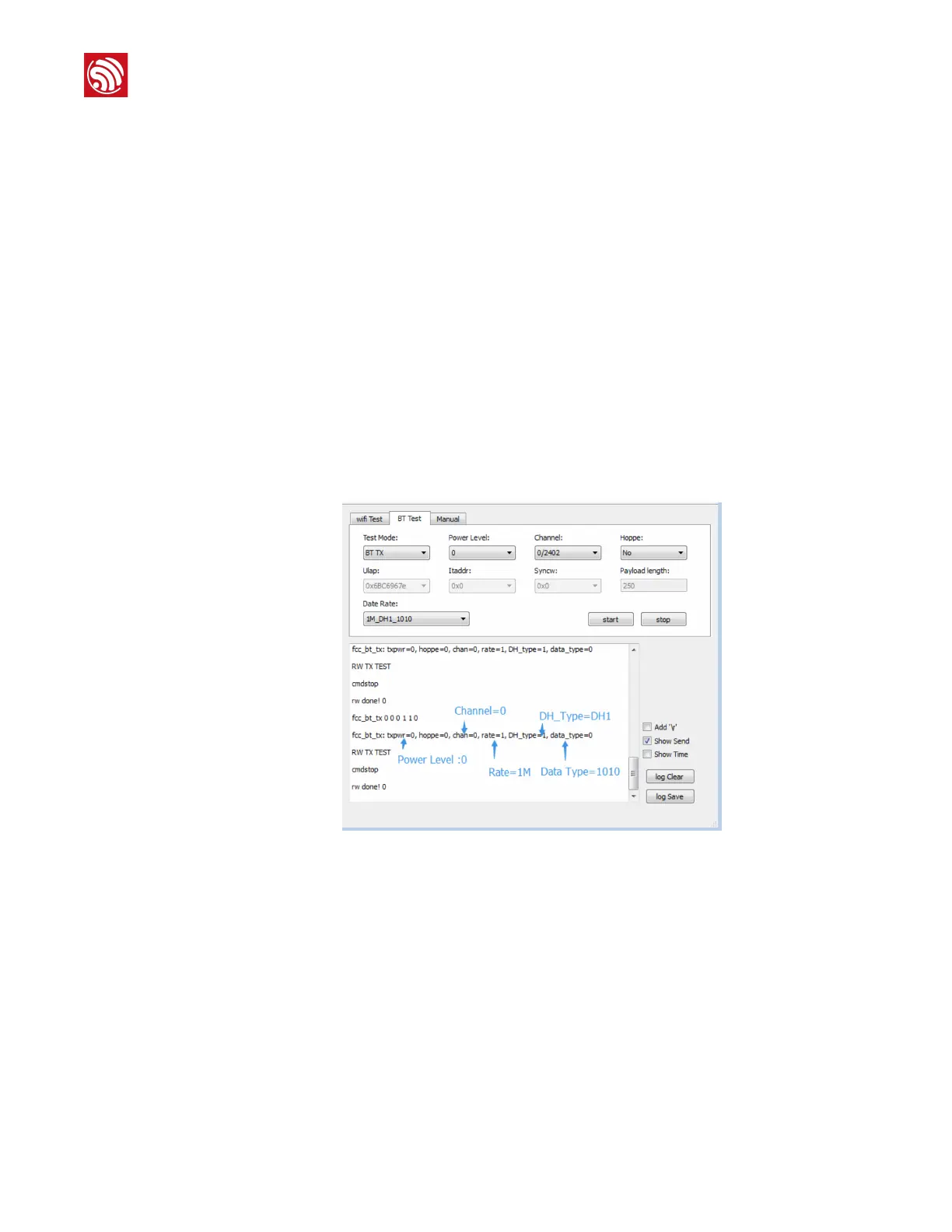
2. Choose "BT TX" for "Test Mode" and set the "Power Level", "Channel" and "Hoppe".
For example, to test the BT Tx performance on channel0 at a data rate of
1M_DH1_1010, set the configurations shown in Figure 4-4. After the testing process,
you will get the log output described below.
fcc_bt_tx is followed by seven parameters, each of which is described below:
<Parameter1>: Tx power level with a range of 0-8 (typically 4), in multiples of 3 dB.
<Parameter2>: Enables or disables frequency hopping. 1: enable; 0: disable.
<Parameter3>: Selects the Tx channel from 0 ~ 78.
<Parameter4>: Selects the frequency modulation type. 1: 1M, 2: 2M, 3: 3M.
<Parameter5>: Selects the DH type: 1: DH1, 3: DH3, 5: DH5.
<Parameter6>: Selects the data type. 0: 1010, 1: 00001111, 2: prbs9.
!
Figure 4-4. BT Tx Test Log Output
3.4 BT Rx performance test
Choose "BT RX" for "Test Mode", set the "Power Level", "Channel" and "Hoppe".
For example, to test the BT Rx performance on channel0 at a data rate of LE_prbs9, set
the configurations shown in Figure 4-5. After the testing process, you will get log output.
The format of the number of received packets is:
0 0 0 0 0 0 0 0 w 0 0 0 0 0 0 0 0 p 0 0 0 b 0 0
There are four parameters in the log output, among which:
- The first parameter, based on the hexadecimal system, indicates the total number
of received packets.





 To Next Page