ADD TO YOUR COMMUNICATION POWER
Essence|VT Easy Start
44
EDIT MENU allows you to highlight and cut text, copy text and/or paste
text somewhere else.
Select the CLOSE key
to close your Notebook. If you have
written in your Notebook while it has been open, when you select the
CLOSE key, you will see a yellow box asking if you want to save changes.
Answer YES to keep any new text or NO to delete it.
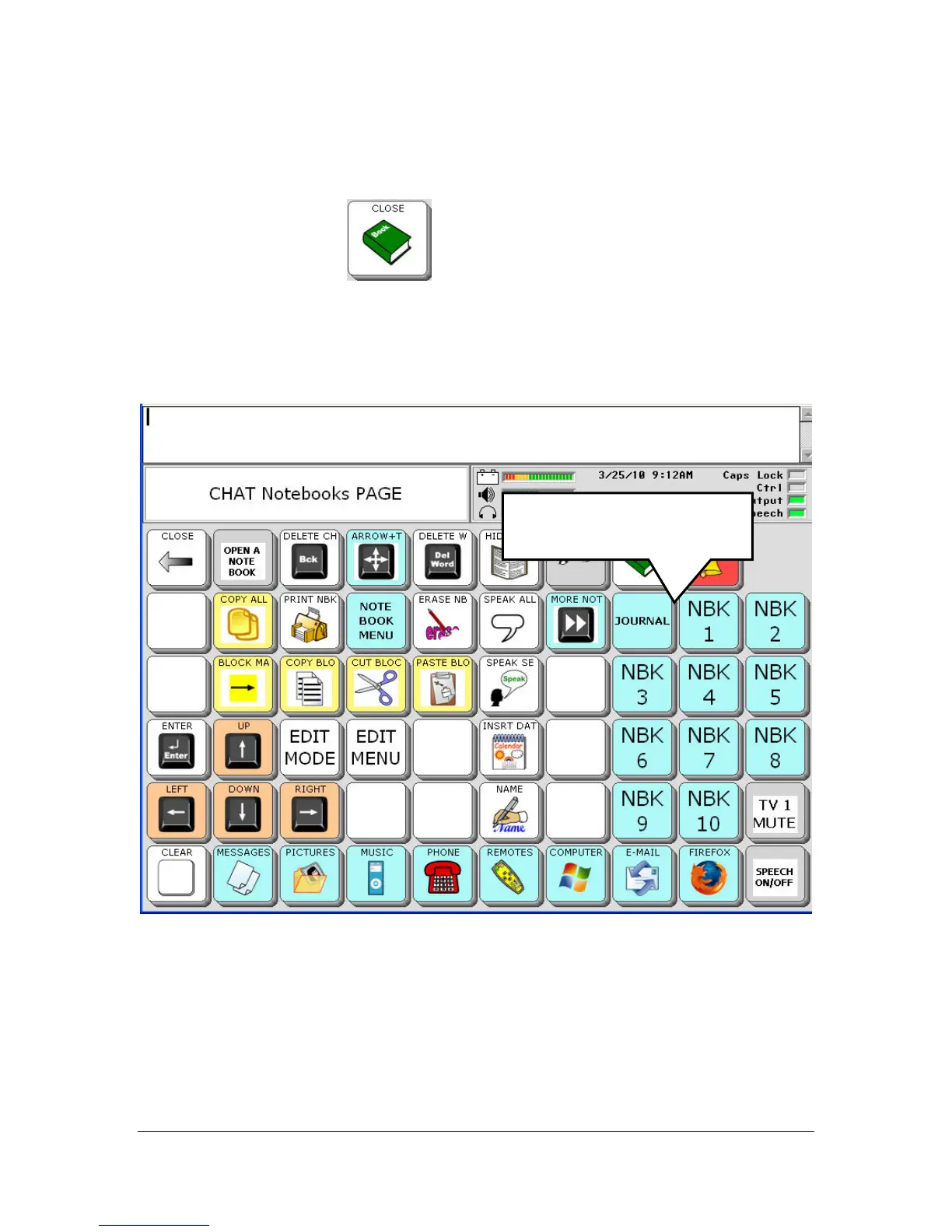
Notice on the right side of the Notebook page, there are a number of blue
keys with the letters NBK and a number on the key. These blue keys are a
shortcut to opening the pre-stored Notebooks.
Short-cut keys to opening
a Notebook.



 To Next Page