10
5. Connection to the digital system
We recommend that you first configure the SwitchPilot 3 decoder
completely and then install it on the layout.
5.1. Terminals
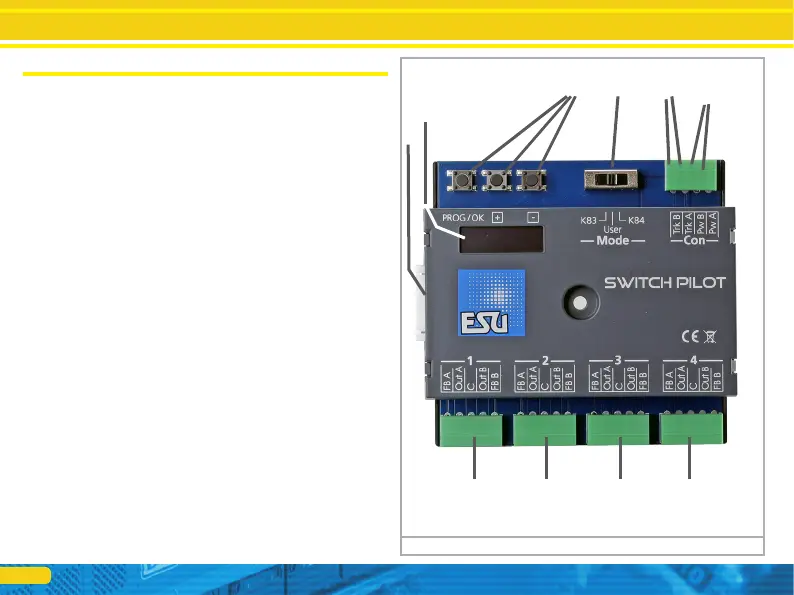
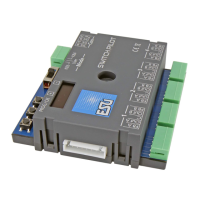
Fig. 5 shows the SwitchPilot 3 with all terminals.
a) Turnouts, daylight signals, uncouplers and similar electric loads
shall be connected to the terminals labelled 1 to 4 for the out-
put pairs 1 to 4. The respective terminals FB A and FB B are
required for providing feedback from the turnout drive to the
SwitchPilot 3.
b) The power supply of the SwitchPilot 3 including all connected
loads is realized vie the Terminals Pw A and Pw B. You can eit-
her use the track voltage or use an external power supply. We
recommend an external power supply, particularly for larger
layouts, because then the energy for powering the drives does
not add to the load for the command station or booster.
c) Connect the Terminals Trk A and Trk B to the track output of
the command station (or booster) that controls the SwitchPilot
3.
d) As described in chapter 4.4.6., the outputs can be configured
simultaneously with the operating mode switch.
e) Input unit. The three buttons PROG/OK as well as (+) and (-)
serve to configure the decoder, as explained in chapter 6.
f) The display shows all settings of the decoder including turnout
address and status of the outputs. After a few seconds, the
screen saver displays the supply voltage.
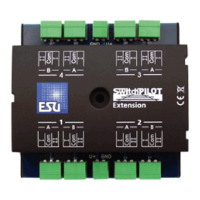
g) Extension socket for the SwitchPilot Extension relay module.
Figure 5: Terminals of the SwitchPilot 3
Connection to the digital system
g)
f)
e) d) c)
b)
a) a) a) a)


 To Next Page