17
Assigning turnout numbers
6.1.1. Assigning turnout numbers
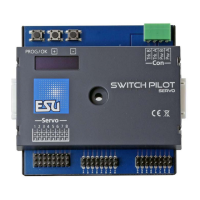
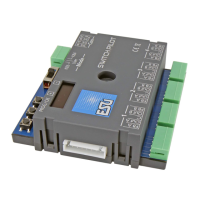
Ex works, the 4 double outputs of the SwitchPilot 3 respond to
turnout numbers 0001 to 0004. The turnout numbers can be ea-
sily changed directly on the SwitchPilot 3.
a) Check whether the display shows the screen saver (lettering
„SP” and the supply voltage):
b) In this case, press the „PROG/OK” button only (!) briefly. Now
the SwitchPilot 3 should display its current turnout numbers
directly in plain text:
c) Press the „PROG/OK” button. The turnout numbers should
now flash (inverse).
d) Press the button (+) or (-) to select the desired turnout num-
bers. The currently selected turnout numbers are displayed
flashing.
e) Press the „PROG/OK” button again to confirm the turnout
numbers. The indicator no longer flashes.
Finished! Without programming or cumbersome handling on the
handheld throttle or command station.
SP»17.3V
ADDRESS
Switch 1-4: 0001-0004
ADDRESS
Switch 1-4: 0001-0004
ADDRESS
Switch 1-4: 0009-0012


 To Next Page