25
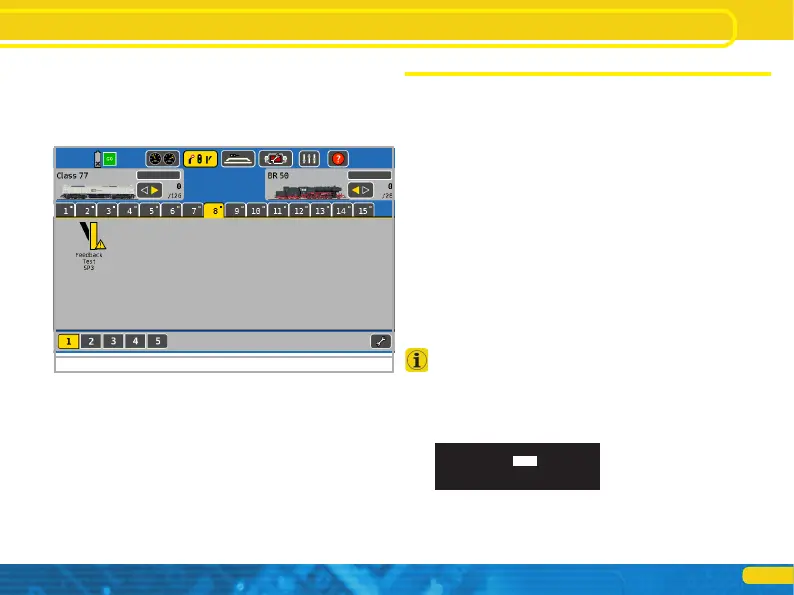
• Now go to the interlocking (turnout control panel). If the current
status does not match the desired status, this will be indicated by
a small exclamation point.
Depending on the design of the feedback device, the feedback li-
nes may be reversed. If you cannot or do not want to rewire them,
you can activate the „Swap SwitchPilot feedback”.
Figure 19: SwitchPilot in the signal box
12. Reset to factory default (decoder reset)
You can restore the decoder‘s factory default settings at any time.
12.1. With the programming button
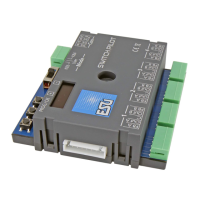
• Disconnect the power supply to the SwitchPilot 3 decoder. The
display must go out.
• Press and hold the PROG/OK button.
• Reconnect the power supply for the decoder. The decoder will be
reset to factory default values.
• Release the PROG/OK button. The turnout numbers are now
flashing because the SwitchPilot 3 expects to assign new turnout
numbers (as described in chapter 6.1.).
• Confirm the turnout numbers with PROG/OK or first assign the
new turnout numbers with (+) or (-).
12.2. With DCC systems
To do this, write the value 8 in CV 8 either via POM (wiring as per
chapter 8) or on the programming track (wiring as per chapter 9).
The display of the SwitchPilot 3 briefly goes dark, after which the
factory values are restored.
Writing in CV 8 is a special case, so some command stations may
display an error „err02” or similar. However, the SwitchPilot will
accept the command.
12.3. With the display
The „RESET DECODER” panel on the display enables you to resto-
re the factory default values directly.
• In the “Do Reset” option, select „Yes” and confirm with PROG/
OK. The display will flicker briefly, after which the SwitchPilot will
be restored to have factory default values again.
RESET DECODER
Do Reset: Yes
RailCom
Decoder reset


 To Next Page