EasyManua.ls Logo

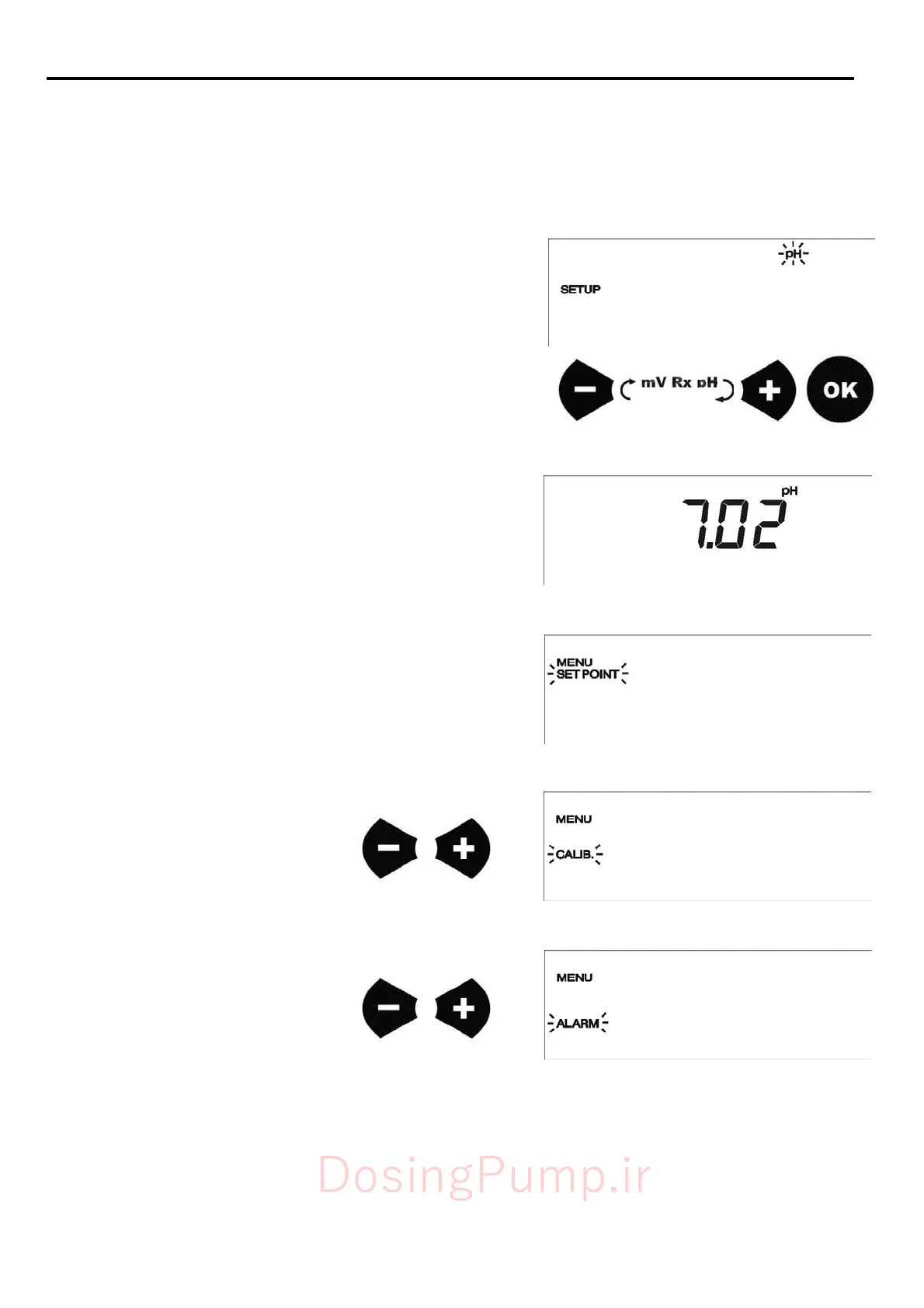
Etatron DLX - Programming; Initial Pump Setup

Default Icon
23 pages
Print Icon
To Next Page IconTo Next Page
To Previous Page IconTo Previous Page
Loading...
36
7.0 -
PROGRAMMING
Through
the
front
panel
it
is
possible
to
set
and
to
modify
all
the
working
parameters
of
operating
setting
of
the
pump.
7.1
-
PUMP
SETUP
The
first
operation
to
do
is
to
select
the
type
of
parameter
(pH,
Redox
)
that
is
intends
to
measure
and
to
control.
The
pump
has
turned
on,
on
display
it
appear
software
revision
then
SE
T
U
P
me
nu
and
the
type
of
controlled
parameter
that
it
flashes
(default
settings:
pH).
In
this
phase
it
is
possible
to
set
measure
type
by
means
on
the
+
and
-
buttons
and
to
confirm
through
the
OK
button.
A
f
ter
confirm
with
t
he
OK
but
t
on
t
he
measure’s
t
ype,
t
he
pump
goes
i
n
measure
mode,
on
display
w
ill
show
t
he
measure’s
va
l
ue
Press
OK
button
to
enter
in
menus;
the
first
is
SETPOINT
menu,
using
+
and
-
buttons
you
will
scroll
all
3
menus.
Setpoint
me
nu
Ca
l
ibra
t
ion
me
nu
Alarm
menu
DosingPump.ir

Related product manuals