14 Source Four LED Profile v1.7.0 User Manual
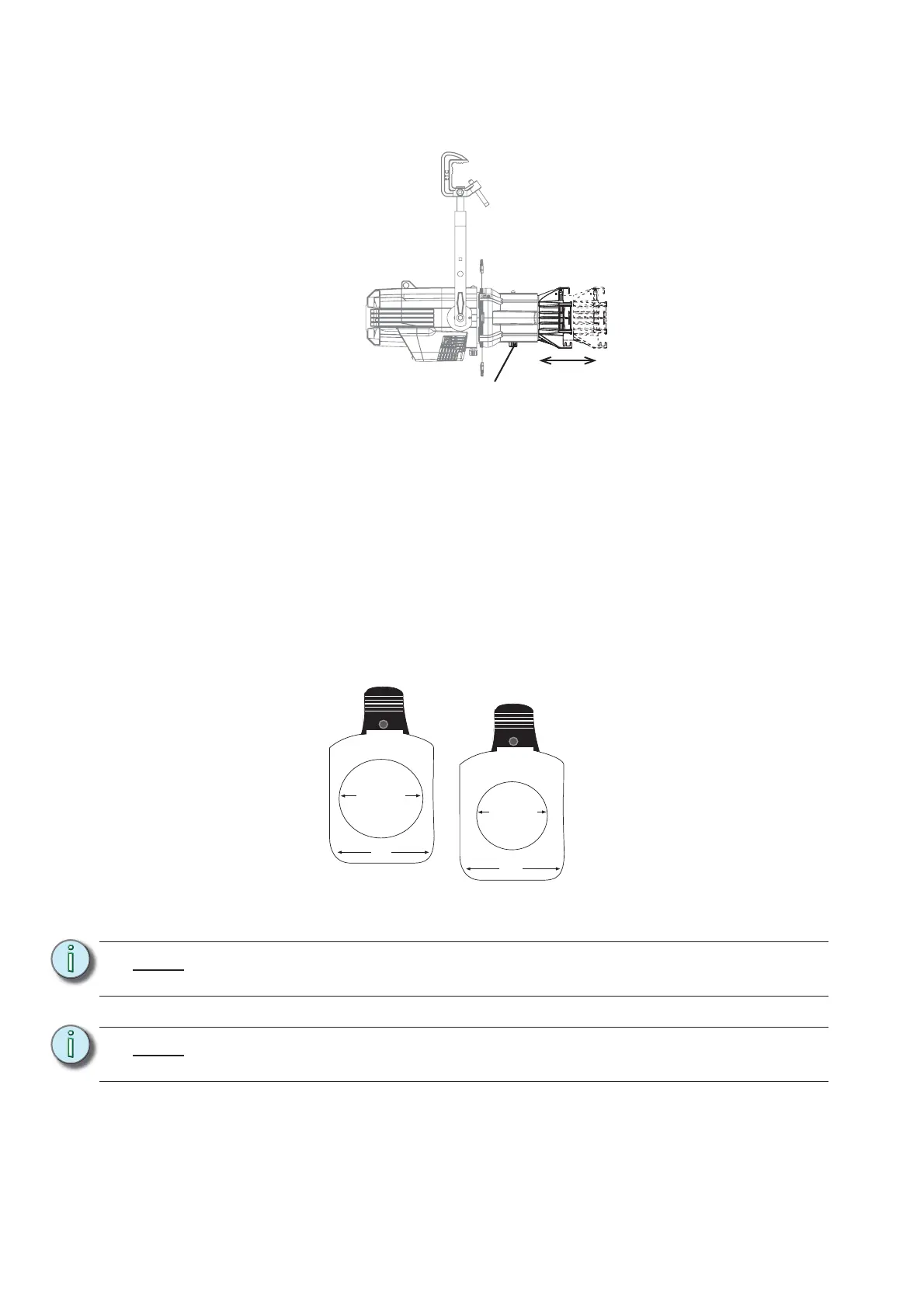
Focusing the Beam
Figure-1.4 Focusing the beam.
Step 1: Loosen the beam focus knob located under the barrel as shown in Figure-1.4.
Step 2: Slide the lens tube forward or backward to achieve the desired beam edge.
Step 3: Once the fixture is focused, tighten the beam focus knob.
Shaping the Beam
The beam can be shaped using the shutters (see Figure-1.1), a pattern, an optional drop-in iris, or
by rotating the barrel.
Pattern Projection
The pattern holder slot is on the top side of the barrel and in front of the shutters. It accommodates
A-size, B-size, and glass pattern holders.
Figure-1.5 Pattern holders.
Note:
Pattern projections generally look best when used with the included Soft Focus
diffuser.
Note:
Because the Source Four aperture is 3 inches wide, ETC recommends using A-size
patterns for maximum pattern effectiveness.
Beam focus knob
3.12" Diameter
3.70"
2.75" Diameter
3.70"
A-Size Pattern holder: holds 3”
diameter patterns
B-Size Pattern holder:
holds 2.5” and 2.75”
diameter patterns












 To Next Page