25 Sensor+ Dimming System User Manual
Errors
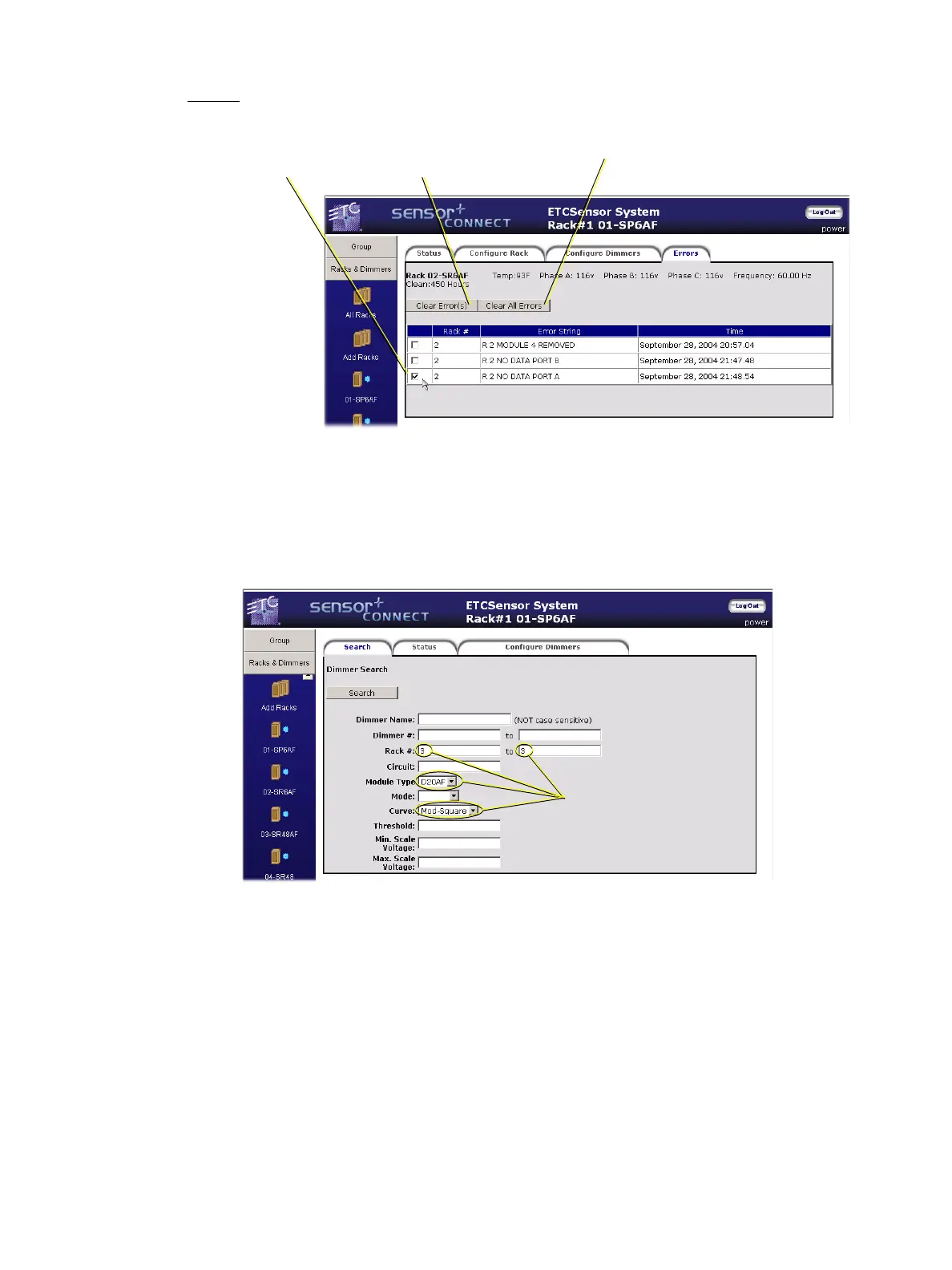
Errors for a rack can be viewed and cleared on this webpage.
Search
The Search pages (search appears multiple times within the CEM+) allow you to find
dimmers based on multiple search criteria. For example, you can search for all of the
D20AF modules in rack 3 with a specific dimming curve.
The results of that search are presented on a dimmer status page (the next tab).
Using the Configure Dimmers webpage within the Search function provides an easy way to
set one property or properties on the top of the page and have it apply those settings to
every found dimmer in the group.
These are the same dimmer properties as explained above. See “Configure Dimmers” on
page 22.
1) To clear a specific error,
click in the check box then...
2) Click the Clear
Error(s) button.
Click the Clear All Error(s) button to clear
all errors regardless of the check boxes.
...or...
Selected search criteria
(from the example above)



 To Next Page