EasyManua.ls Logo

ETC sensor+ CEM+ - CEM+ Fuses

ETC sensor+ CEM+
76 pages
Print Icon
To Next Page IconTo Next Page
To Previous Page IconTo Previous Page
Loading...
59 Sensor+ Dimming System User Manual
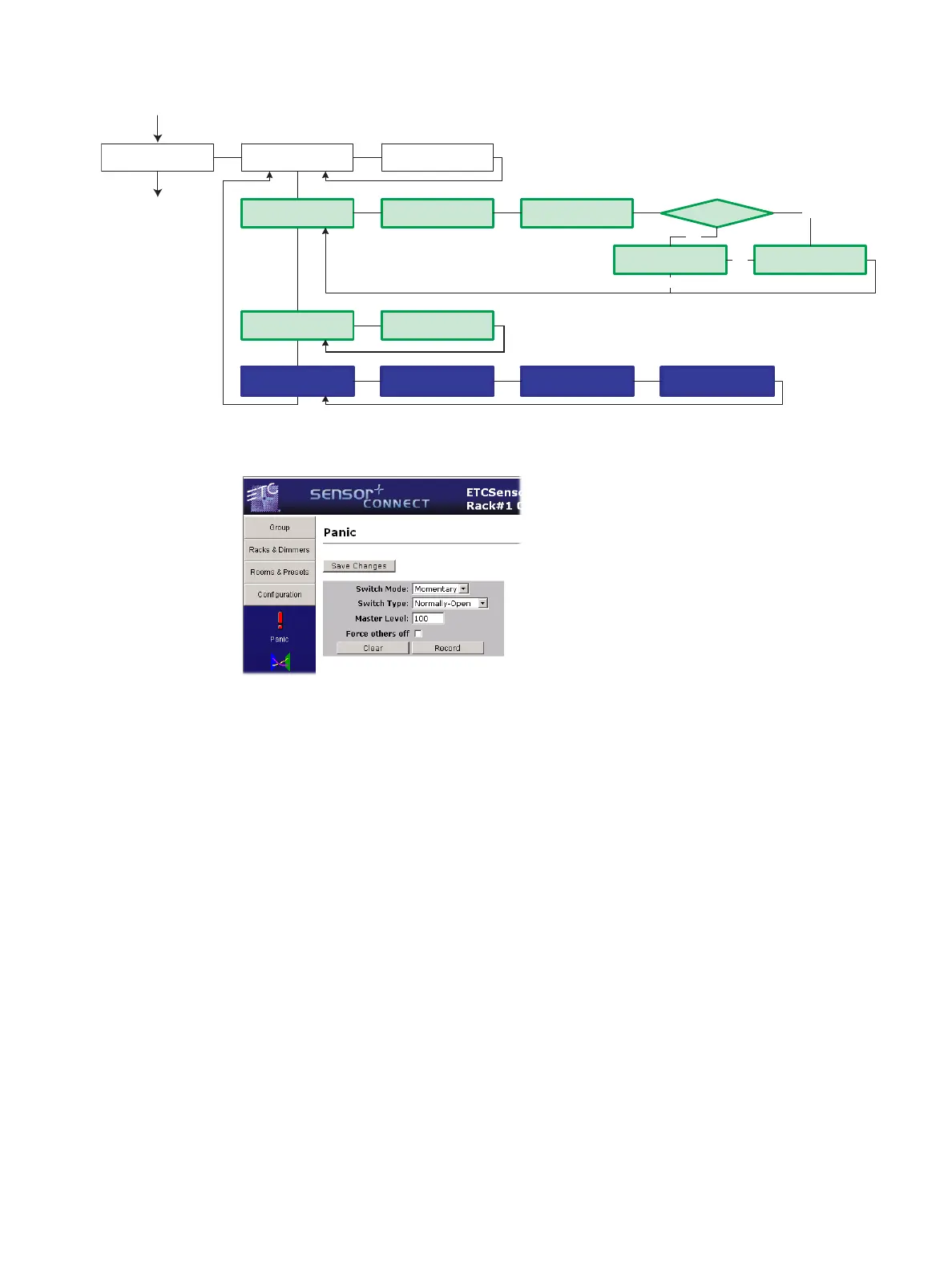
CEM+ LCD Panic Menu:
Sensor+ Connect web interface (Configuration>Panic):
Testing
Local testing can be done by either installing a local test switch or by local activation of Panic via
the CEM+ face panel.
ETC CEM+ R__/__ G__
Panic
Panic >Active<
Activate Panic
Panic
Record Panic
[Normally-Open]
Panic Switch type
Panic Activated
Panic
Configure Switches
Master Level [100]%
[Maintained]
Panic Switch Action
Record Panic
[Disabled]
Force Others Off
Panic
Panic ClearedClear Panic
Clear Panic
Panic Recorded
Panic already Rec?
Overwrite Panic?
Overwrite? [No}
No
Yes
Yes
No
Updating Settings
Please Wait

Table of Contents

Other manuals for ETC sensor+ CEM+

Related product manuals