4 CEM+ Configuration Procedures 40
Rooms & Presets
Assign Dimmers to Rooms
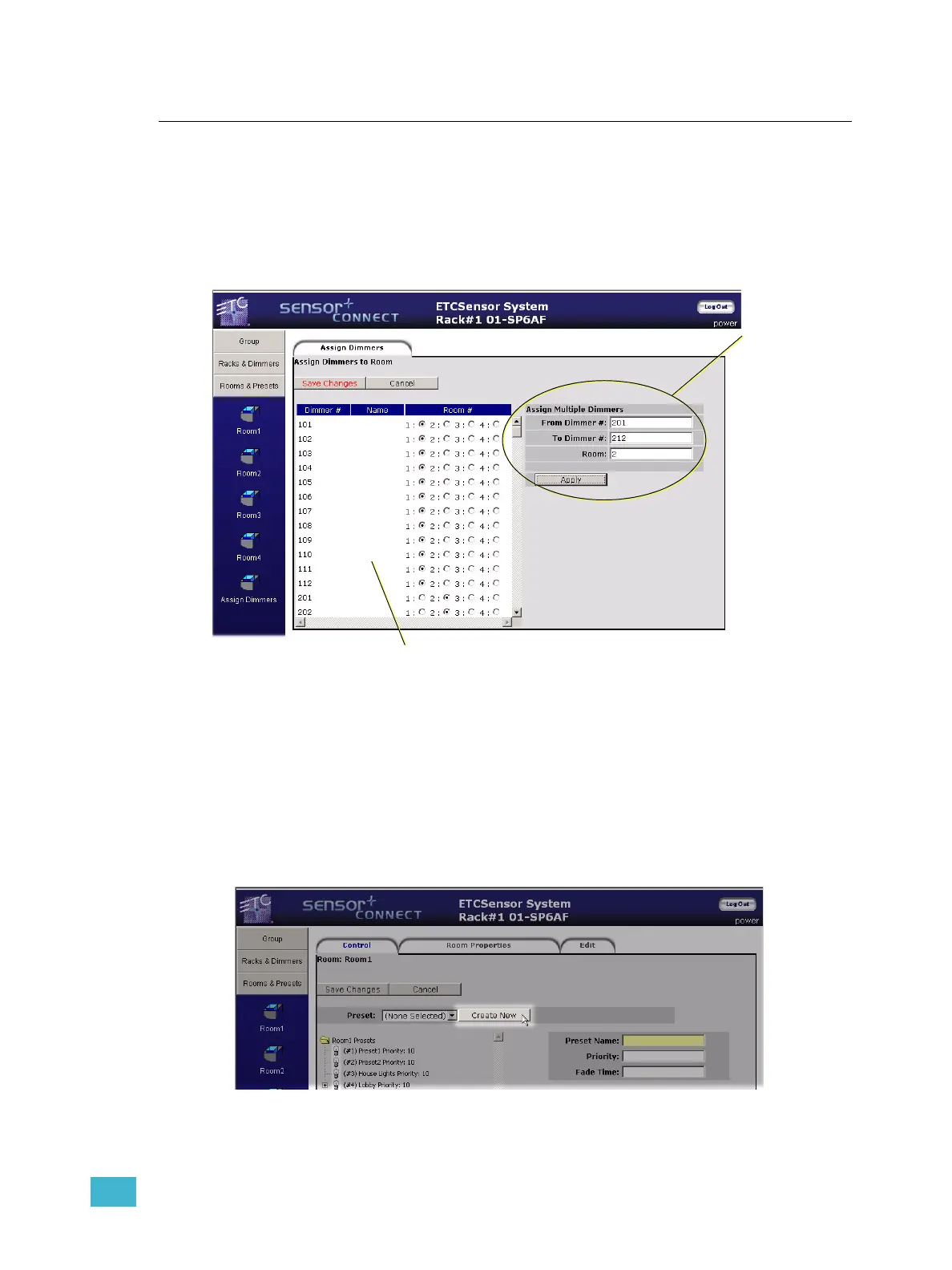
All dimmers in a group default to being in (and thus available only to) Room1. You can
assign a dimmer or range of dimmers to any of the rooms (1-4), but to only one room at a
time. Shown below, dimmers 101-112 are assigned to Room1 and dimmers 221-212 are
assigned to Room2.
Create a Preset (Web Only)
In the web interface, you must create a preset before you can record levels into it. The face
panel LCD combines creating a preset with recording it.
Click on Create New and the web interface will add a new preset to the list below. It will add
an incremental preset (Preset1, Preset2, Preset3 and so on) or if an older preset was
recorded, it will recycle the old preset first before making a new one. Once it appears in the
list, you can record and modify it as needed.
Use this section
to assign a range
of dimmers to a
room.
Use this section to assign an individual dimmer to a room.
Dimmers may only be assigned to a single room at a time.



 To Next Page