3 Sensor+ Connect Web Interface Overview 26
You can also use the Configure Dimmers tab to modify the properties of all the found
dimmers at once. (See below.)
Rooms & Presets
Assign Dimmers
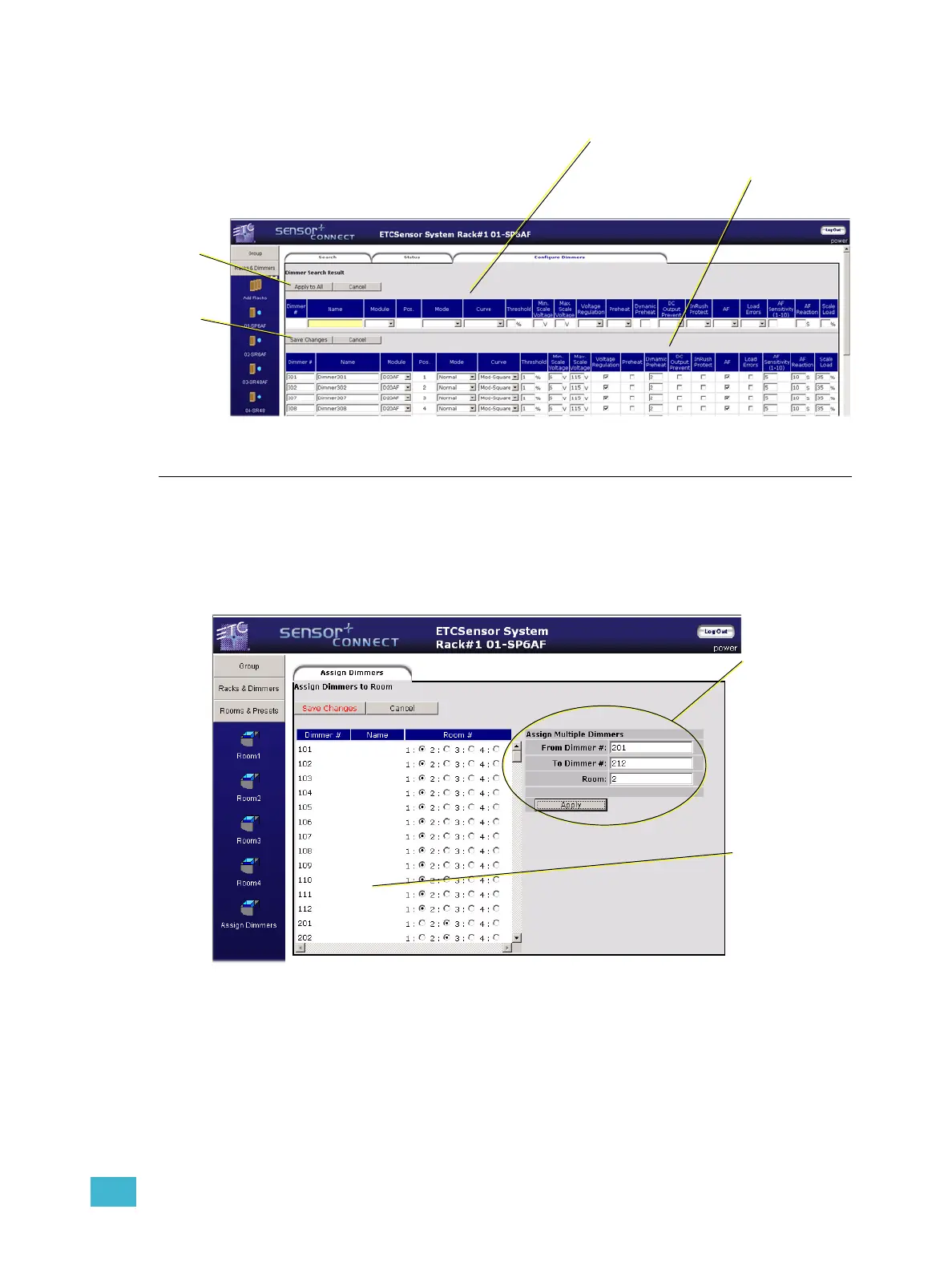
All dimmers in a group default to being in (and thus available only to) Room1. You can
assign a dimmer or range of dimmers to any of the rooms (1-4) only once. Shown below,
dimmers 101-112 are assigned to Room1 and dimmers 201-212 are assigned to Room2.
Use this section to make
changes that will get
applied to all found
dimmers below.
This section gets
the changes
applied to it.
Apply to All
makes the
changes to the
table below.
Save Changes
updates the
information in
the CEM+
Use this section
to assign a range
of dimmers to a
room.
Use this section to
assign an individual
dimmer to a room.
Dimmers may only
be assigned to a
single room at a
time.



 To Next Page