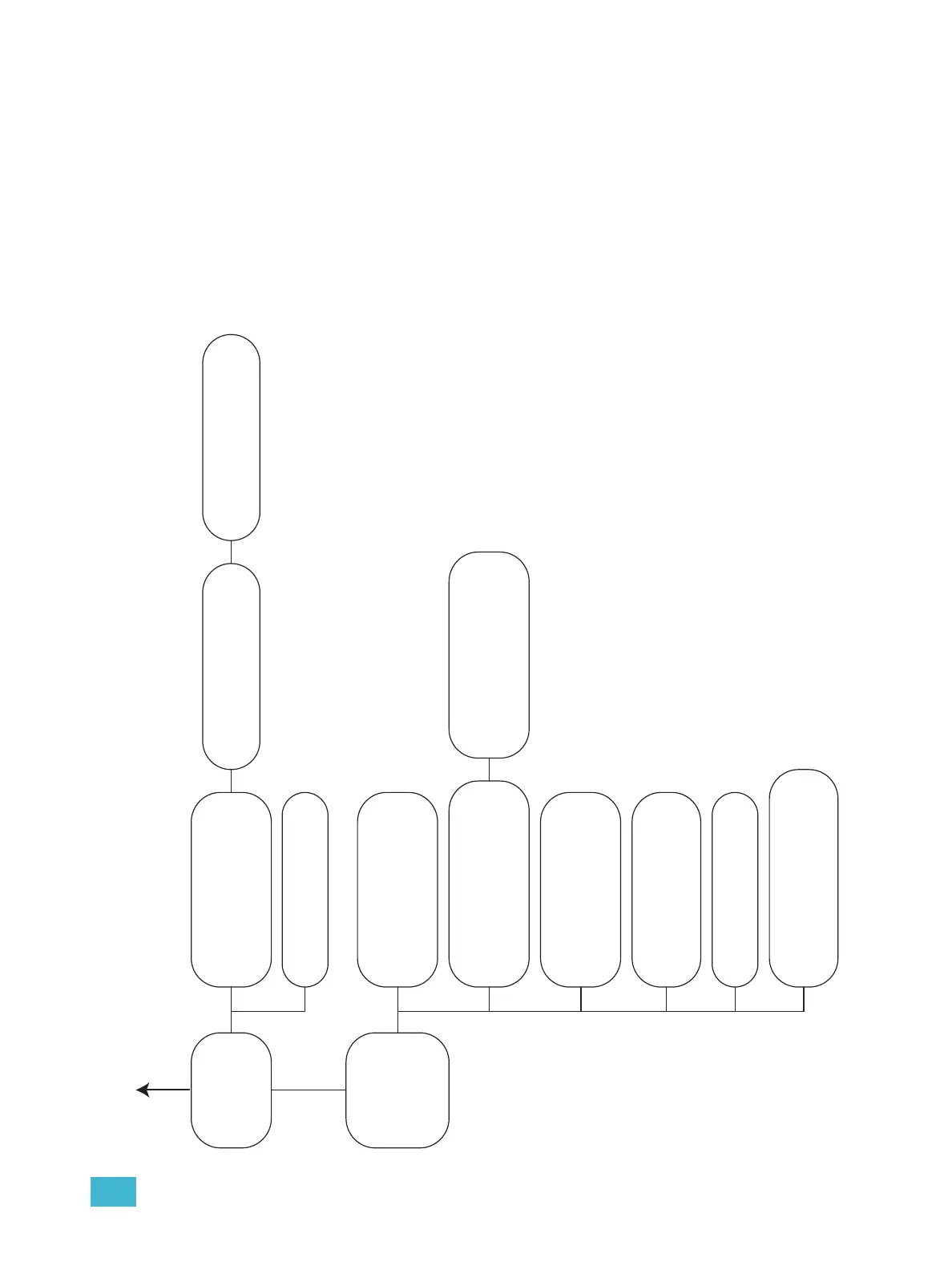
E Sensor+ Connect Site Map 70
Rooms & Presets
+ Room1
+ Room2
+ Room3
+ Room4
+ Assign Dimmers
Room # (Defaults to Control tab)
• View room’s presets
• Record presets
• Activate/deactivate presets
• Clear presets
• Set dimmer levels
Room Properties
• Set room name
• Set maximum number of active presets in a room
• View dimmers assigned to room
Edit
• Create new presets
• Set preset properties
• Set dimmer levels
Configuration
+ Panic
+ Patch
+ Network
+ File transfer
+ File upload
+ Load Management
Panic
• Set switch mode
• Set switch type
• Set master level
• Set load shedding (force others off)
• Record / clear panic
Assign Dimmers
• Assign individual dimmers to a room
• Assign ranges of dimmers to a room
Patch (Defaults to Patch tab)
• Set starting address per port per rack
• Enable / disable ports
• Set port priorities
• Set data loss behavior
• Enable / disable DMX Output for Port B of last rack
Advanced Patch
• Individual dimmer patching per port
• Range patching per port
• Range unpatching per port
Network
• Set Group & Rack number
• Set web UI timeout
• Set CEM+ face panel timeout
• Set default login access level
• Restore Network default IP addresses
File Transfer
• Get a config from another CEM+
• Send local config to all other CEM+s in Group
• View local config (in xml)
• Download local config to disk (right-click)
File Upload
• Upload CEM+ software to local CEM+
• Upload config to local CEM+
Load Management
• View individual dimmer recorded loads & actual loads
• Load check
• Record loads
• Clear loads
Sensor+ Connect
Web Interface
Site Map
(cont.)



 To Next Page