32E40-14
Installation
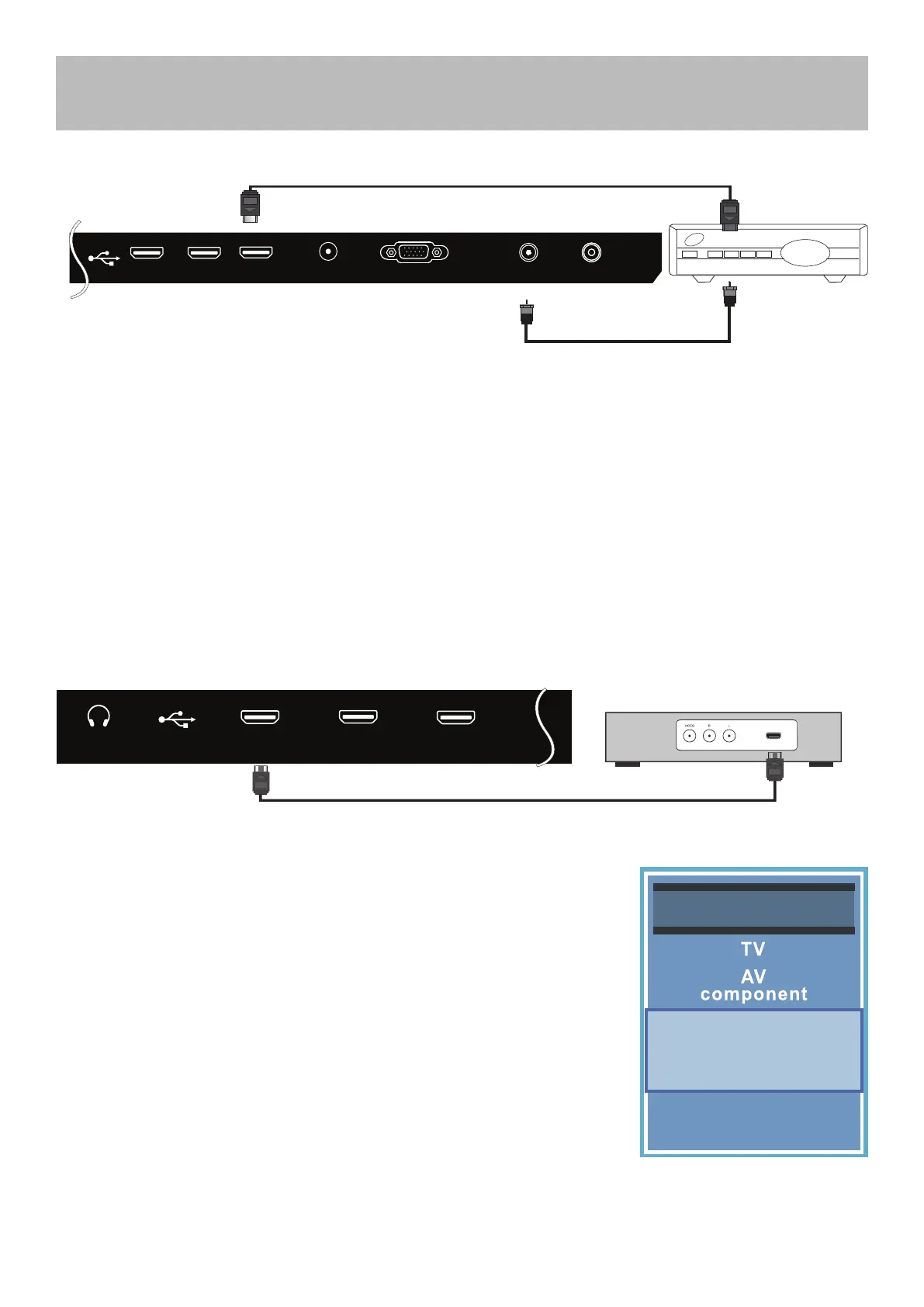
Connection to HDMI Input
Blu-ray, HD DVD, or Game Console
How to Connect
• On the back of your device, connect the HDMI cable form HDMI out on
device to HDMI in on rear panel.(pictured above)
How to Use
• Press the INPUT button on the remote, then use the arrows to
highlight HDMI 1, 2 , or 3. Press ENTER.
Coaxial / RF Cable
(not included)
Optional HDMI cable ( not included )
TV REAR PANEL
Cable / Satellite
set top box
Optional HDMI cable ( not included )
TV REAR PANEL
Digital set top box, gaming console,or
blu-ray w / HDMI interface
Digital Cable / Satellite Set Top Box
How to connect
• On the back of your device, connect the HDMI cable form HDMI out on device to HDMI in on rear panel.(pictured
above)
How to Use
• Press the INPUT button on the remote, the use the arrows to highlight HDMI 1,2, or 3. Press ENTER.
NOTE: You can also connect a digital cable/satellite box using an RF coaxial (75 ohm) cable. Most systems must be
set to Ch. 3 or 4 to display a picture.
VGA
HDMI3
HDMI2HDMI1
RF
PC AUDIO
COAXIAL OUT
HDMI
HDMI1
HDMI3HDMI2
EARPHONE
Input Source
VGA
USB
HDMI1
HDMI2
HDMI3



 To Next Page