32E40-20
TV Setup
TV Channel Setup
& Channel Auto Scan
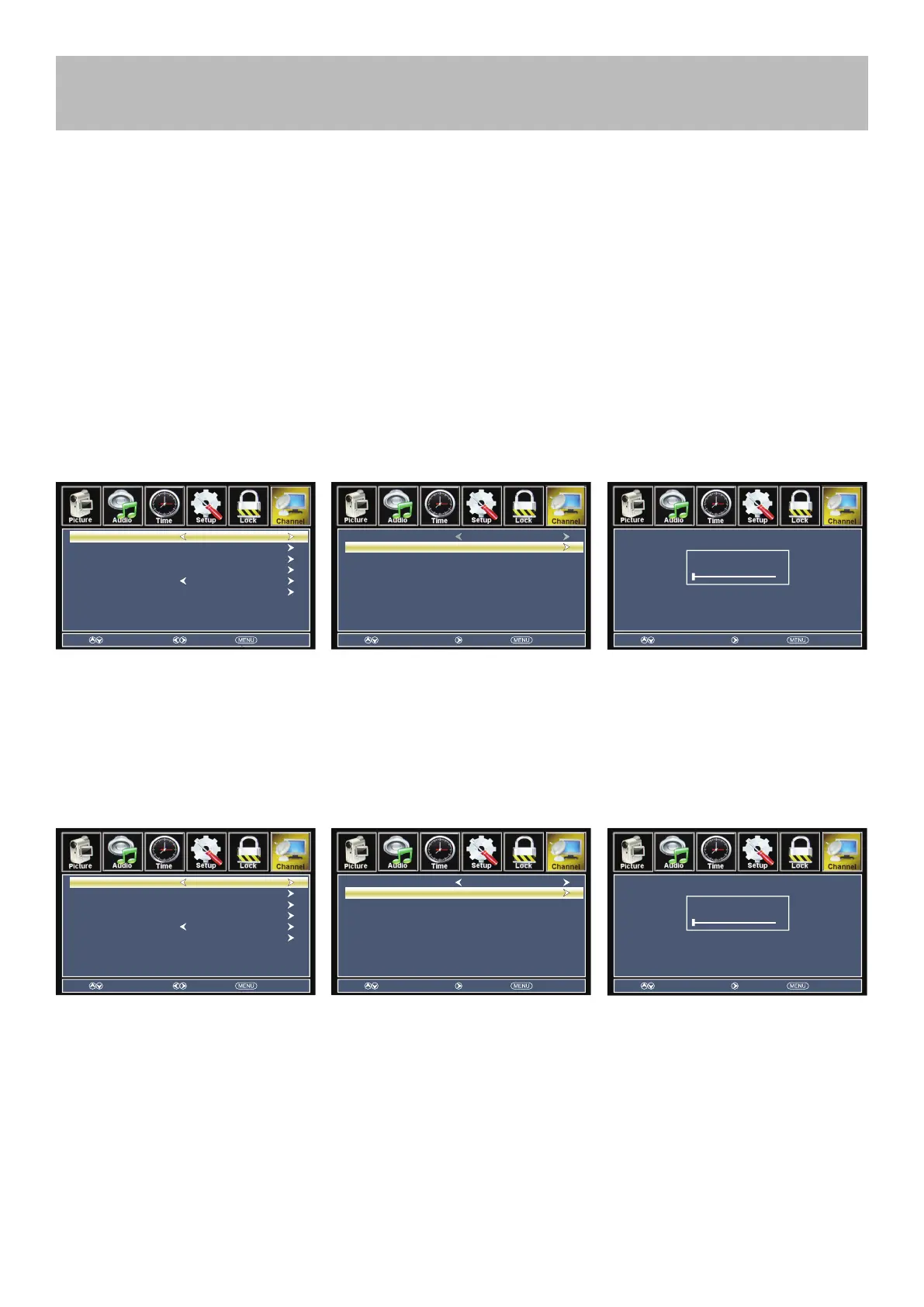
Select antenna options and perform Channel Auto Scan to receive channels .
To enter TV Mode:
• Press the MENU button
• Using the arrow buttons; scroll to highlight Channel mode
• Press the down arrow button to highlight Air / Cable
Select Cable if you subscribe to a pay television service without a set top box.
• Press the arrow button to highlight Cable.
• Press the arrow button to select Auto Scan. Press ENTER and Cable System will be displayed next.
NOTE: Channel Auto Scan may take several minutes to complete.
Cable Mode
Air Mode
Select Air when TV is connected to an indoor / outdoor antenna.
• Press the arrow button to highlight Air.
• Press the arrow button to select Auto Scan. Press the right arrow button twice to start Channel Auto Scan.
NOTE: Channel Auto Scan may take several minutes to complete.
NOTE: For digital cable or satellite users , connect your cable or satellite set top box to one of the available inputs.
See page 14-16 for connection details.
Next
Next
Move Return
Cable System AUTO
Start to Scan
Move Next
Next
Return
RF CH : 1
Found : 0
Move Select Return
Show/Hide
Channel No.
Channel Label
DTV Signal :
Air/Cable Cable
Auto Scan
Favorite
Move Return
Cable System AUTO
Start to Scan
Move Next
Next
Return
RF CH : 1
Found : 0
Move Select Return
Show/Hide
Channel No.
Channel Label
DTV Signal :
Air/Cable
Air
Auto Scan
Favorite



 To Next Page