32E40-18
How to Use (Video)
Press the appropriate INPUT button on the remote. Use ▼ ▲ arrow buttons to
highlight the input source to view and then press ENTER.
How to Use (Audio)
Select the appropriate input from your audio equipment.
*NOTE: Refer to the User Manual from your home theater equipment for recommended audio settings.
Installation
Connection to a Home
Theater System
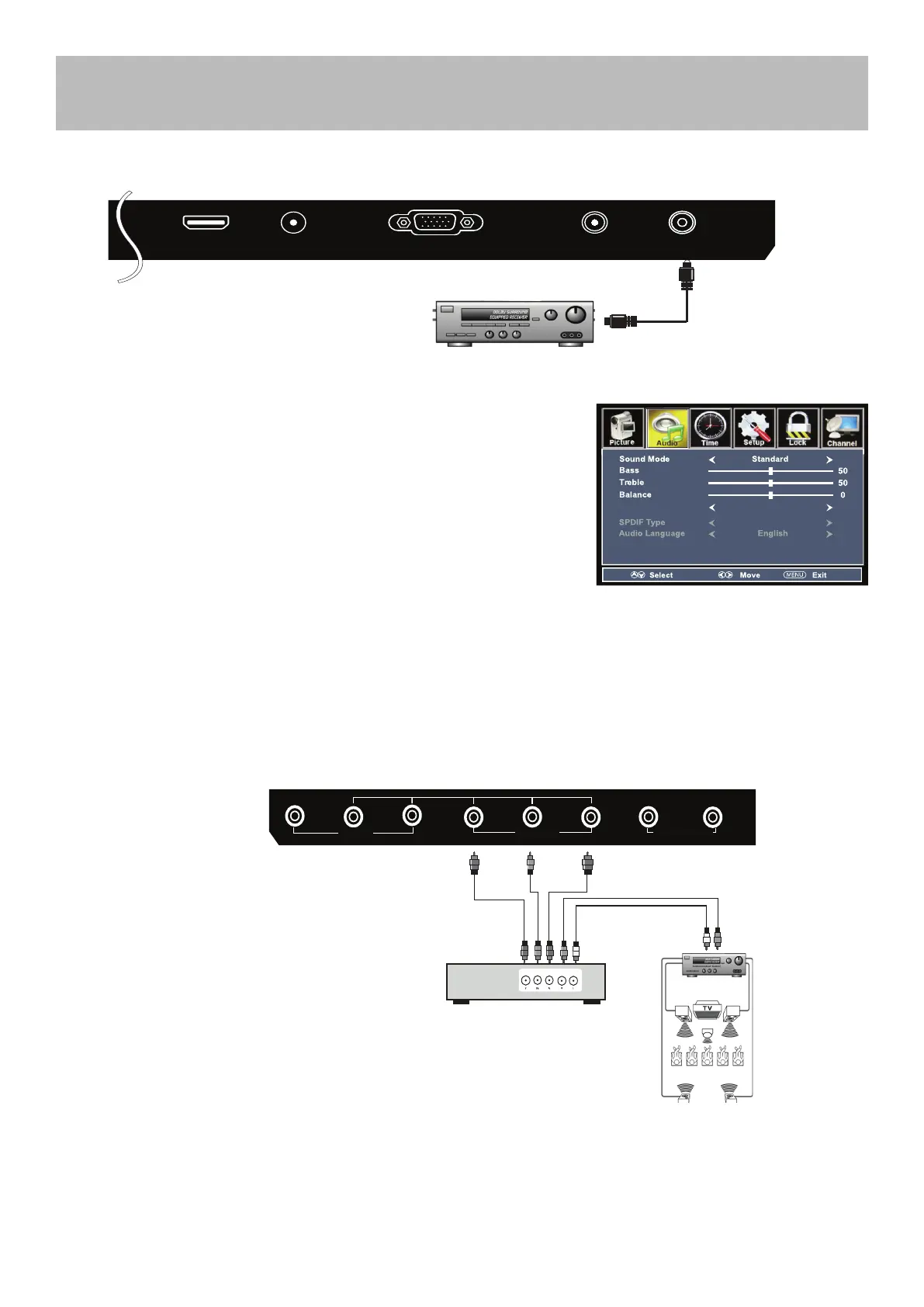
Connection to a Home Theater Audio System
Connecting to a Home Theater System
Digital audio can deliver optimal 2 - channel stereo or 5.1 surround sound with
Five discrete full range channels plus a separate channel for a sub woofer.
Connect an optional digital cable directly to the television’s COAXIAL OUT
audio output and listen through all inputs except VGA. (VGA does not support
digital audio)
How To Setup Digital Output
• Press the MENU button on the remote control.
• Press the right arrow button to select Sound.
• Press the down arrow button to highlight Digital Audio output.
• Press to select Raw or PCM
Connecting to a Stereo Receiver / Amplier
Optional digital cable
(not included)
TV REAR PANEL
L
R
AUDIO OUT
VGAHDMI3
RF
PC AUDIO
COAXIAL OUT
Front Left
Speaker
Front Right
Speaker
Center Channel
Dolby Surround
Connection Illustration
Optional cables
(not included)
Surround Left
Speaker
Surround Right
Speaker
Digital set top box, gaming
console or DVD
TV REAR PANEL
Dolby Prologic
Surround Receiver
V L R Y Pb Pr L R
AV
YPBPR AUDIO OUT



 To Next Page