32E40-19
TV Setup
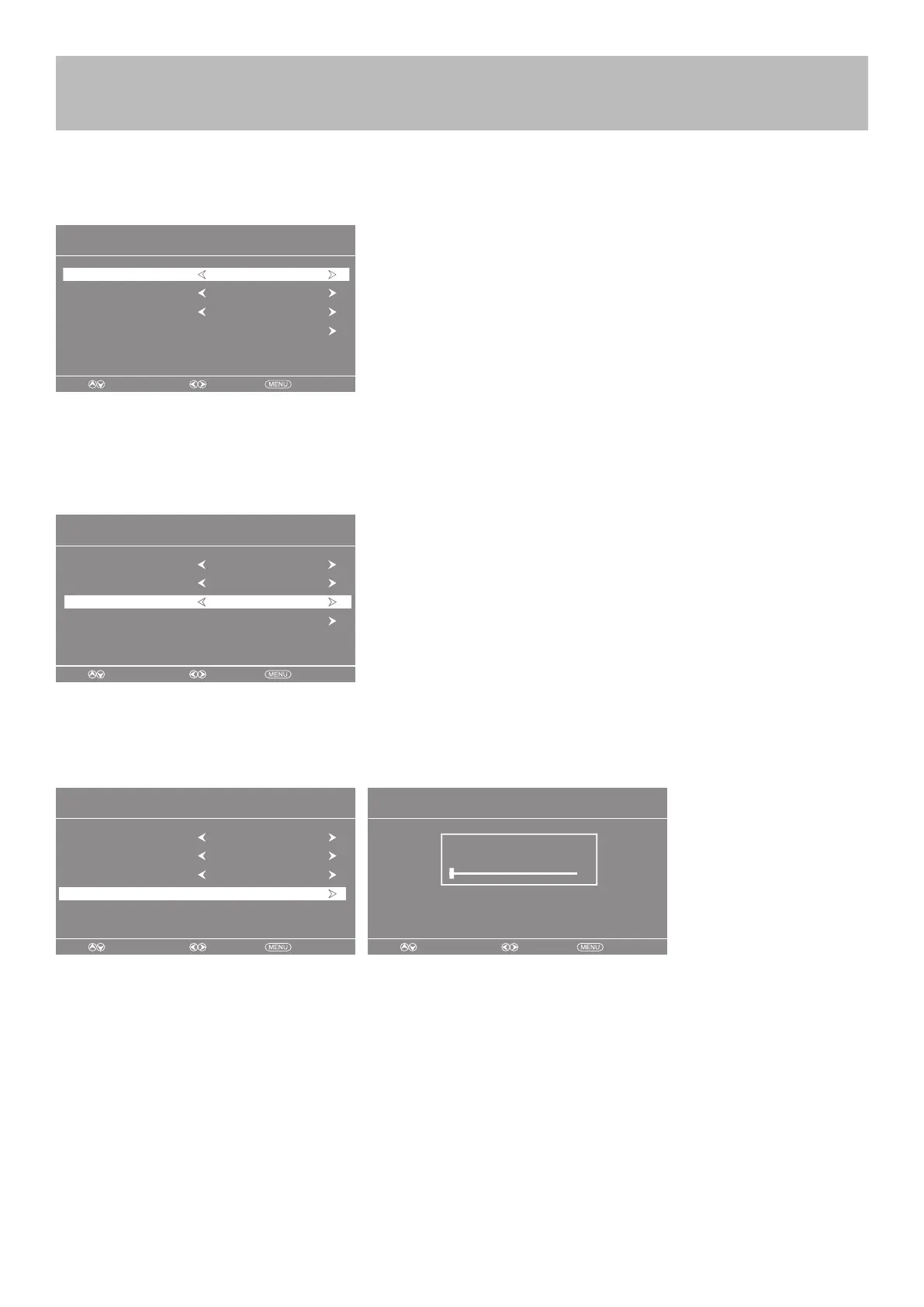
Initial Setup Wizard
Initial Setup Wizard
Next
• Press the t u buttons to select a menu language (English > Francais > Español).
• Press the q arrow button to select Go to next step .
• Press the u button to conrm.
Step 2: Select a Cable system
The Initial Setup Wizard will only appear the rst time the TV is turned on.
Step 1: Select a Language
• Press the q arrow button to highlight AIR/CABLE based on your antenna connection.
when Cable is selected, ‘AUTO’ is recommended, Then press the t u arrow button to
select STD > IRC > HRC > Auto .
Step 3: Auto Scan
• Press the u arrow button to choose Auto Scan.
• Go to next step .
• Press the u arrow button to initiate auto scan.
NOTE: Channel Auto Scan may take several minutes to complete.
Setup Wizard
Move Select Exit
Air/Cable
Menu Language English
Cable
Cable System AUTO
Auto Scan
Setup Wizard
Move Select Exit
Menu Language English
Auto Scan
Cable System AUTO
Air/Cable Cable
Setup Wizard
Move Select Exit
RF CH : 1
Found : 0
Setup Wizard
Move Select Exit
Air/Cable
Menu Language English
Cable
Cable System AUTO
Auto Scan



 To Next Page