7 Generator G11
Generator G11 Operator’s Manual
Chapter 2 - Instructions for Use - HARMONIC Instruments
Setup
Caution: Do not block the air vents of the generator to avoid generator overheating�
1 Examine the Generator G11 and the HARMONIC instrument for damage� Do not use damaged devices�
2 Secure the generator on its cart or any other suitable fixture in the appropriate position�
3 Connect the power cord to the power cord receptacle on the back panel of the generator and to a grounded electrical outlet�
The power requirements for the Generator G11 are listed on the label on the back panel of the generator�
4 Connect the footswitch connector to the footswitch receptacle on the back panel of the generator if applicable�
5 Connect the HARMONIC instrument to the Generator G11�
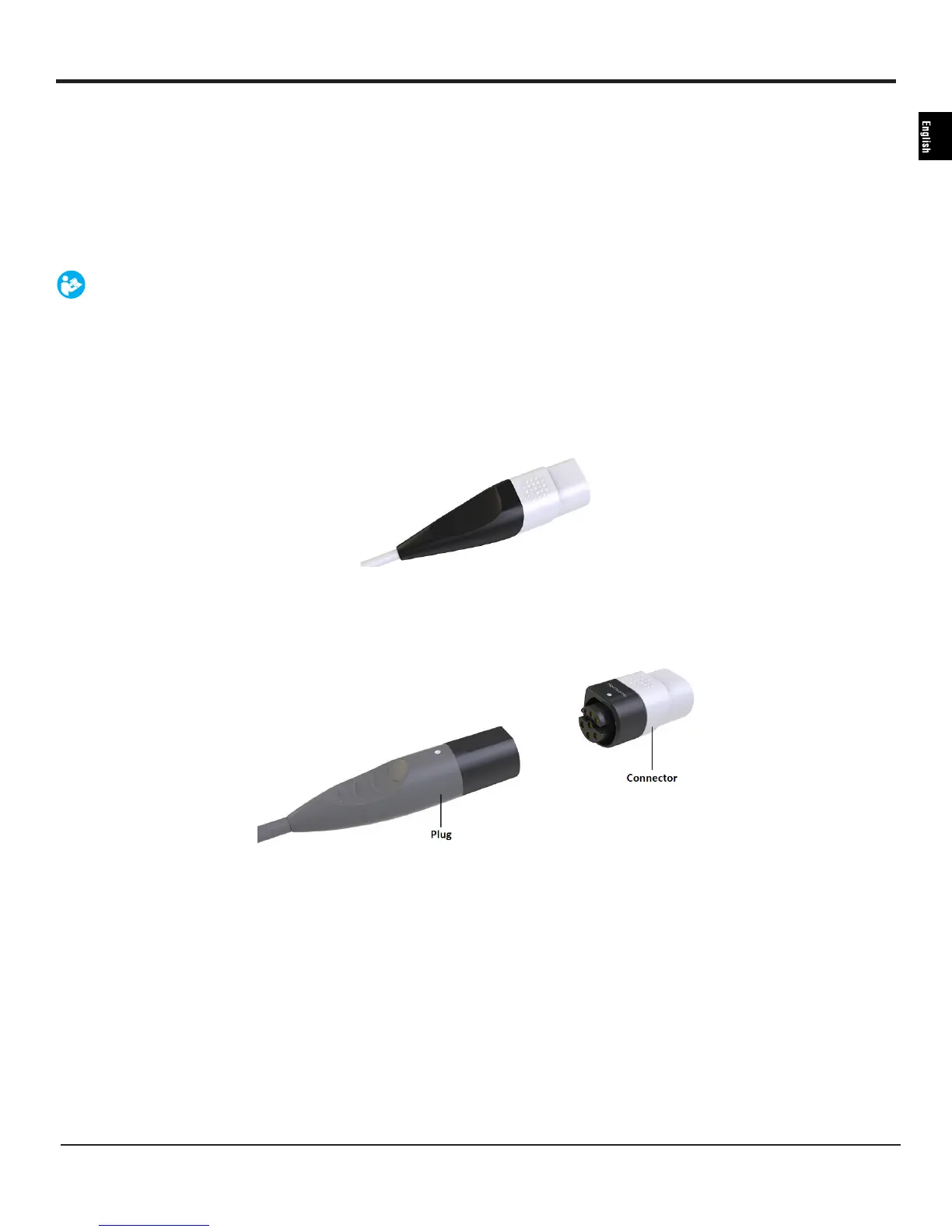
• If the plug looks like the image below, connect the instrument directly to the Generator G11 receptacle�
Figure 4
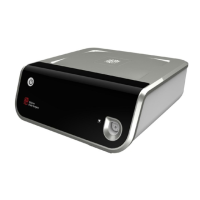
• If the plug looks like the image below, use the connector as an interface between the instrument and the generator�
Figure 5
Caution: Verify that the generator is secured to the cart or any other suitable fixture before powering up�
6 Turn on the generator using the On/Off switch on the front panel of the generator�
7 The green standby indicator illuminates and the system will run its initiation sequence� A tone is heard during the initiation
sequence� When the initiation sequence is complete the test prompt screen appears�
8 Follow the instructions on the screen to run the test�
9 The HARMONIC ready screen appears and the generator is ready for use�


 To Next Page