19 Generator G11
Generator G11 Operator’s Manual
HARMONIC Troubleshooting
Note: The following alarms are specific to HARMONIC instrument used with the Generator G11�
Alarms
The Generator G11 supports the following alarms to help in the identification and troubleshooting of component problems when using a
HARMONIC instrument� The following list is meant as an adjunct to, but not a substitute for clinical judgment and observation�
Other than fuses the Generator G11 contains no operator-serviceable parts� For replacement or service, contact the Ethicon Customer Service
Department or your local representative�
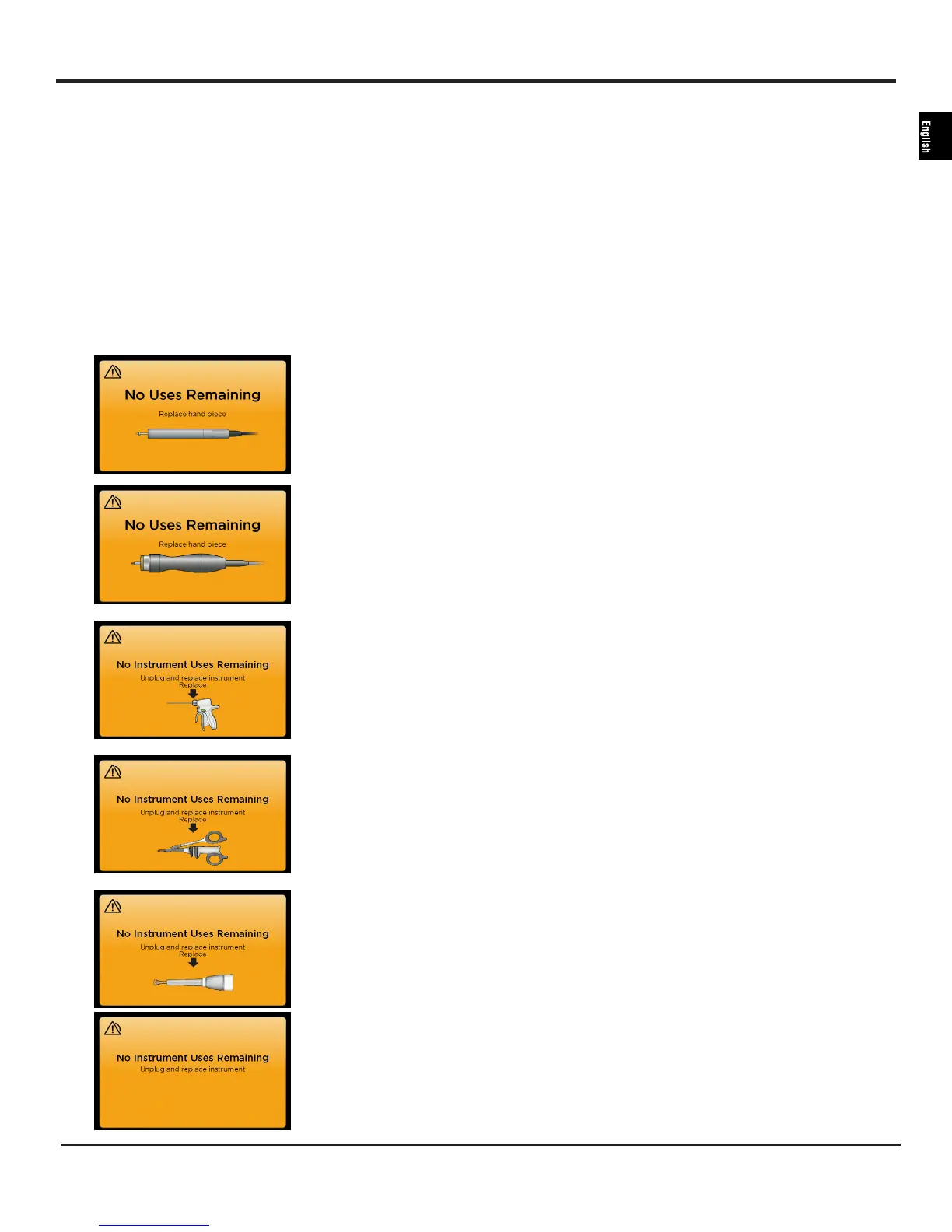
Visual Alarms Description Troubleshooting Steps
The hand piece has reached the end of
life�
Replace the hand piece� Contact the
Ethicon Customer Service Department (call
1-877-ETHICON, +1-513-337-8901 (English)
or contact your local sales representative to
discuss local waste disposal solutions and
processes�
The instrument has reached the end of life�
Unplug and replace instrument� Dispose
of instrument per instrument instructions for use�


 To Next Page