Generator G11 10
Generator G11 Operator’s Manual
7 VOLUME Touch the plus or minus button to adjust the volume of the activation tones� A tone is heard to indicate the
volume level selected�
8 FOOTSWITCH
MIN & MAX
Footswitch MIN & MAX are available when the footswitch is connected�
Operation
Only the MAX power level setting is adjustable between 1 and 5 and is activated using HARMONIC instrument or from the footswitch�
The default power level value is 5� Touch the power level increase or the power level decrease button to increase or decrease the level of power
to be generated in this mode�
Volume
Adjust the volume using the plus or minus button� Default volume setting is 5�
Shutdown
Turn off the generator using the On/Off switch on the front panel of the unit�
The shutdown sequence cannot be initiated during power activation� During shutdown, the generator clears content from the screen, informs
the user if 10 or fewer hand piece uses remain for the attached hand piece and displays the shutdown animation�
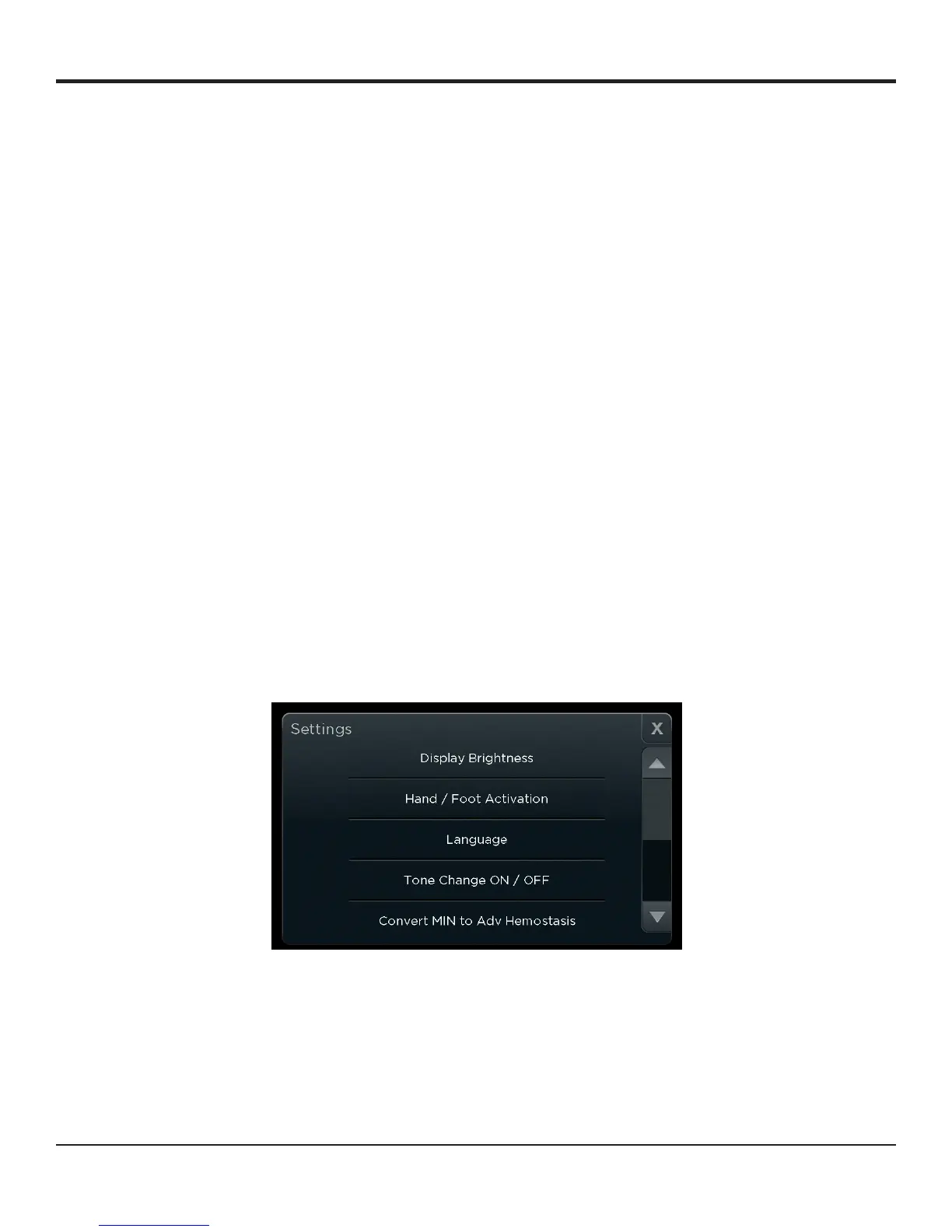
Settings
Basic Navigation
Touch the ‘Settings’ button to make adjustments in the system settings and access system information�
The settings screen opens� Scroll down for further options�
Note: If power is activated while in the Settings menu, the Settings window automatically closes and returns to the ready screen�
Touch the close button ‘X’ to exit from anywhere within the Settings menu� Touch the back arrow to go to the previous menu from the
submenu screens�
Note: The touch screen responses will be slower when electrosurgery is in close proximity to minimize interferences�
Figure 7
Display Brightness
Select ‘Display Brightness’ to see a preview of the ready screen while adjusting the brightness�
Touch the plus or minus button to adjust the brightness�
Touch the back arrow or close button after adjusting the settings to exit� Once a new brightness setting is selected that setting becomes the new
system default�


 To Next Page