11 Generator G11
Generator G11 Operator’s Manual
Hand / Foot Activation
Select the handswitch activation or the footswitch activation or both on the ‘Hand / Foot Activation’ screen during startup� This selection can
be changed during use�
A dot is used to indicate the current setting while a green glow highlights the current selection�
Touch the back arrow or close button after adjusting the settings to exit�
Language
Select the preferred language from the options in the ‘Language’ screen� There are multiple language options, English being the default� Once
the user selects and confirms the selection of a new language, that language becomes the new system default�
Touch the desired option, a confirmation screen will appear�
Select ‘OK’ to confirm the language selection or ‘Cancel’ to cancel the language change�
Tone Change ON/OFF
Some instruments enable additional tone changes within the generator� When this option is selected, the Tone Change ON/OFF screen will
appear, allowing the user to select the Tone Change ON or Tone Change OFF options� Refer to the instrument instructions for use to determine
if your instrument has this feature�
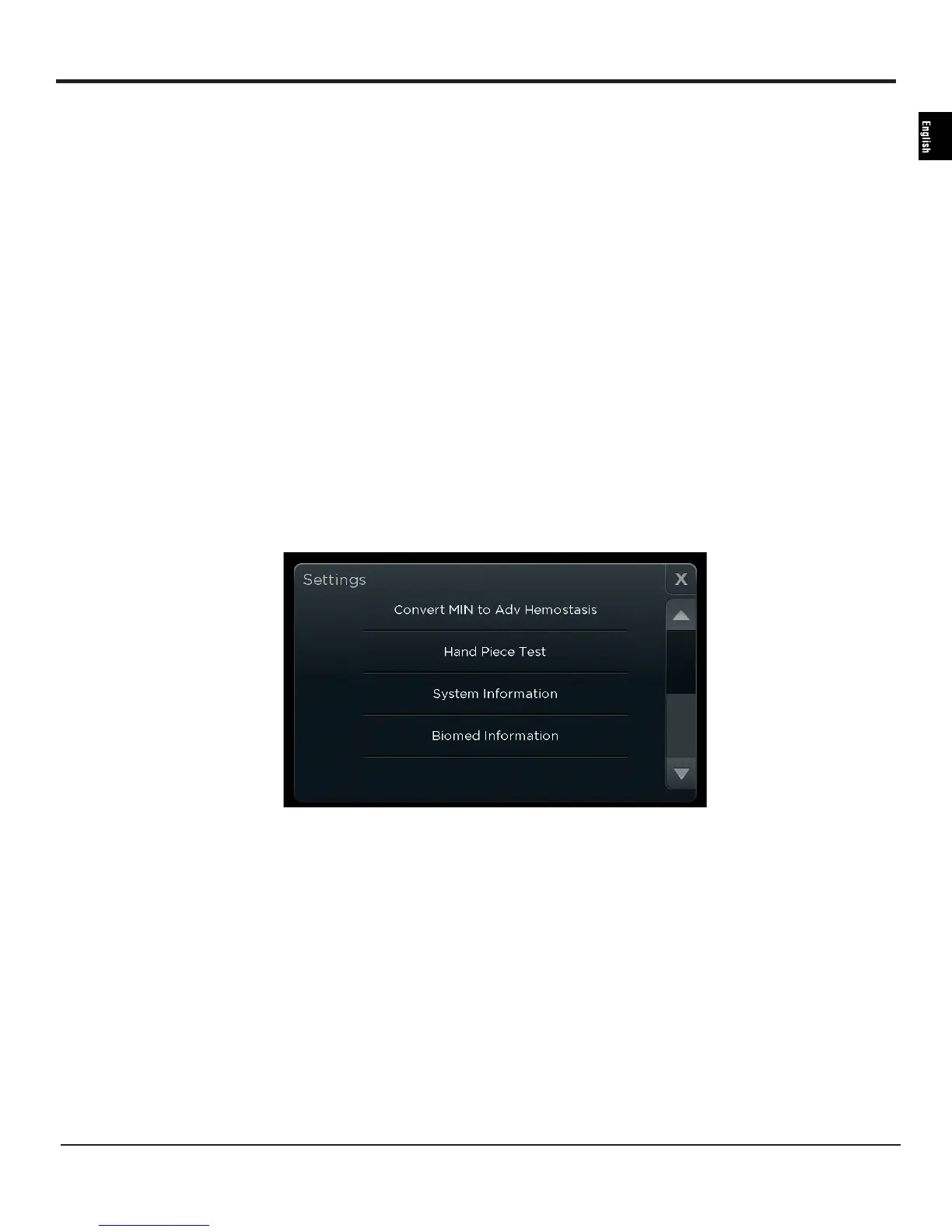
Convert MIN to Adv Hemostasis
Some instruments enable this menu option� When this option is selected, the MIN button will function as the Advanced Hemostasis Mode
button, and the Advanced Hemostasis Mode button will be disabled� Refer to the instrument instructions for use to determine if your
instrument has this feature�
Figure 8
Hand Piece Test
Select ‘Hand Piece Test’ to check if the hand piece is functioning properly by installing a test tip and running the test with no instrument
attached� Screen instructions and results are given for the specific hand piece to be tested� Hand Piece Test is grayed out when this option is not
available for some instruments�
System Information
Select ‘System Information’ to see high-level information about the generator and the instrument currently connected to the generator� The
hospital staff can use the information to determine if a new hand piece should be ordered� The screen will also allow determination of the
currently installed generator software revision�
Biomed Information
‘Biomed Information’ allows the technicians to access information about each error that has occurred on the generator and allows access to a
‘Biomed Mode’ display that streams data during instrument use� Touch the back arrow or close button to exit�


 To Next Page