EN 16
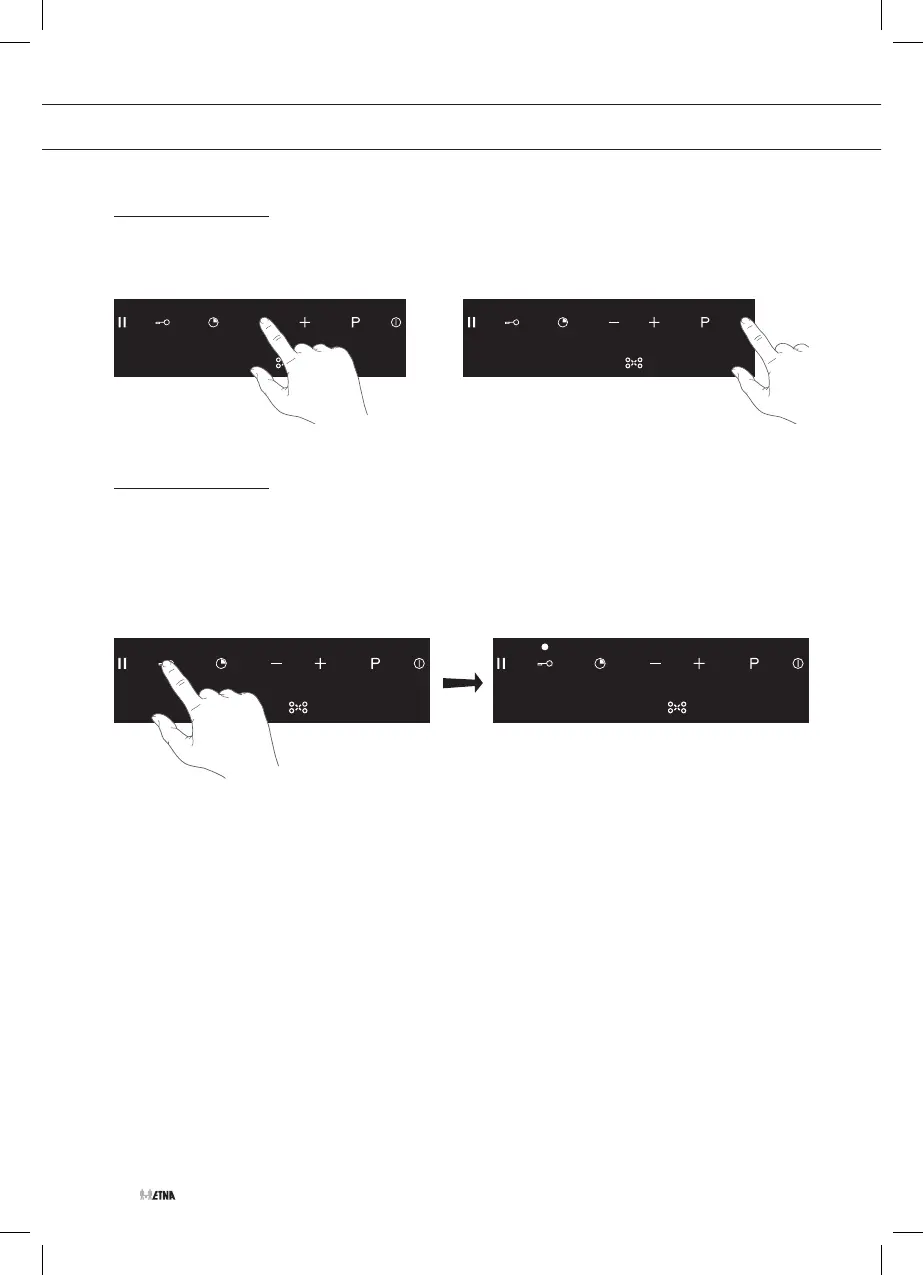
Switch off a cooking zone
1. Touch the minus (-) key to set the power level to zero (0) or use the On/off key to switch off
the hob.
or
Using the lock function
Activate the lock function
The hob is in operation.
1. Touch the lock key for at least 2 seconds until you hear a audio signal.
▷ The key lock indicator appears.
▷ The key lock is activated.
• Key lock prevents the use of all keys, except for the On/off key. The hob can be stopped at
any time.
• To deactivate touch the lock key again for at least 2 seconds until you hear an audio signal.
OPERATION



 To Next Page