27971-01A
Installation - Remote Connections
22
Remote Connections
Your sunbed incorporates advanced cir-
cuitry allowing it to connect and com-
municate with most remote control sys-
tems. If a remote system is to be used,
first determine whether the remote sys-
tem is a T-Max® System or a standard
remote system operating with a control
relay. The following pages outline many
different remote connection scenarios.
Find the scenario that best fits your appli-
cation.
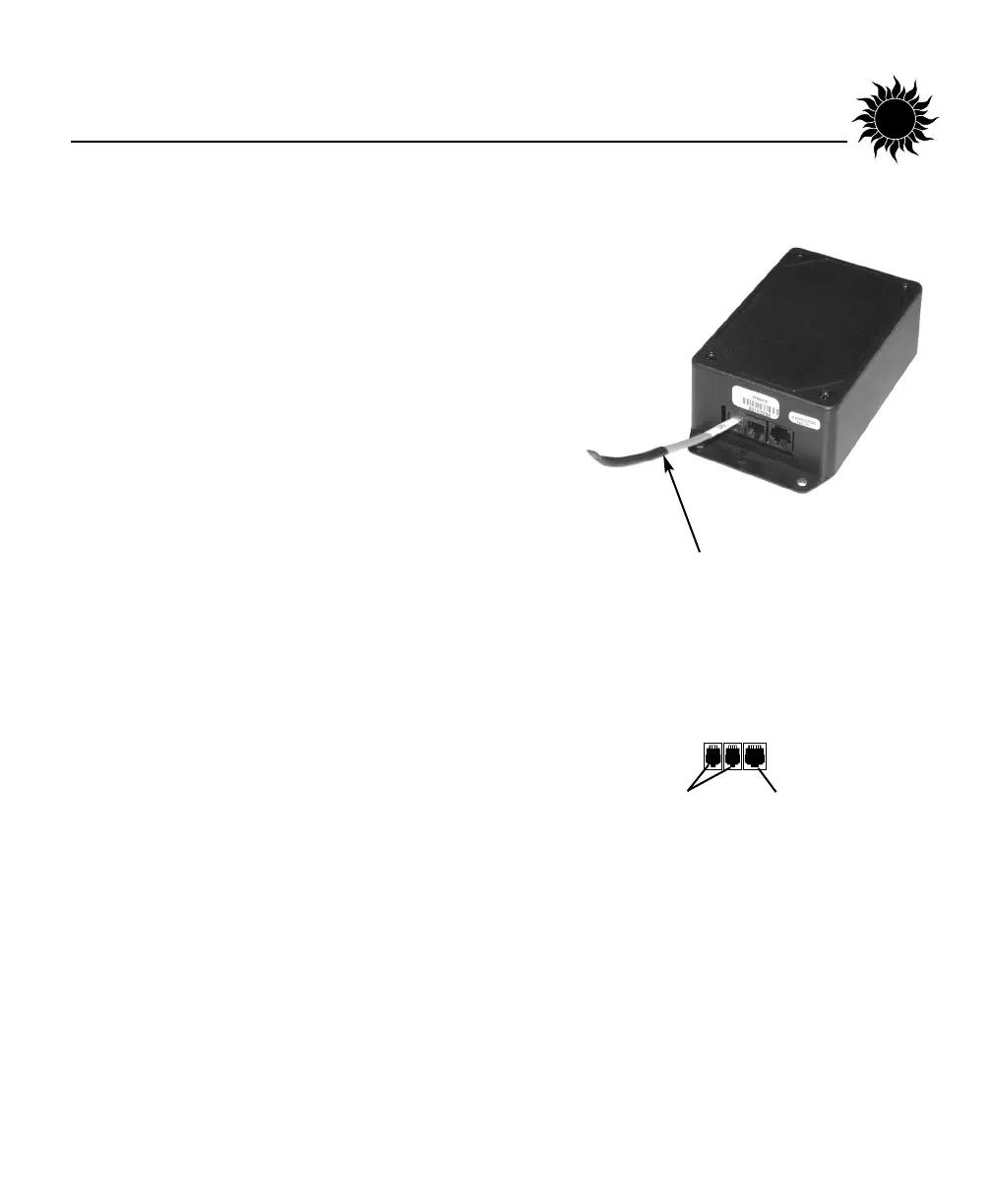
Three remote ports are located in the
small black box on the rear access panel
(see right); two RJ-22 (4-wire) ports and
one RJ-11 (6-wire) port. A Remote
Control Bypass plug is already installed in
one of the RJ-22 remote control ports.
Your sunbed will not operate without the
Remote Control Bypass plug or a remote
system connected.
ATTENTION: Use only the Remote
Control Bypass plug supplied with your
sunbed. Similar looking T-Max® termina-
tor plugs will not work as a bypass plug.
Normally, a bypass plug is needed only
when your sunbed is operated without a
remote system connected.
REMOTE CONTROL
BYPASS PLUG
REMOTE PORTS
WIRED
REMOTE
PORTS (RJ-22)
WIRELESS
REMOTE
PORT (RJ-11)


 To Next Page