EasyManua.ls Logo

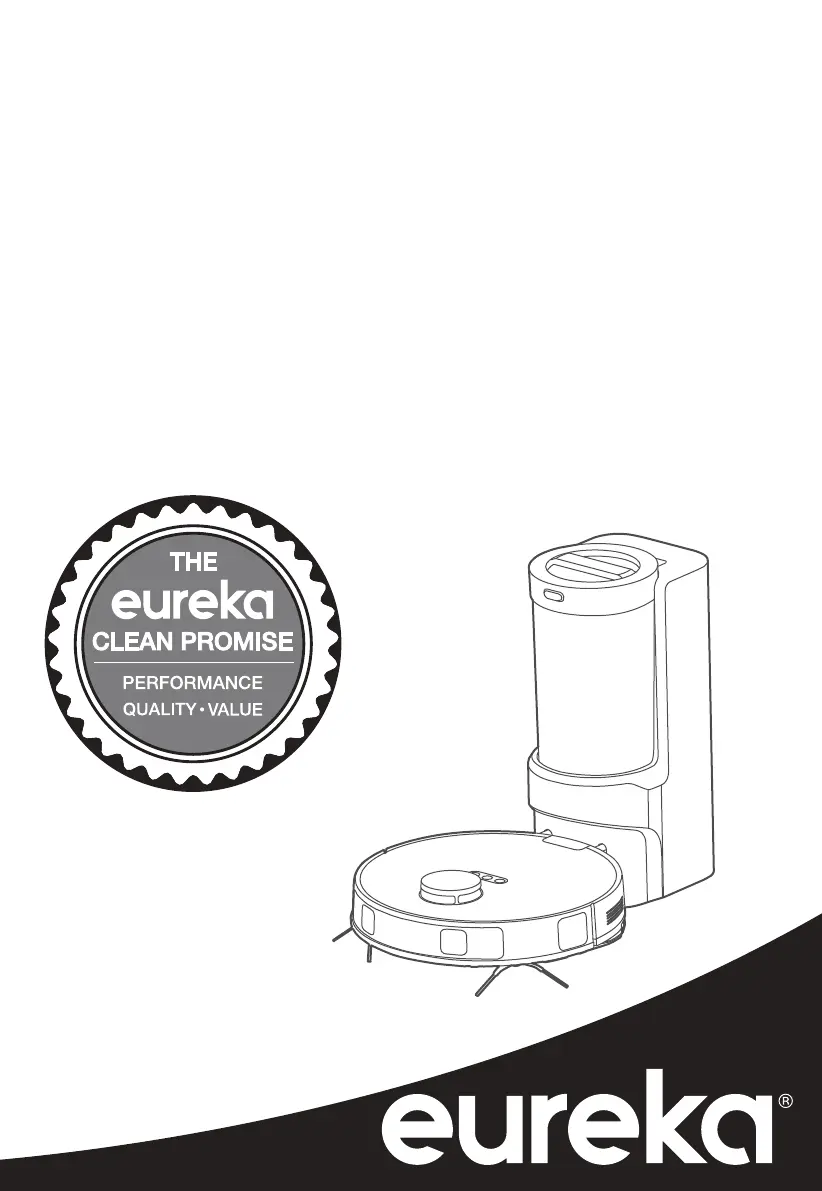
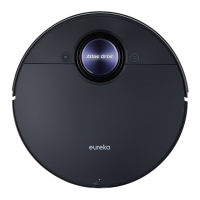
Eureka NER E10s - User Manual

Eureka NER E10s
24 pages
Print Icon
To Next Page IconTo Next Page
Loading...
Thank you for purchasing your new Eureka vacuum!
Important instructions
For easy assembly, please take a few moments to read this
owner’s guide.
If you have questions about your new vacuum, please
contact our customer service HELPLINE at 1-800-282-2886.
We’re here to help!
www.eureka.com
Owner’s Guide
NER E10s
Robotic vacuum; household type

Other manuals for Eureka NER E10s

Questions and Answers

  • P
    Peter McmahonSep 9, 2025
    Why does my Eureka NER E10s move backward?
    • S
      Sarah PettySep 9, 2025
      If the Eureka robotic vacuum moves backward, it could be due to a few reasons: * The protective cover of the navigation module might be stuck – gently tap the protective cover to remove any dust. * There might be an obstacle in front of it – remove the obstacle. * The bumper could be stuck – gently tap the front bumper to remove any dust.
  • K
    Kelly WardSep 12, 2025
    What to do if Eureka NER E10s Vacuum Cleaner cannot return for charging?
    • J
      Jeanette WillisSep 12, 2025
      If the Eureka robotic vacuum doesn't return for charging, the self-emptying base might be placed improperly. Ensure the self-emptying base is on a level surface that is free of obstacles.
  • L
    Lisa EvansSep 13, 2025
    Why Eureka Vacuum Cleaner returns for charging during cleaning?
    • C
      Chad TateSep 13, 2025
      If the Eureka robotic vacuum returns for charging before completing the cleaning process, it's likely because the battery level is low. Allow the robotic vacuum to return for recharging.
  • K
    Kevin HernandezSep 15, 2025
    Why Eureka NER E10s Vacuum Cleaner App operation response delays?
    • D
      Dale PerkinsSep 15, 2025
      If the Eureka Vacuum Cleaner app operation response delays, it could be due to a weak wireless network signal; try restarting the router to reduce the number of access users. Another cause might be insufficient network bandwidth; check the phone settings. You could also increase the network bandwidth.
  • K
    katherineallenSep 16, 2025
    What to do if Eureka NER E10s self-emptying process fails to start automatically?
    • E
      Elizabeth EllisSep 17, 2025
      If, after the Eureka robotic vacuum returns to the self-emptying base, the self-emptying process fails to start automatically, the dust cup might be full; empty the dust. Alternatively, the lid of the dust cup might not be closed; close the lid. Finally, the dust cup may not be installed correctly; reinstall the dust cup correctly.

Summary

Where to Find Important Vacuum Information

Important Safeguards

FCC Compliance Statement

Technical Data

Parts and Components

How to Identify Parts of Your Robotic Vacuum

Quick Assembly

Installation of Side Brushes

Steps to attach and remove side brushes for the robotic vacuum.

Filter Installation

Instructions for ensuring the filter is properly installed in the dustbin.

Setting Up Self-Emptying Base

Guide to placing and connecting the self-emptying base for operation.

Charging

Setting Up App and Connecting the Device

Using Eureka Robot App

Instructions and interface overview for controlling the vacuum via the mobile app.

Using Amazon Alexa or Google Home

Steps to link and use voice assistants with the robotic vacuum.

How to Maintain Your Robotic Vacuum

Dustbin;Water Tank Maintenance

Procedures for cleaning the dustbin, water tank, and filter.

Cleaning the Mop Assembly

Steps to clean and reattach the mopping cloth and assembly.

How to Maintain Brushroll

Main Brush Maintenance

Weekly recommended steps for cleaning the main brush and its cover.

Main Wheels and Side Brushes Cleaning

Instructions for cleaning the main wheels and side brushes.

Maintenance of Self-Emptying Base: Dust Cup and Cyclone

How to Empty the Dust Cup

Step-by-step guide to removing and emptying the dust cup.

How to Clean the Cyclone

Instructions for cleaning the cyclone and sponge filter within the dustbin.

Maintenance of Self-Emptying Base: Filters and Air Ducts

How to Clean the Filter

Steps for rinsing and drying the filter for the self-emptying base.

How to Clean the Dust Collection Air Duct

Guide to cleaning the air duct and cover plate of the self-emptying base.

Sensors and Charging Contacts Cleaning

How to clean sensors and charging contacts on vacuum and base.

The Eureka Two Year Limited Warranty

The Eureka 12-Month Limited Battery Warranty

Troubleshooting

Disposal of Robotic Vacuum and Battery Pack

Order Genuine Eureka Accessories and Replacement Parts

Eureka NER E10s Specifications

General IconGeneral
BrandEureka
ModelNER E10s
CategoryVacuum Cleaner
LanguageEnglish

Related product manuals