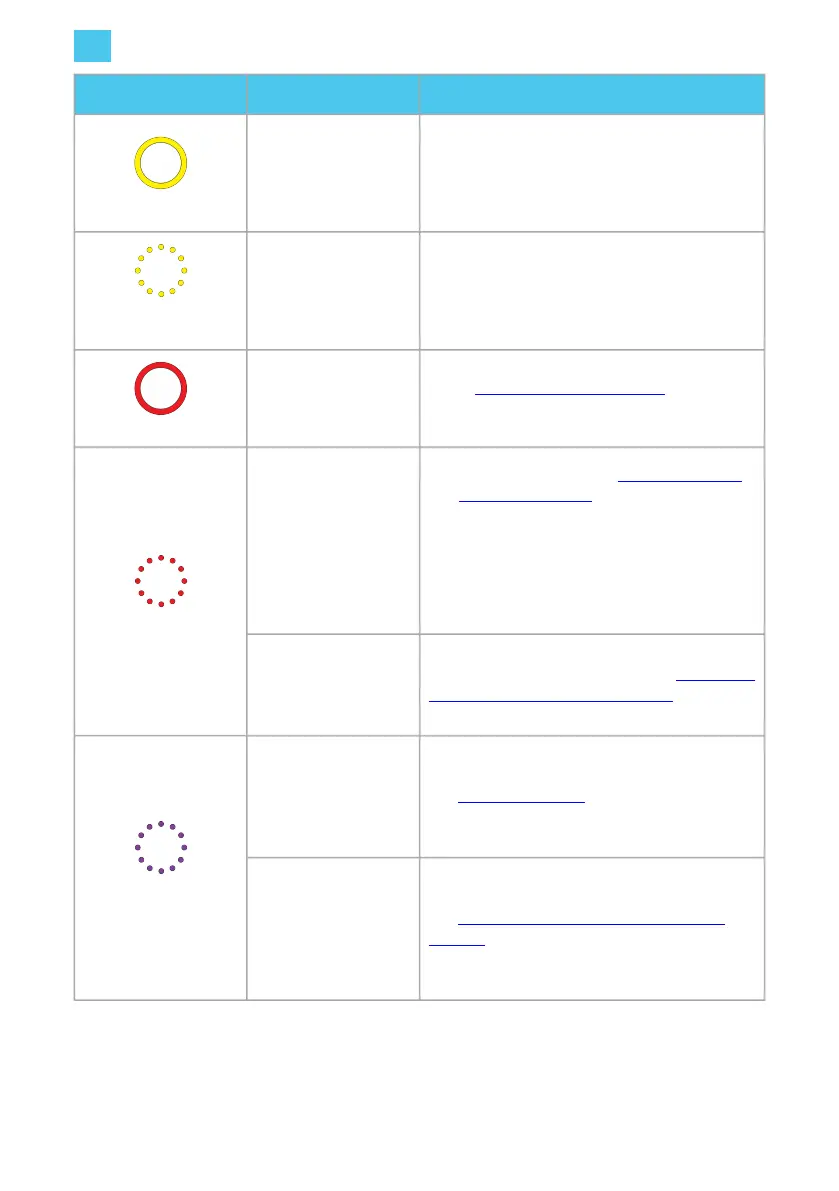
LED ring color What it means What to do
LED ring yellow.
The car is fully
charged.
• Stop the charging session using the
authorization method used for activation
(for example, charge card or key fob).
• Unplug the charging cable.
LED ring flashing
yellow.
Charging session is in
queue (applicable for
Smart Charging only).
When power becomes available, charging will
start or resume and the LED ring will show blue.
LED ring red.
An error has occurred.
Check Troubleshooting on page 26 for a
solution.
LED ring flashing red.
The charge card or
key fob is not
authorized.
• Authorize the user. See Configure the user
settings on page 23.
• Contact the charge card service operator if
necessary.
• A Satellite charging station has become
disconnected from the Hub charging
station.
A Satellite charging
station has become
disconnected from the
Hub charging station.
Check the Hub-Satellite pairing. See Configure a
Hub-Satellite installation on page 24.
LED ring flashing
purple.
The Hub charging
station is in Bluetooth
pairing mode and
ready to pair with the
EVBox Connect app.
See Pairing on page 22.
A Satellite charging
station is selected in
the the EVBox
Connect app for
pairing to the Hub
charging station.
See Configure a Hub-Satellite installation on
page 24.
5.2. Troubleshooting
Troubleshooting must only be done by a qualified electrician unless otherwise stated. Incorrect
installation, repairs or modification can result in danger to the user and may void the warranty and
EN
5. Operation instructions
26



 To Next Page