Set-Pro Control Operating Manual
Metal Clay version – Nov. 2014
Page 13 of 21
Use your Smart-phone to scan this QR code to watch Set-Pro how-to Programming Videos!
On-The-Fly Features
The Set-Pro contains a set of features that allow you to adjust and tweak the firing while it’s actually running! We’ve dubbed these features as “On-the-
Fly”. With these features it’s possible to add a little bit of time to a hold if needed, add a little bit of temp to a hold or just leave the segment entirely and
move to the next segment. On-the-Fly features are useful when running Custom Mode firings, especially glass firings. They find little to no use in metal clay
firing.
Adding Time to a Hold
During a hold period it’s sometimes necessary to add just a little more time to the programmed hold time. The Set-Pro allows you to add time to a hold in
5 minute increments. It’s a handy little feature that you should really get to know.
To Use the Add Time Feature
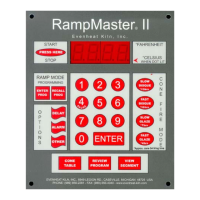
While holding at a temperature (display reads temperature along with remaining hold time), repeatedly press the UP arrow key until the display
reads tME (stands for time). Press the ENTER key one time. You have now added 5 minutes to the hold time. The display will go back to reading
temperature and remaining hold time and you will notice that 5 minutes has been added to the hold. You may use this procedure as often as
necessary during a hold to get the hold time you desire. It should be noted that the Adding Time to a Hold feature is a temporary adjustment
only. That is, it does not change the program stored in memory.
Adding Temperature to a Hold
During a hold period it’s sometimes necessary to add just a little extra temperature to the programmed set point temperature. The Set-Pro allows you to
add more temperature in °5 increments.
To Use the Add Temperature Feature
While holding at a temperature (display reads temperature along with remaining hold time), repeatedly press the UP arrow key until the display
reads tMP (stands for temperature). Press the ENTER key one time. You have now added 5 degrees to the set point temperature. Once set, the
display will go back to reading temperature and remaining hold time. You may use this procedure as often as necessary during a hold to get the
hold temperature you desire. It should be noted that the Adding Temperature to a Hold feature is a temporary adjustment only. That is, it does
not change the program stored in memory.
Skipping Ahead to the Next Segment
During a multi-segment, Custom firing such as glass, it’s often desired to stop what you’re currently doing and skip ahead to another segment in the
program. For instance, when firing glass you may have the perfect result before your hold time completes. Allowing the hold time to complete would
further change the glass and lead to disappointment. In such a case the Set-Pro allows you to skip ahead to the next segment in the program for the
annealing or cooling portion of the program. It’s a handy little feature that you should really get to know.
To Use the Skip Ahead Feature
At any time during the firing press the UP arrow key one time. The display will eventually read SStP (stands for Skip Step). When it does, press
the ENTER key one time. You have now skipped to the next programmed segment. If you need to continue to skip ahead even further feel free
to do so. Once you skip the display will go back to reading temperature.
View Segment Feature
At any point during the firing you may press the UP arrow one time to display the current action (ramping or holding) and current segment. This will tell
you if you’re ramping or holding and which segment you’re doing this in. After a moment or two the display will go back to normal operation.



 To Next Page