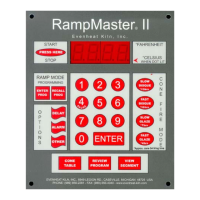
Set-Pro Control Operating Manual
Metal Clay version – Nov. 2014
Page 2 of 21
Use your Smart-phone to scan this QR code to watch Set-Pro how-to Programming Videos!
Thank you for purchasing a Set-Pro w/ Express Mode equipped kiln from Evenheat. Whether you’re a beginner or a seasoned pro, the Set-Pro with Express
Mode offers the ease and performance you expect from Evenheat.
The Set-Pro w/ Express Mode offers five programming modes: Glass Express, Metal Clay Express, Bead Annealing Load-n-Go, Ceramic Express and Custom.
Metal Clay Express Mode is designed exclusively for firing BRONZclay™, COPPRclay™, WHITE COPPRclay™, Art Clay, PMC and Prometheus Clay
brands of metal clay. Preset firing programs for each brand make programming easy and accurate. The Metal Clay Express Mode also includes
special programs for Stage 1 Burnout for WHITE COPPRclay™, and a general drying program that can be used to dry all brands of metal clay.
Glass Express Mode is designed exclusively for glass firing. It’s quick, easy and accurate using preset firing parameters. Simply answer a few
questions and you’re ready to fire.
“Load-n-Go” Glass Bead Annealing is designed exclusively for glass bead annealing. Preset firing programs for Borosilicate, Morreti/ Effetre, COE
90, COE 96 and COE 82 glass give perfect results every time.
Ceramic Express Mode is designed exclusively for ceramic firing. Choose your cone number and firing speed and the Set-Pro does the rest
automatically.
Custom Mode is designed for the creation of individual, custom firing programs.
This manual describes the use of the Set-Pro w/ Express Mode as it relates to using the Metal Clay Express Mode, and Custom Mode. For Set-Pro w/
Express Mode manuals relating to using the Glass Express Mode, Bead Annealing Load-n-Go, and Ceramic Express Mode please refer to the manuals disc
included with your kiln, visit our web site at www.evenheat-kiln.com or contact us at info@evenheat-kiln.com.
CAUTION: The Set-Pro is used to control temperature; it is not a safety devise. Never leave the kiln unattended while firing. Check on the kiln at the end
of the firing to ensure firing program has completed as planned.
CAUTION: Throw control power switch, located on kiln control panel, to the OFF position (O) when not in use.
Table of Contents
Quick Step Programming – When you want just the basics!
Quick Steps for Metal Adventures BRONZclay™, COPPRclay™ and
WHITE COPPRclay™ Express Mode Programming .......................... 3
Quick Steps for Art Clay Express Mode Programming .................... 4
Quick Steps for PMC Express Mode Programming ......................... 5
Quick Steps for Prometheus Clay Express Mode Programming ..... 6
Quick Steps for Custom Programming ........................................... 7
Detailed Programming – When you want all the details!
Set-Pro Key Descriptions ................................................................ 8
Metal Clay Express Mode Programming (Detailed) ........................ 9
Custom Mode Programming (Detailed) ....................................... 11
On-the-Fly Features
Adding Time to a Hold .................................................................. 13
Adding Temperature to a Hold ..................................................... 13
Skipping Ahead to the next Segment ........................................... 13
View Segment Feature ................................................................. 13
Programming and Use Features
Initialization ................................................................................. 14
Idle ............................................................................................... 14
Beginning and End Process Alarms .............................................. 14
Metal Clay Preset Drying Program ............................................... 15
Program Review ........................................................................... 15
Fine Tuning Metal Clay preset programs ..................................... 15
Start Now ..................................................................................... 15
Storing a Custom Mode Program ................................................. 16
Selecting and Running a Custom Mode Program ......................... 16
Stopping the Program .................................................................. 16
4 User Programs in Custom Mode ............................................... 16
8 Segments per Custom Mode Program ...................................... 16
Programming a Time Value .......................................................... 16
Temperature Rate Options .......................................................... 16
Using UP & Down Arrow Keys ...................................................... 16
Number of Segments ................................................................... 17
Writing Over Data ........................................................................ 17
Clearing Function ......................................................................... 17
Fahrenheit or Celsius ................................................................... 17
Maximum Programmable Temperature ...................................... 17
Firing Down to Room Temperature ............................................. 17
Delay Start Feature ...................................................................... 17
Display and Preset Information
Set-Pro Display Conditions ........................................................... 18
Set-Pro Display Messages ............................................................ 18
Key Function Table....................................................................... 19
Set-Pro Error Messages................................................................ 19
Preset Metal Clay Express Mode Data ......................................... 20
Kiln Trouble Shooting ................................................................... 21



 To Next Page