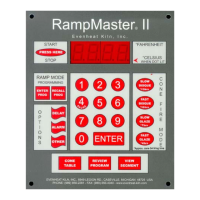
Set-Pro Control Operating Manual
Metal Clay version – Nov. 2014
Page 5 of 21
Use your Smart-phone to scan this QR code to watch Set-Pro how-to Programming Videos!
Quick Guide to Immediately Begin Firing Your PMC Brand of Metal Clay Using the Metal Clay Express Mode
Metal Clay Express Mode allows you to program and fire your PMC brand of metal clay using preset PMC brand firing programs. The Metal Clay Express
Mode offers 5 preset PMC brand firing programs. These preset programs are based on manufacturer firing data and result in consistent, high quality
firings. Simply choose the PMC material you wish to fire and the Set-Pro does the rest.
Quick Steps for PMC Metal Clay Express Mode Programming
1. Throw the power switch on the kiln control panel to the On position.
2. The Set-Pro begins its initialization process and the display will illuminate.
3. The Set-Pro will finish its initialization process and then display IdLE (Idle).
4. Press the Enter key one time to begin the programming process. The display will read GLAS, ALAr, bEAd, M-C, CEr or CUSt.
5. Use the Up or Down arrow keys to make the display read M-C (Metal Clay Express Mode) if it does not already.
6. Press the Enter key. The display will read either M A, ArtC, PMC, PC or drY. These represent Art Clay, PMC, and Prometheus Clay metal clay brands along
with a special metal clay drying program that can be used with all brands.
7. Use the Up or Down arrows to select PMC (PMC).
8. Press the Enter key. The display will read Stnd, P F, P3 F, P3 S or GoLd. These represent the 5, preset PMC firing programs.
Preset PMC programs include:
Stnd = PMC Standard
P F = PMC+ Fast
P3 F = PMC3 Fast
P3 S = PMC3 Slow
GoLd = PMC Gold Slow
9. Use the Up or Down arrow keys to select and match the appropriate PMC preset firing program with the PMC material you intend to fire.
10. Press the Enter key. The display will read °F (°C if using Celsius) along with the preset final temperature the kiln will reach during the firing.
11. Press the Enter key. The display will read HLd1 along with the preset hold time at final temperature.
12. Press the Enter key. The display will read rEdI which stands for Ready.
13. Press the Enter key to begin the firing. The Set-Pro is now running your Metal Clay Express Mode program.
When the firing is complete the display alternates between CPLt and total firing time. Press the Start/Stop key at this point will cause the display to briefly
read StOP and then IdLE.
You may stop the firing at any time by pressing the Enter key. Doing so will cause the firing to stop and StOP will briefly be displayed.



 To Next Page