Set-Pro Control Operating Manual
Metal Clay version – Nov. 2014
Page 19 of 21
Use your Smart-phone to scan this QR code to watch Set-Pro how-to Programming Videos!
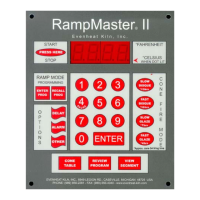
Key Function Table
While at the Idle Position (IdLE)
Pressing once allows you to choose between
Express Mode and Custom Mode programming
Stops the currently running program
Pressing once with rEdI displayed starts
the currently loaded firing program.
While programming, it stores the
currently displayed data and moves
programming to the next step.
UP Arrow – VIEW SEG – SKIP SEG
While at the Idle Position (IdLE)
Allows you to access the View Segment,
Add Temperature, Add Time and
Skip Segment features.
Used to select various program
values while programming.
While at the Idle Position (IdLE)
Pressing twice takes you
directly to the rEdI position
Allows you to view entire
currently running program.
Used to select various program
values while programming.
Pressing once while rEdI is displayed
allows for setting of any delay time.
Set-Pro Error Messages
The Set-Pro monitors each firing and compares performance to a set of standards. If the firing does not meet performance standards the Set-Pro
automatically stops the firing and displays a corresponding Error Code describing the fault. These codes are identified and described below.
tC FAIL - tC alternating with FAIL indicates the thermocouple has failed. Replace the defective thermocouple with Evenheat supplied thermocouple only.
To clear, press any key.
Err1 – Error 1 indicates the temperature in the kiln is rising slower than 15°F/hr during an up ramp. If this rate continues for 8 minutes, the firing will be
stopped. Err1 may be an indication that elements are worn or defective or that a relay has stopped working.
ErrF – Error F indicates the temperature in the kiln is decreasing less than 15°F/hr during a down ramp. If this rate continues for 8 minutes, the firing will
be stopped. ErrF may be an indication that a relay has stuck in the on position.
Errd – Error d indicates that the kiln temperature is 100°F above the traveling set point, which is the current desired temperature in the kiln. The traveling
set point will increase or decrease according to the programmed rate. Errd may indicate a stuck relay in the on position or a problem with a thermocouple
not reading properly.
ErrP – ErrP is displayed whenever there is a power interruption that is long enough to stop the firing. If the power interruption is brief, the kiln will
continue to fire when power is restored; in this case there will be no indication of a power failure. To clear the error, press any key.
tC – The Red and Yellow thermocouple wires are reversed.



 To Next Page