EKB500_ma_en_rev1.5_3.doc 12
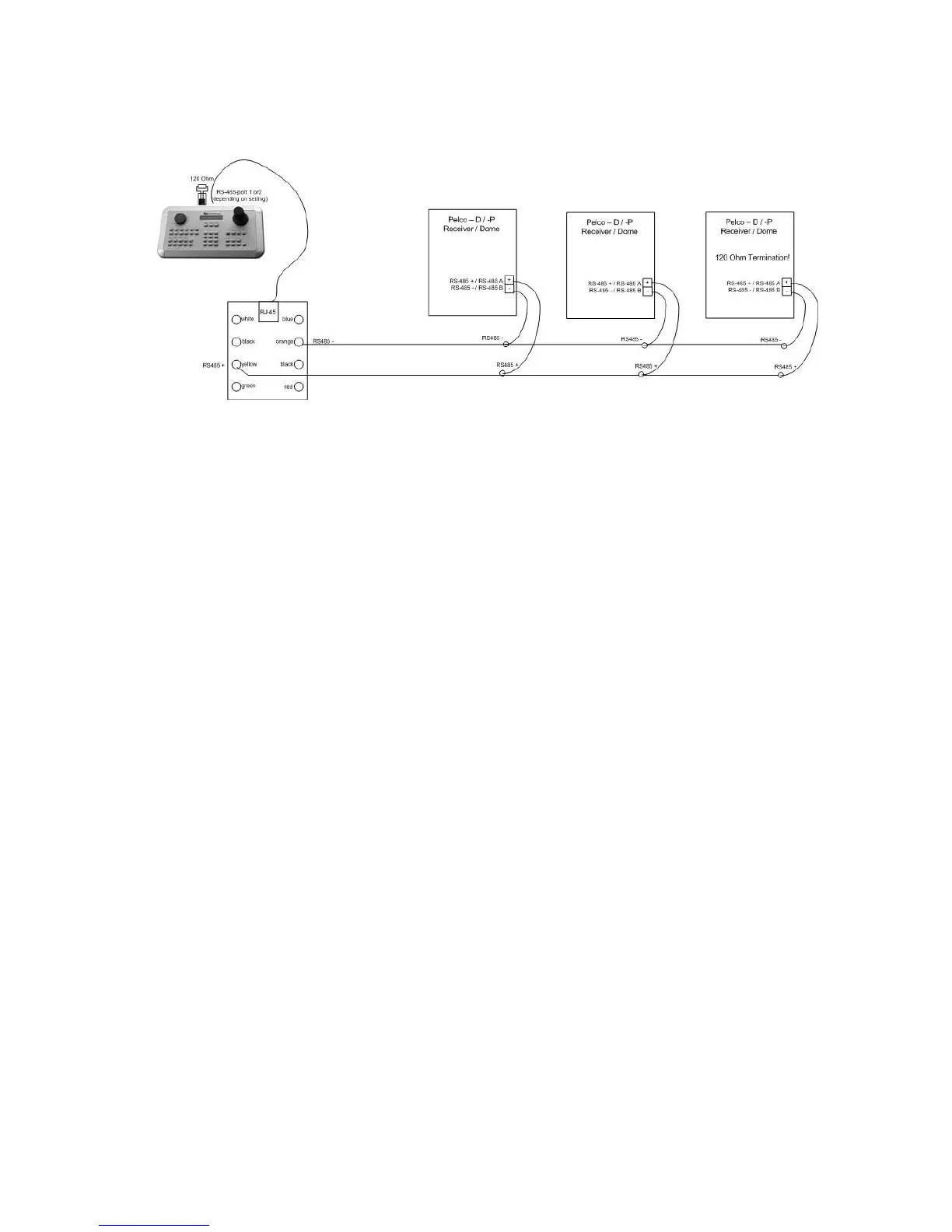
5.4 CONNECTION OF PELCO-D / -P PROTOCOL-COMPATIBLE DEVICES
Basic functions of speed domes and telemetry receivers compatible to Pelco-D / -P protocol can be
controlled with the EKB 500 keyboard if a simplex RS-485 connection option is provided. For general
connection, please refer to the chart illustrated above.
Applied protocol type: Pelco-D / Pelco-P (in accordance with dome / receiver)
ATTENTION: Some Pelco-D / -P protocol domes and receivers require an address offset of -1 at the
keyboard, i.e. the address assigned to the dome / receiver in the EKB 500 menu must be 1 below the
address set in the dome / receiver itself!



 To Next Page