EKB500_ma_en_rev1.5_3.doc 25
CAM - 001 MON - 01 > DVR
___ [ CAM / MON ]
7.4 DVR PASSWORD INPUT
If password protection is active in DVR, then the password is entered with the same procedure as
described in ch. 7.3 CAMERA SELECTION:
>
[
[
[
C
C
C
A
A
A
M
M
M
E
E
E
R
R
R
A
A
A
N
N
N
U
U
U
M
M
M
B
B
B
E
E
E
R
R
R
]
]
]
>
C
C
C
A
A
A
M
M
M
or
>
C
C
C
A
A
A
M
M
M
> [camera number] >
E
E
E
N
N
N
T
T
T
E
E
E
R
R
R
or
>
S
S
S
H
H
H
I
I
I
F
F
F
T
T
T
(hold) > [camera number]
7.5 DVR MAIN MONITOR OPERATION
If a DVR main monitor is selected, the LCD - Display
will show "DVR" in upper right corner.
All DVR functions are active now as described below.
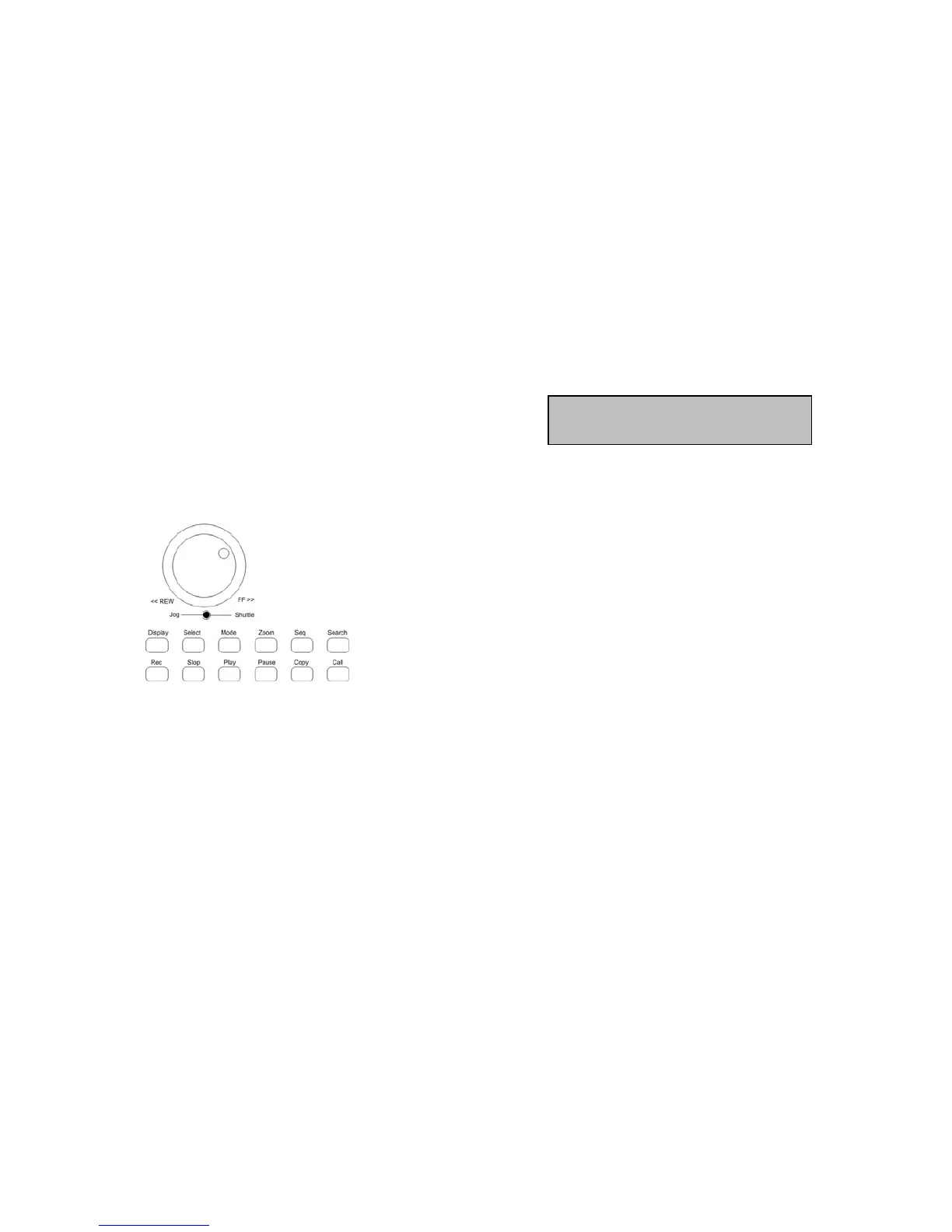
EKB-500 provides a separate keypad for DVR control. The keys correspond to the EverFocus DVR front
panel keys as regard to labelling and functionality.
Besides these keys, further keys like
M
M
M
E
E
E
N
N
N
U
U
U
or
E
E
E
N
N
N
T
T
T
E
E
E
R
R
R
are required for different functions.
NOTE: For browsing event list pages of DVR the
S
S
S
H
H
H
U
U
U
T
T
T
T
T
T
L
L
L
E
E
E
ring switches with the first step (~20°
movement). Moving the
S
S
S
H
H
H
U
U
U
T
T
T
T
T
T
L
L
L
E
E
E
to the limit may block browsing pages for ~1 second.
NOTE: If password protection is active at the DVR, please use
D
D
D
V
V
V
R
R
R
key (hold) +
[
[
[
N
N
N
U
U
U
M
M
M
B
B
B
E
E
E
R
R
R
]
]
]
key for
password input.
The range of functions varies, depending on the DVR model and firmware version.



 To Next Page