EKB500_ma_en_rev1.5_3.doc 27
7.6 PTZ OPERATION / SETUP
The operation of speed domes and telemetry receivers requires the setup of these devices in the EKB 500
menu. Settings within the following menus have to be adjusted:
M
M
M
E
E
E
N
N
N
U
U
U
> COM PORT SETTING for interface and protocol type setting
M
M
M
E
E
E
N
N
N
U
U
U
> DEVICE SETTING > CAMERA SETTING for speed dome / telemetry receiver connection settings
EKB 500 is optimised for EverFocus EPTZ series speed dome control. Furthermore, basic functions of
other supported speed dome types can be operated.
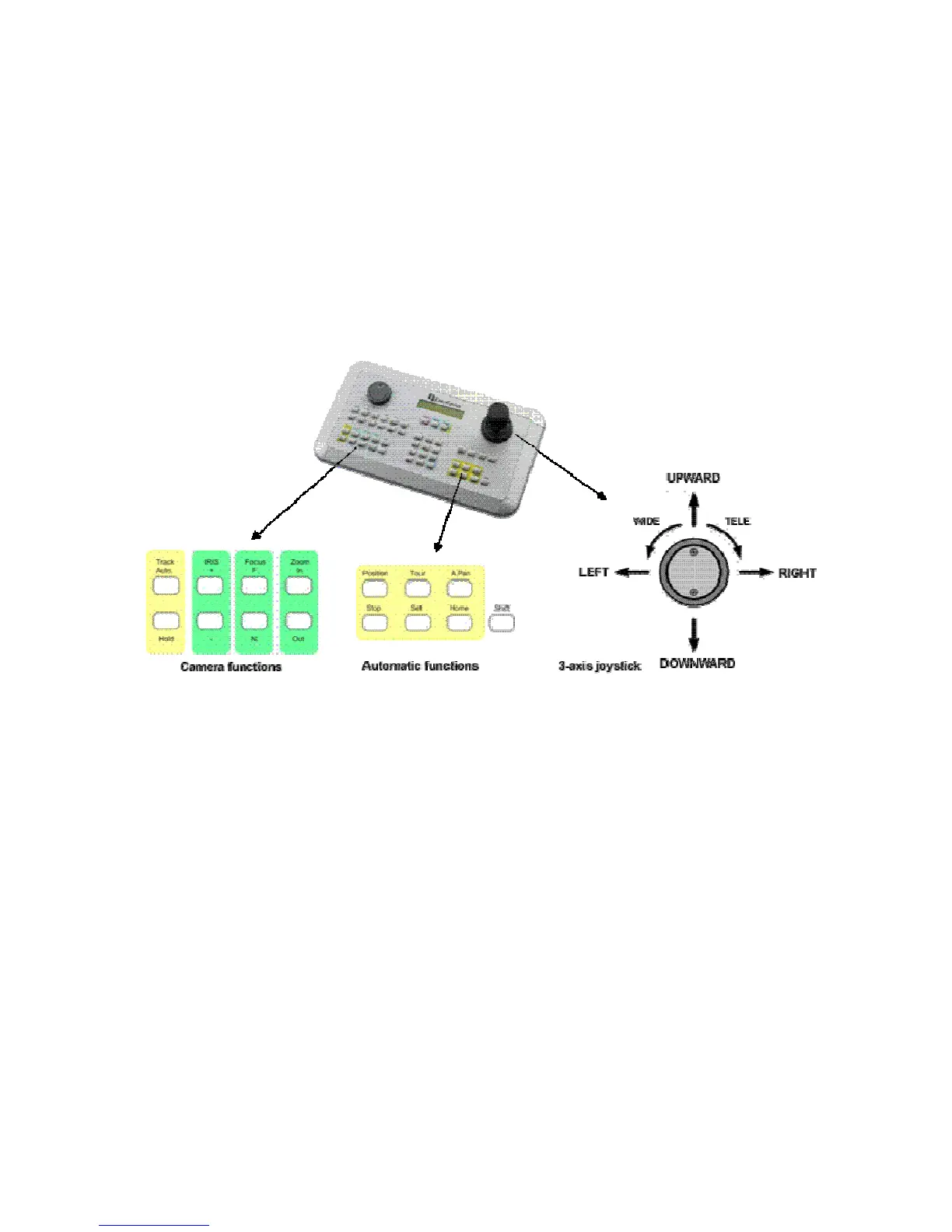
The following operating elements are available for camera control:
General key description:
T
T
T
R
R
R
A
A
A
C
C
C
K
K
K
A
A
A
U
U
U
T
T
T
O
O
O
/
/
/
H
H
H
O
O
O
L
L
L
D
D
D
:
:
:
reserved for future applications
I
I
I
R
R
R
I
I
I
S
S
S
+
+
+
/
/
/
-
-
-
:
:
:
manual iris control, + opens iris, - closes iris
F
F
F
O
O
O
C
C
C
U
U
U
S
S
S
F
F
F
.
.
.
/
/
/
N
N
N
.
.
.
:
:
:
manual focus, F. TELE; N. WIDE
Z
Z
Z
O
O
O
O
O
O
M
M
M
I
I
I
N
N
N
/
/
/
O
O
O
U
U
U
T
T
T
: Zoom keys, same function as joystick rotation, IN = TELE, OUT = WIDE
P
P
P
O
O
O
S
S
S
I
I
I
T
T
T
I
I
I
O
O
O
N
N
N
: start and save positions
T
T
T
O
O
O
U
U
U
R
R
R
: start and save preset tours
A
A
A
.
.
.
P
P
P
A
A
A
N
N
N
: autopan, start and save automatic pan operation
S
S
S
T
T
T
O
O
O
P
P
P
: function key for programming termination
S
S
S
E
E
E
T
T
T
: switch key for second key level (depending on function)
H
H
H
O
O
O
M
M
M
E
E
E
: start and save home position
S
S
S
H
H
H
I
I
I
F
F
F
T
T
T
: switch key for second key level (depending on function)



 To Next Page