23
ENGLISH
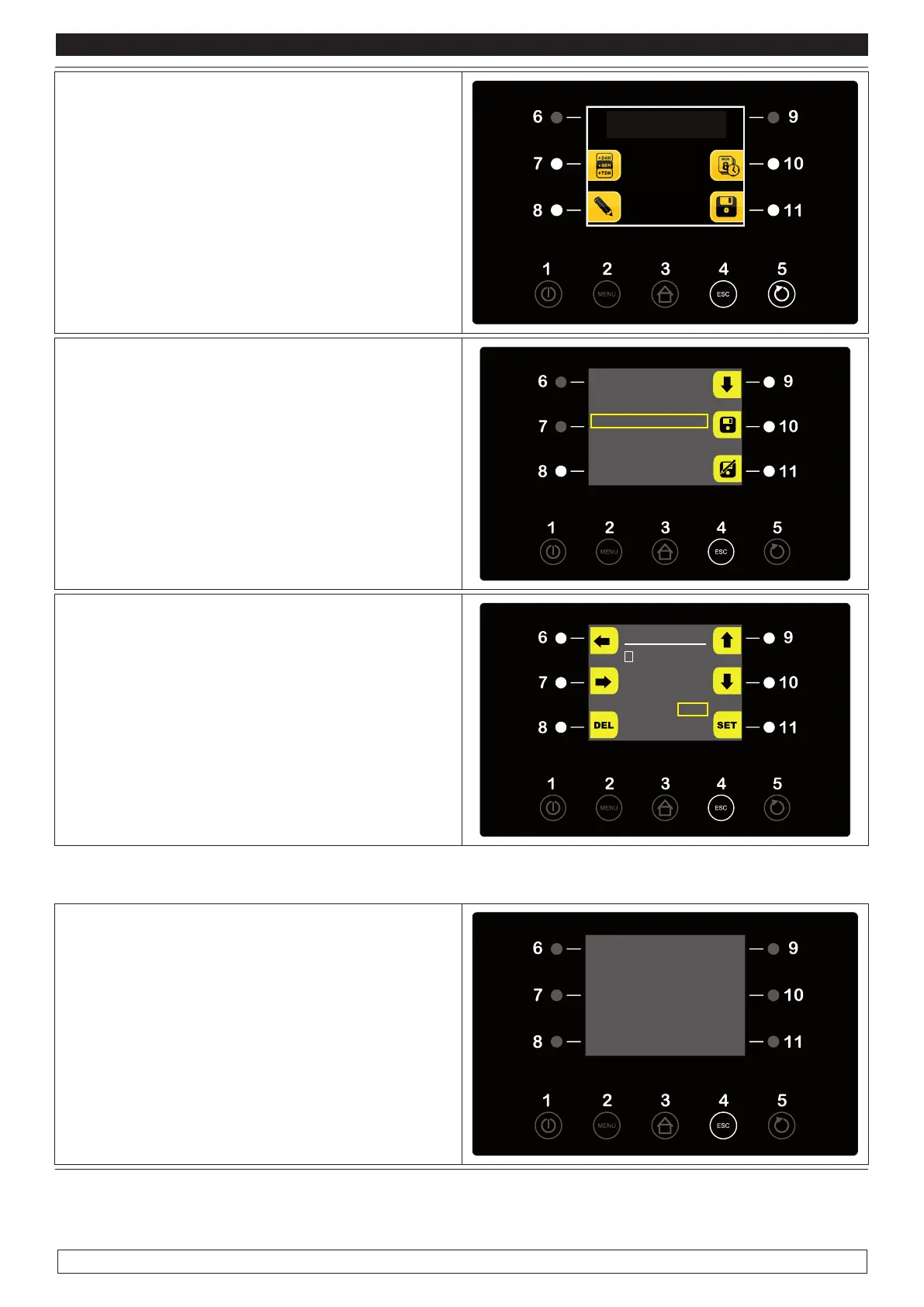
► To save the new set cycle press the ESC key (4)
► Press the SAVE DATA button (11)
► Press the DOWN key (9) to save the program-
me with a name already existing in the list then
press the SAVE key (10) or save the programme
with a new name by pressing the SAVE AS key
(11)
PROGRAMS
P01 BREAD 100G
P02 BREAD 300G
P03 BREAD 500G
P04 <free>
P05 <free>
P06 <free>
P07 <free>
To save the programme with a new name:
► Press the direction keys (6-7-9-10) to select
the letters
► Press the SET key (11) to confirm
► Press the DEL key (8) to cancel
► Select END to confirm and save the name of
the programme
BREAD 100G------
A B C D E F G H I J K
M N O P Q R S T U V
Y Z 0 1 2 3 4 5 6 7 8 9
. , ; : ! ? % / * - + (
) ‘ (SPACE) (END)
Each recalled cycle always suggests the time with which the program has been saved
► Press the START/STOP keys (5) to view the
schedules of the end phase
► Press the START/STOP keys (5) again to start
the automatic cycle
END OF PHASES TIME
Phase 1 THU 08/01/15 h 13:47
Phase 1 THU 08/01/15 h 13:47
Phase 1 THU 08/01/15 h 13:47
Phase 1 THU 08/01/15 h 13:47
END CYCLE
MON 30/12/13 12:00








 To Next Page