23
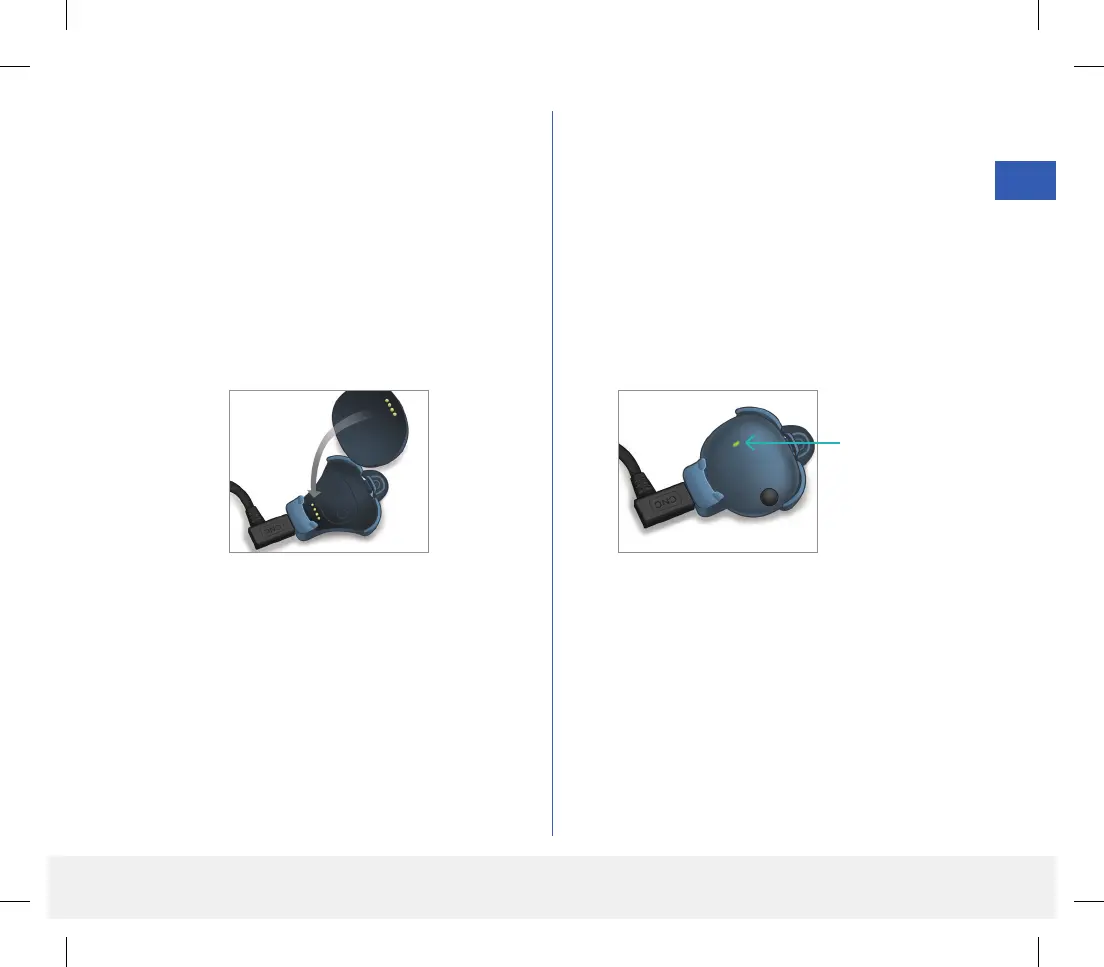
3. Line up the four gold pins on the bottom of the
smart transmitter with the four gold pins on the
charging cradle.
• Slide the smart transmitter into place in the
charging cradle.
• Once positioned, push down on the smart
transmitter until it snaps into place.
4. Plug the adapter into an AC power outlet.
• Once fully charged, a small green LED light
appears on the top front of the smart transmitter
(above the power button).
• Disconnect the power supply from the smart
transmitter after it is fully charged.
• To release the smart transmitter from the
charging cradle, pull back on the tab and lift the
smart transmitter out of the cradle.
LED Indicator
(lights green
or orange)
LBL-1602-01-001 Rev N_Eversense User Guide_mgdL_R1.indd 23LBL-1602-01-001 Rev N_Eversense User Guide_mgdL_R1.indd 23 2/26/20 12:58 PM2/26/20 12:58 PM



 To Next Page