48
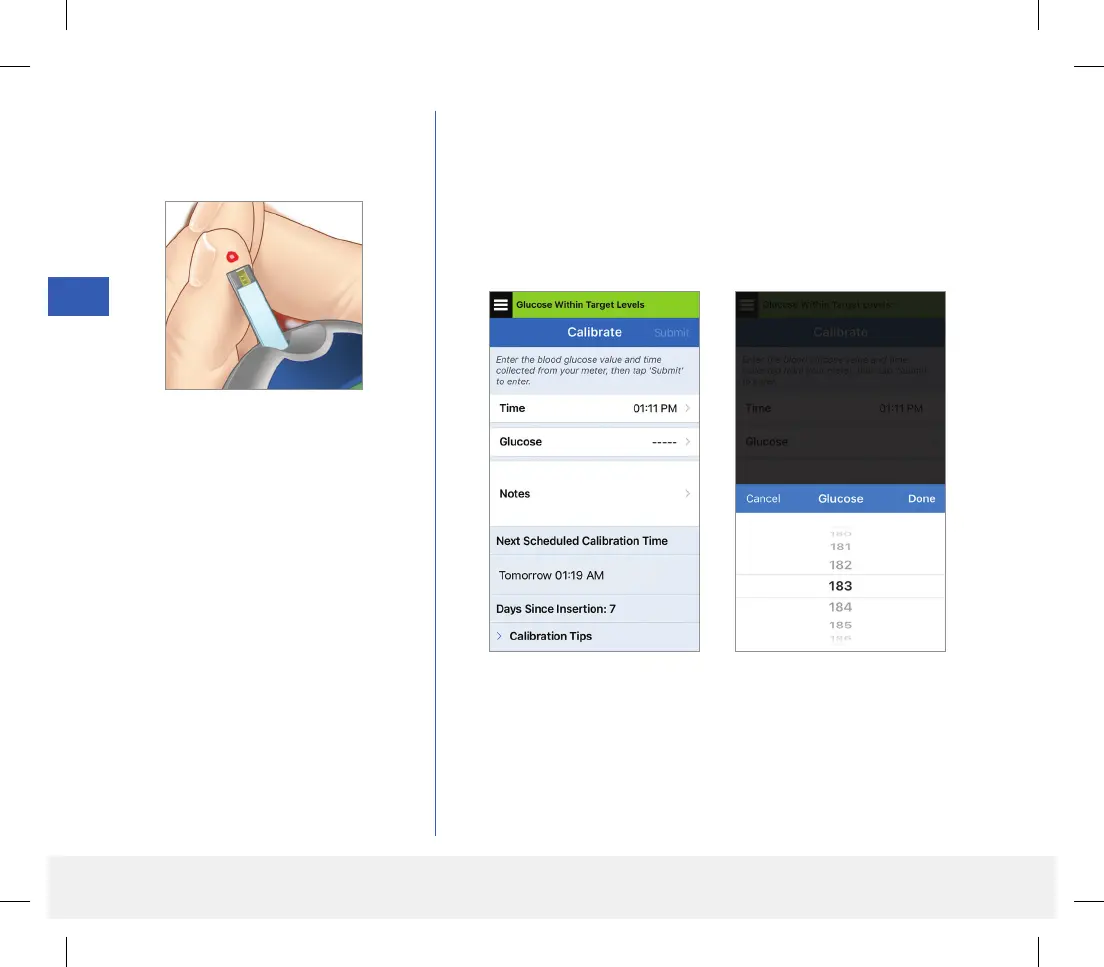
2. Obtain a fingerstick reading
from your blood glucose meter.
3. Tap Glucose and enter the value from your fingerstick blood
glucose test.
• Tap Done.
• Tap Notes to enter any notes.
• Tap Done.
Note: You cannot enter a calibration value that is older than
10 minutes.
LBL-1602-01-001 Rev N_Eversense User Guide_mgdL_R1.indd 48LBL-1602-01-001 Rev N_Eversense User Guide_mgdL_R1.indd 48 2/26/20 12:58 PM2/26/20 12:58 PM



 To Next Page