75
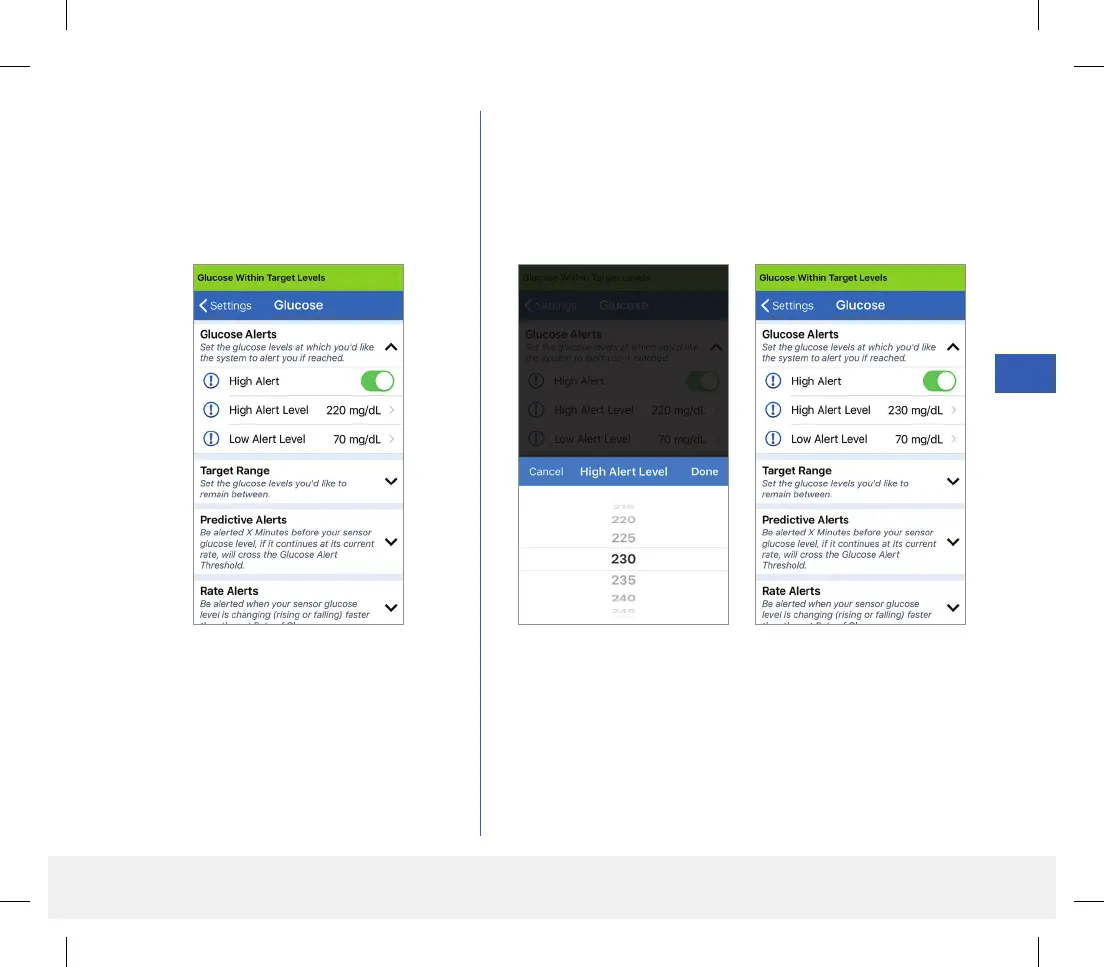
1. Tap Menu > Settings > Glucose to
display the GLUCOSE SETTINGS
screen.
2. Under Glucose Alert Levels, tap High Alert and
select the appropriate High Glucose Alert level.
• Tap Done when complete.
• Repeat step to make your Low Alert selection.
LBL-1602-01-001 Rev N_Eversense User Guide_mgdL_R1.indd 75LBL-1602-01-001 Rev N_Eversense User Guide_mgdL_R1.indd 75 2/26/20 12:59 PM2/26/20 12:59 PM



 To Next Page