92
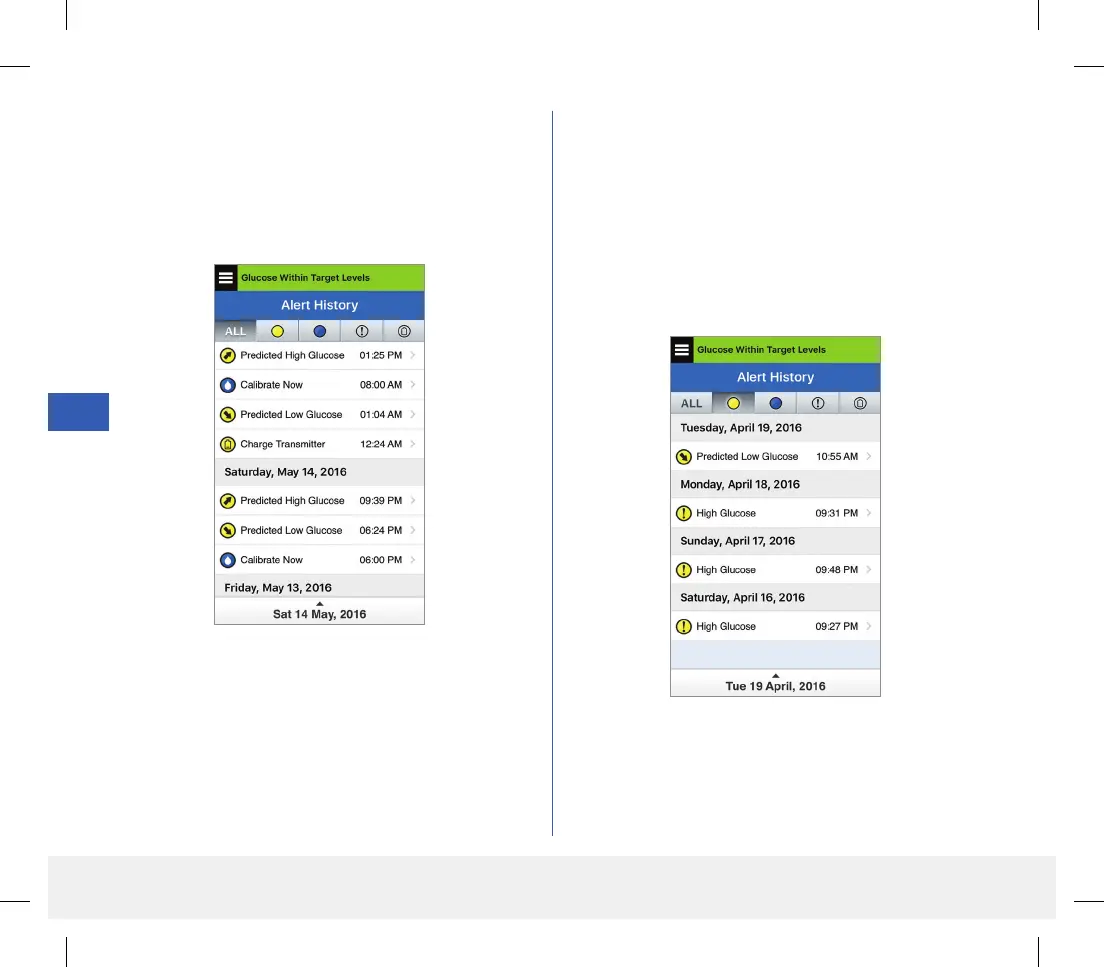
1. Tap Menu > Alert History.
• The ALERT HISTORY screen will list
ALL alerts and notifications for that day.
• Tap on any message to get more information.
2. You can choose to include only certain messages
(alerts and notifications, etc.) for review by
tapping selected alert icons.
• Tap ALL, then tap icons on top of the screen
to select only the types of alerts you want
displayed.
• Tap Menu when done.
Example of ALL
Example of alerts only
LBL-1602-01-001 Rev N_Eversense User Guide_mgdL_R1.indd 92LBL-1602-01-001 Rev N_Eversense User Guide_mgdL_R1.indd 92 2/26/20 12:59 PM2/26/20 12:59 PM



 To Next Page