113
ELECTRICAL AND IGNITION
TIMING ADJUSTMENTS
6
location to align with the cast-in TDC boss on the
flywheel. Tighten retaining screw.
Repeat the entire adjustment process to make
sure pointer is aligned correctly.
Install spark plugs. Refer to Spark Plug Indexing
on p. 40.
Timing Verification
Use Evinrude Diagnostics software to synchronize
the mechanical timing of the outboard with the
electronic timing of the EMM.
Start the outboard.
Use the Settings/Ignition Timing screen of the
diagnostics software and follow the on-screen
instructions.
Check ignition timing after any of the following
procedures:
• Powerhead replacement
• Crankshaft replacement
• Flywheel removal or replacement
• CPS replacement
• EMM replacement
• EMM software replacement (reprogramming)
IMPORTANT: Make sure the timing pointer is
set and the outboard reaches operating tempera-
ture before making any timing adjustments.
TPS CALIBRATION
Use Evinrude Diagnostics software to tell the
EMM what throttle position sensor voltage is when
the throttle plates begin to open.
Set TPS Calibration after replacing or adjusting
any throttle body or throttle linkage parts.
Remove the air silencer.
Turn the key switch to the ON position. Do NOT
start the outboard.
MODELS WITH ICON ELECTRONIC SHIFT AND
THROTTLE
Rotate the propeller shaft and use the ICON
remote control to shift the outboard into FOR-
WARD gear. Rotate the propeller shaft to confirm
the outboard is in FORWARD gear.
Fully advance the throttle. The throttle actuator
should move the throttle plates to the wide open
throttle position.
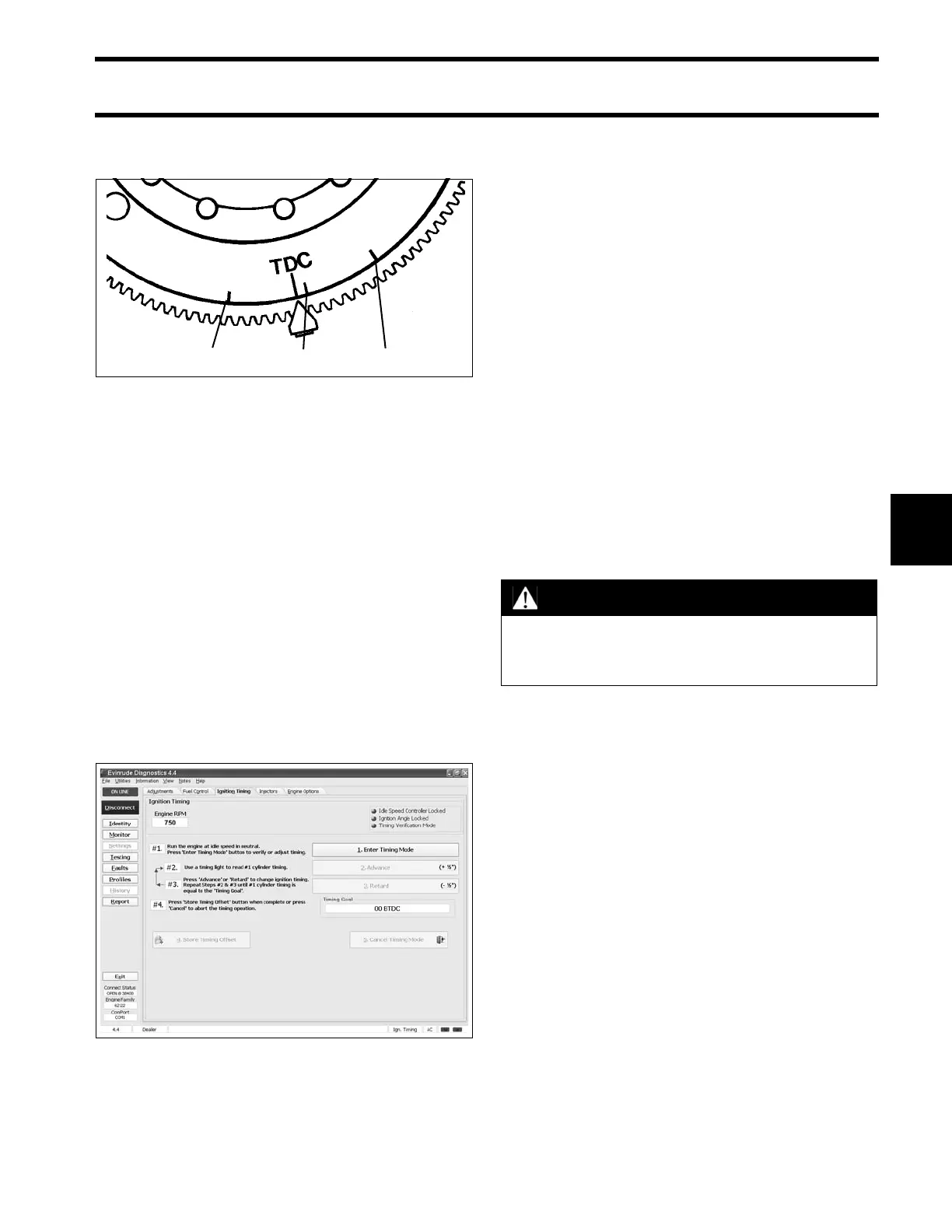
1. Mark “A’”
2. Mark “B”
3. Mark “C”
DR1233
Timing Adjustment Screen 008110
WARNING
To prevent accidental starting of outboard,
disconnect crankshaft position sensor
(CPS).





 To Next Page