/28
CHANGING SPEED MODES ON THE REMOTE
Once your remote is paired to your skateboard, it will be in SAFE Mode.
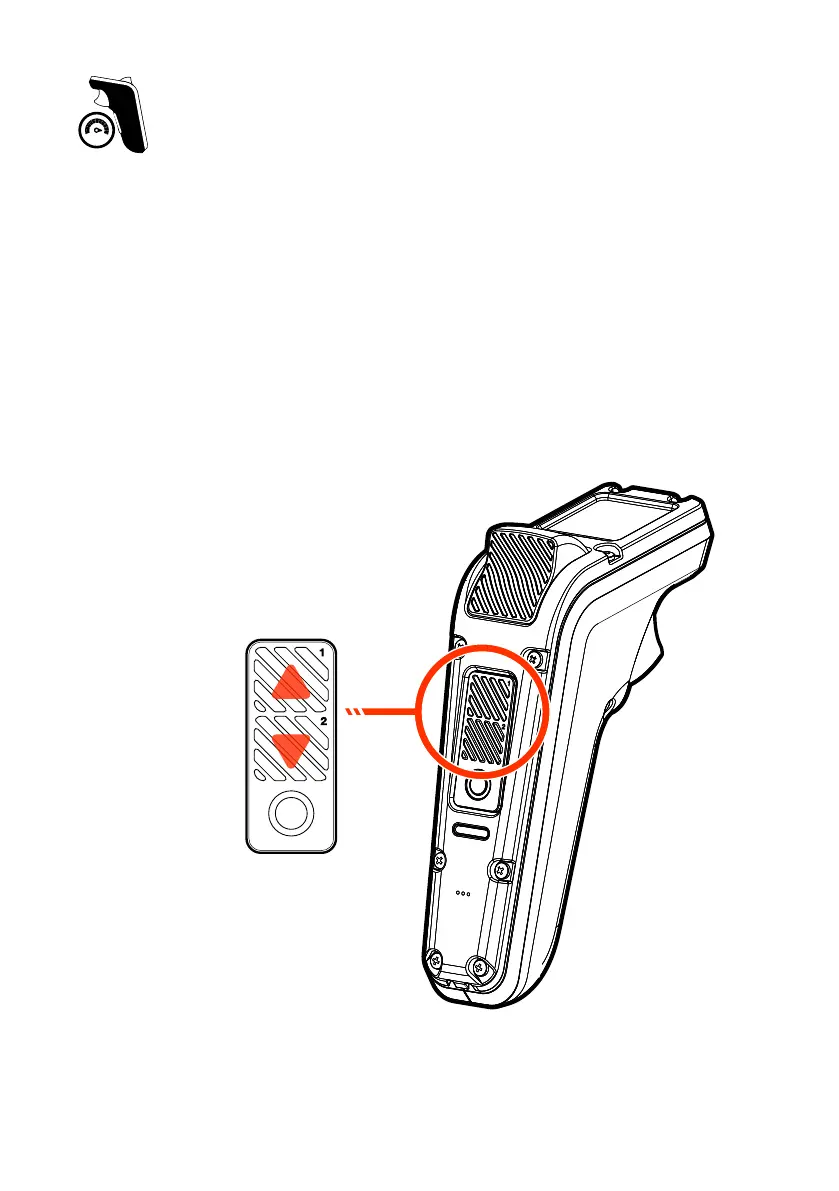
Press MODE 1 or MODE 2 button once, this will change the speed from
SAFE Mode to the previous speed setting of your last ride.
Each time you press the MODE 1 button, this will increase the speed Mode
from ECO Mode through to CUST Mode one Speed Mode at a time.
Each time the MODE 2 button is pressed, it will decrease the speed Mode
from CUST Mode through to ECO Mode one Speed Mode at a time.
MODE 2 BUTTON
MODE 1 BUTTON
SCROLL DOWN
SCROLL UP


 To Next Page