/38
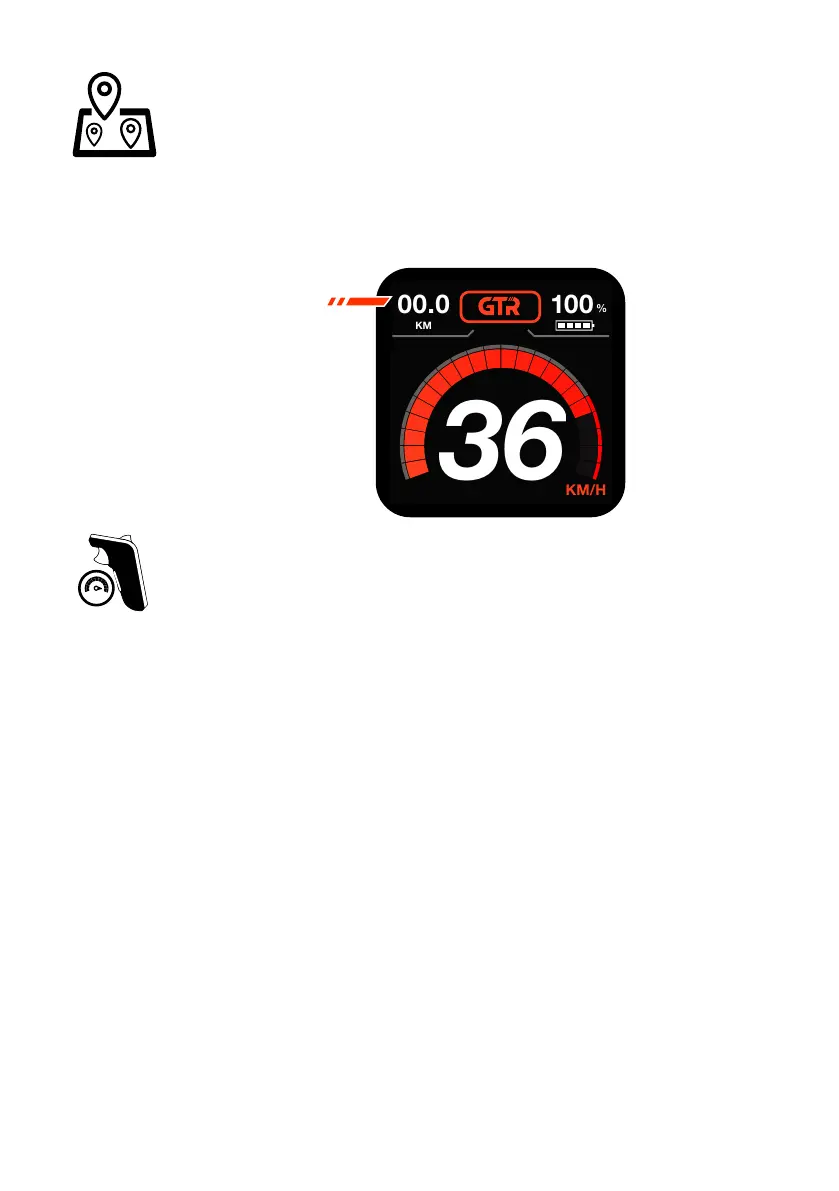
TRIP METER
The Trip Meter will show your distance travelled for your current ride only in
the top left corner of the LCD screen.
Once you turn your board OFF, the Trip Meter will reset to 0 distance.
TRIP METER
OTHER REMOTE OPERATION FUNCTIONS
• If you accidentally press both the accelerator trigger and brake trigger at
the same time, the brake function will override the accelerator input.
• If you hold down both the accelerator and the brake triggers and then
release the brake trigger, your board will not accelerate.
• As you are riding and holding down the accelerator or brake trigger, you
will not be able to change speed Modes or turn the remote OFF until you
release the triggers.
• When the Safety Switch is enabled and you kick push the skateboard to
start, you can avoid pressing in the Safety Switch, this is also good for
battery efciency.
• Get to know the vibration warnings on your remote, these can be useful
during your ride.
• The LCD screen is much easier to see when there is less direct sunlight.
• After 5 minutes of no use, the Phaze remote will enter a sleep mode
to save on battery life. While in this mode no controls will function. To
reactive the remote and your board, press the brake trigger.
• Avoid riding with your thumb positioned on the brake trigger as you are
accelerating, this may cancel out the accelerator when you are not ready.


 To Next Page