Functional characteristics
MIG/MAG welding
Item No.: 099-004833-EWM01 37
PHOENIX DRIVE 4 M3.7x
DYN
- +
Select Dynamics welding parameter
Dynamic"
DYN
comes on.
-40 to +40
m/min
Dynamics setting
Arc harder and narrower
Arc softer and wider
-40 to +40
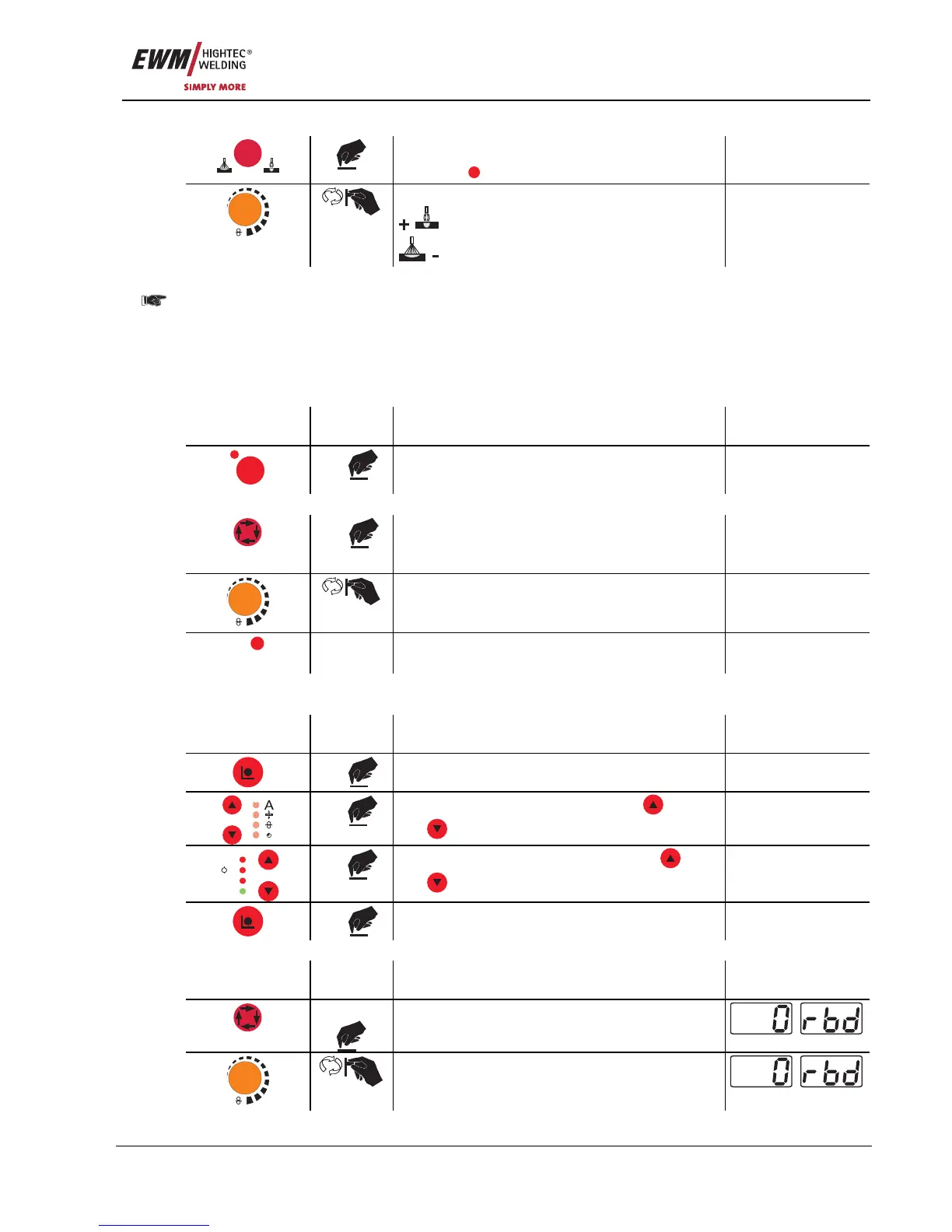
5.2.2.5 Superpulses
PHOENIX DRIVE 4 with M3.00 control:
• The settings for superpulses and wire burn-back are made on the M3.10 welding machine control
PHOENIX DRIVE 4 with M3.70 control:
• The settings for superpulses and wire burn-back are made either on the M3.10 welding machine
control or on the M3.71 wire feed unit control
M3.10 welding machine control:
Operating
element
Action Result Display
Superpuls
S
1 x
Switch superpulses on or off
The signal light indicates the selection.
No change
M3.70 wire feed machine control:
X x
Selects superpulses
Press the "Select welding parameters" button
until "on/off Sup" appears on the display.
on/off Sup
m/min
Switches function on or off
on/off Sup
Super-
puls
The signal light indicates when the function
has been activated.
5.2.2.6 Wire burn-back
M3.10:
Operating
element
Action Result Display
1 x
Select program sequence mode Program steps
x x
Select "RUECK" parameter using the
"Up"
and
"Down" buttons (left)
RUECK 2-500
V
Job Nr
Hold
A
M
x x
Adjust the selected parameter using the
"Up"
and
"Down" buttons (right)
RUECK 2-500
3 x
Machine returns to Display mode
M3.70:
Operating
element
Action Result Display
3 sec.
Selects wire burn-back
m/min
Parameter setting
(setting range 0 to 499)










 To Next Page